Electronic components
EEsource
A B2B catalog and inquiry platform for laptop parts. Type a part number to find it, and send one inquiry for several part numbers at once.
5,000 part numbers on page one in 10 days
- 10
- days to Google page one
- 1
- click to send an inquiry from the compare list
EEsource supplies laptop parts such as display panels, batteries and keyboards. We built them a parts catalog and inquiry website in Chinese and English. Product data syncs automatically from the company's internal system every day, and the sales team answers inquiries in the admin.
- Project type
- B2B parts catalog and inquiry platform
- What we did
- Website design, website, inquiry admin, data sync
- Site languages
- Chinese, English
- Sign-in
- Google account
Project overview
Customers who come to EEsource usually already have a part number. They want to know whether it's in stock and what it costs. The website had to do three things: find a part by its number, show real photos and specs, and send an inquiry for several part numbers at once. All product data lives in the company's internal system, so the website could not keep a separate copy.
01 · Find a part
Type a part number and find the exact part
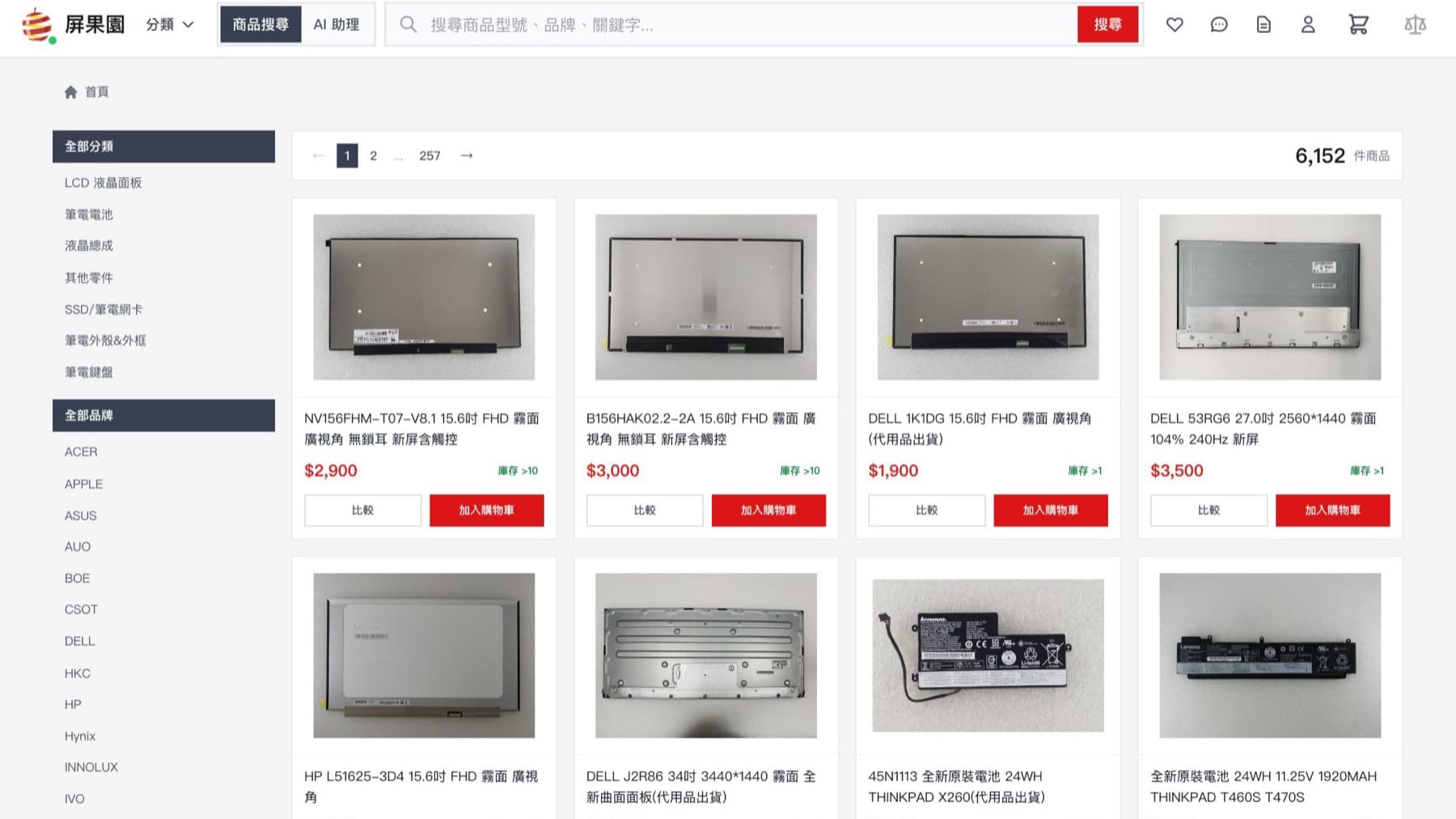
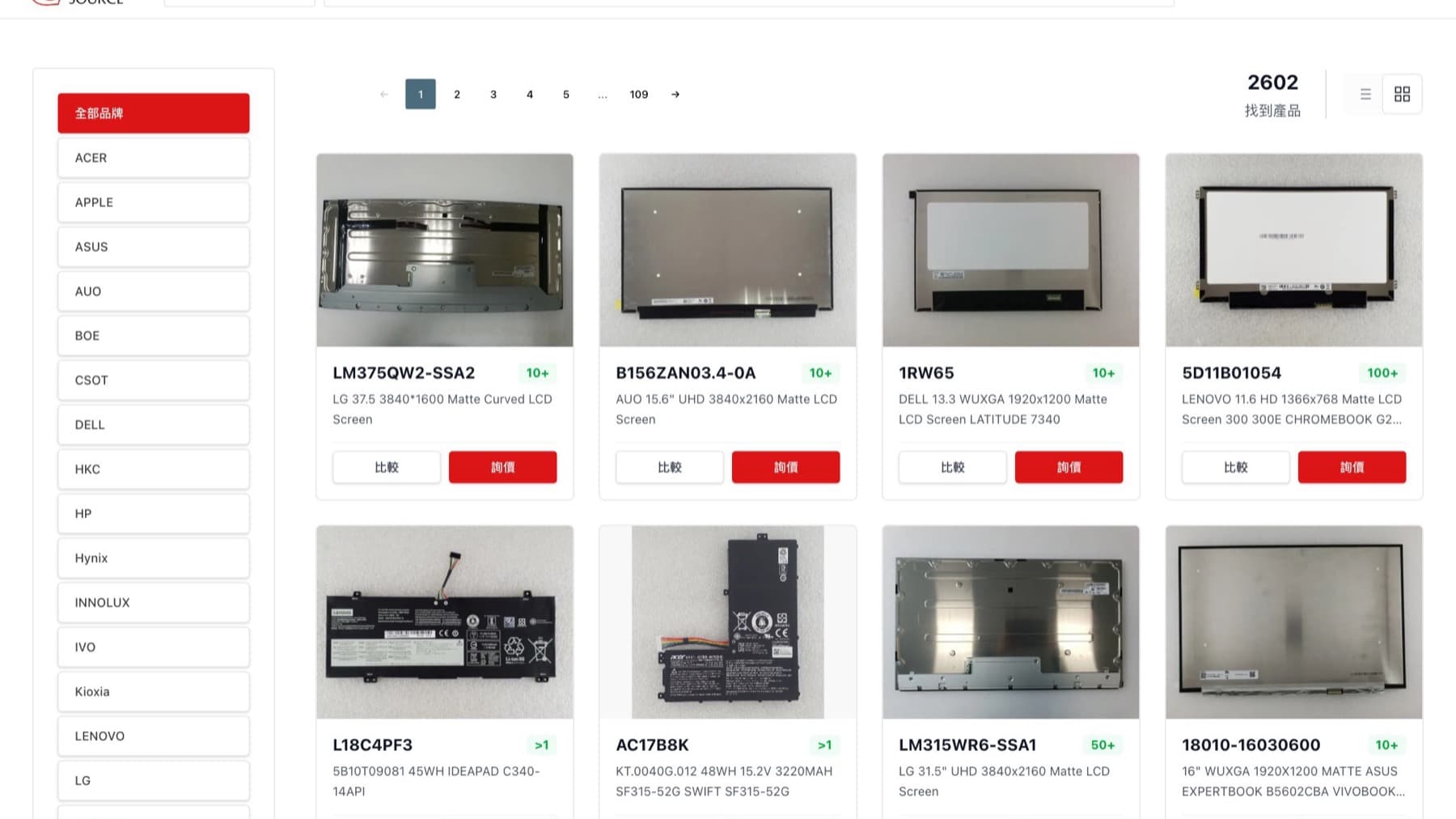
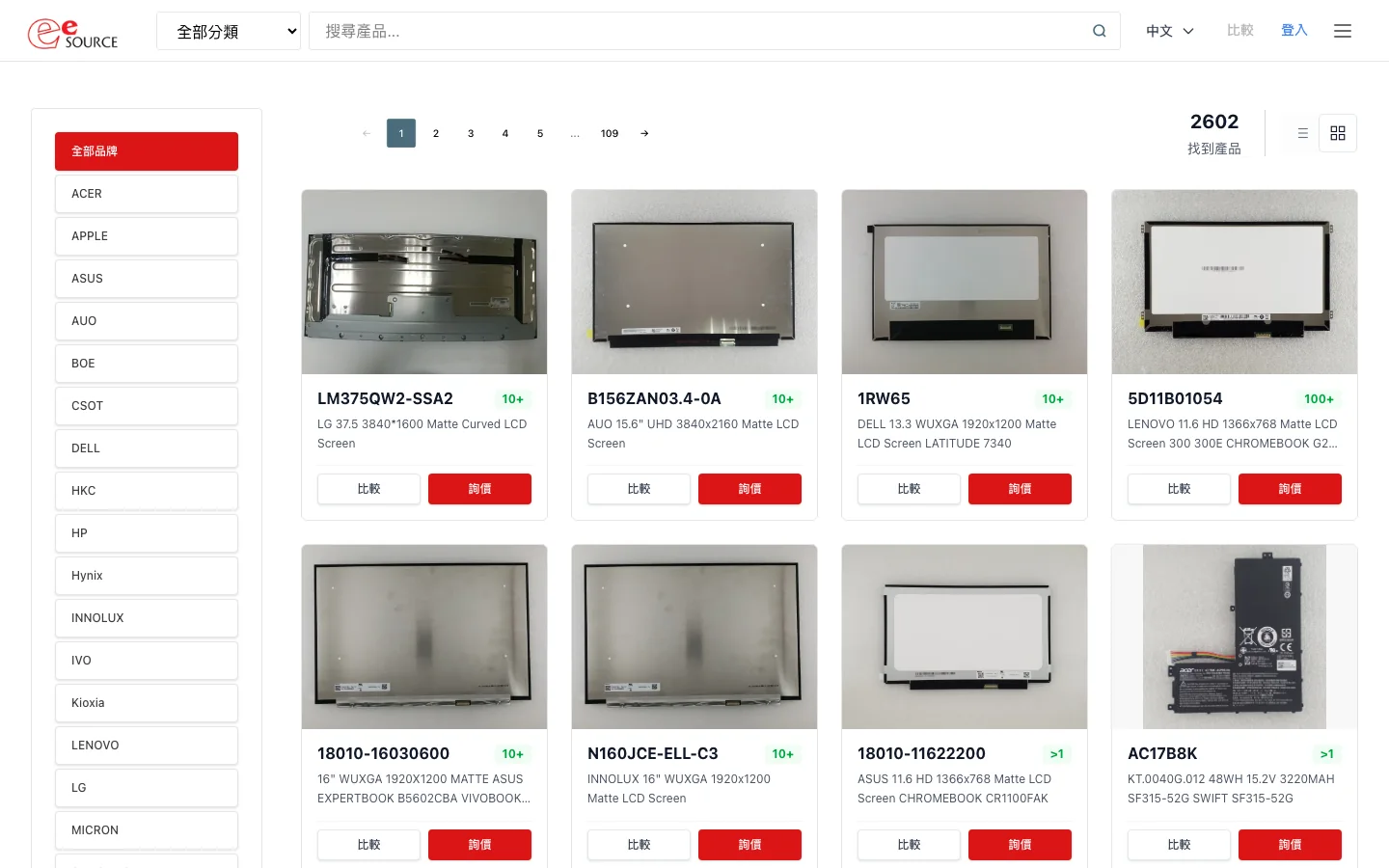
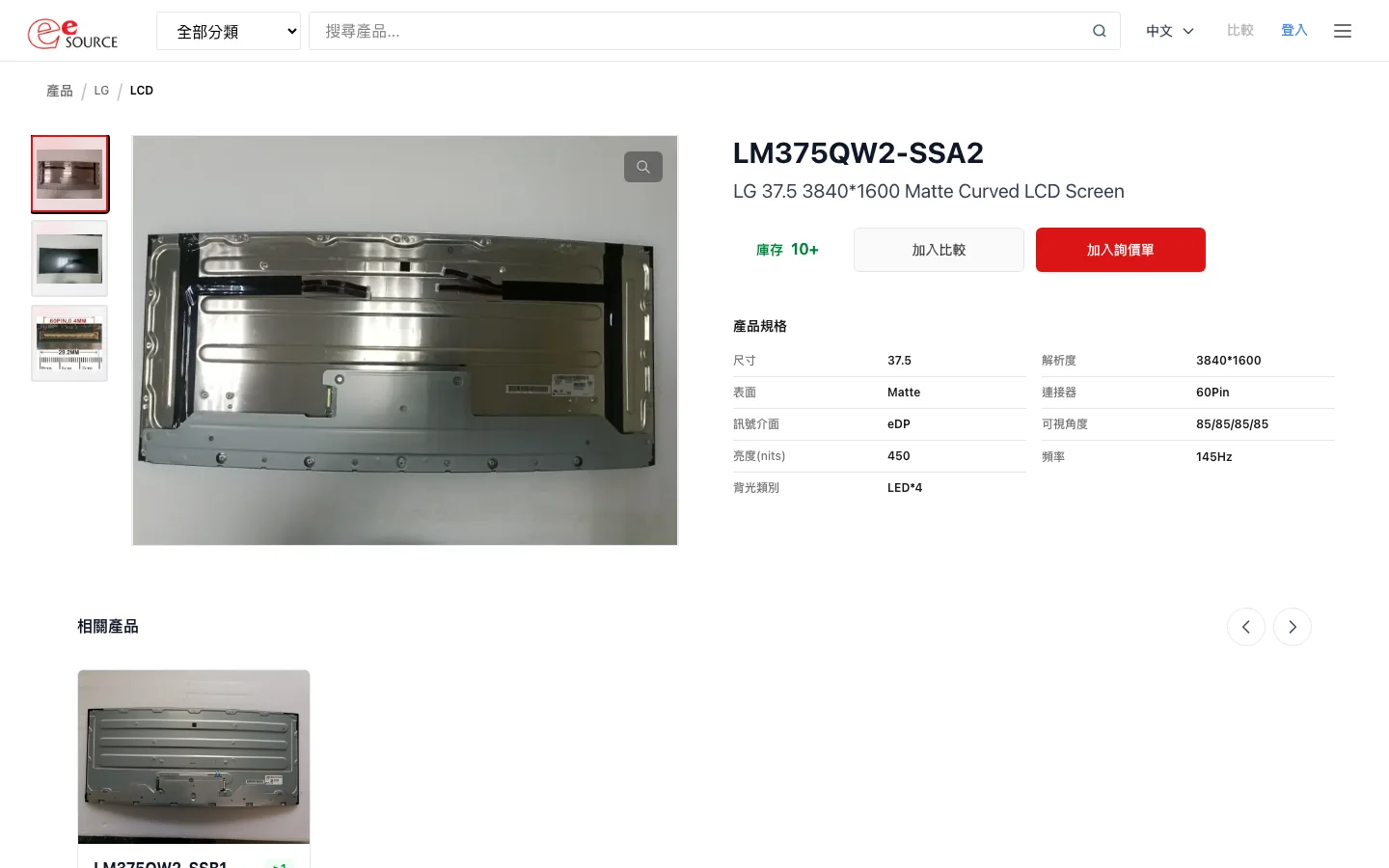
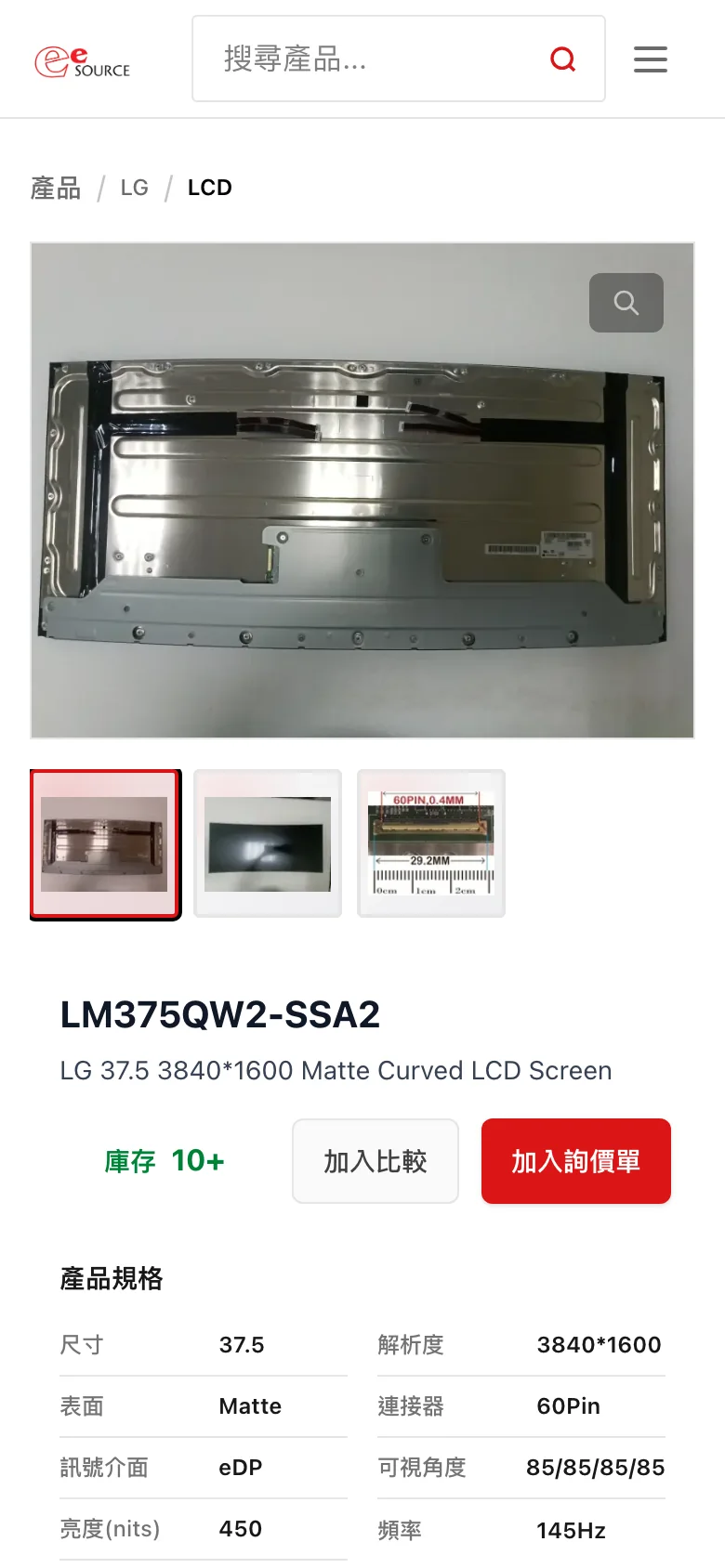
Customers can search by category, brand or keyword. Every part number has its own page, with the brand and part number in the URL. Each page shows real photos, a spec table and related products, in both Chinese and English.
02 · Inquiries
Send one inquiry for several part numbers
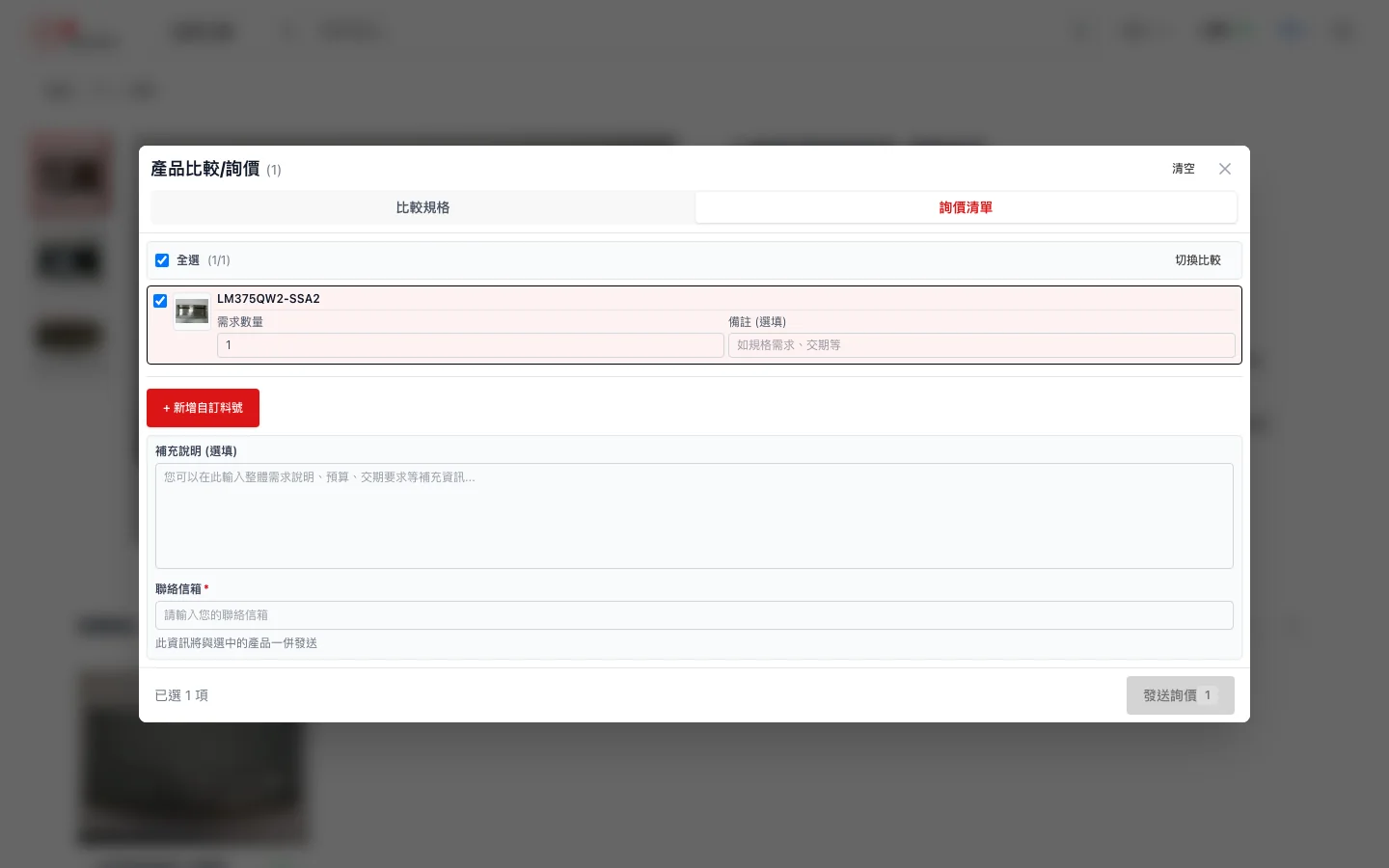
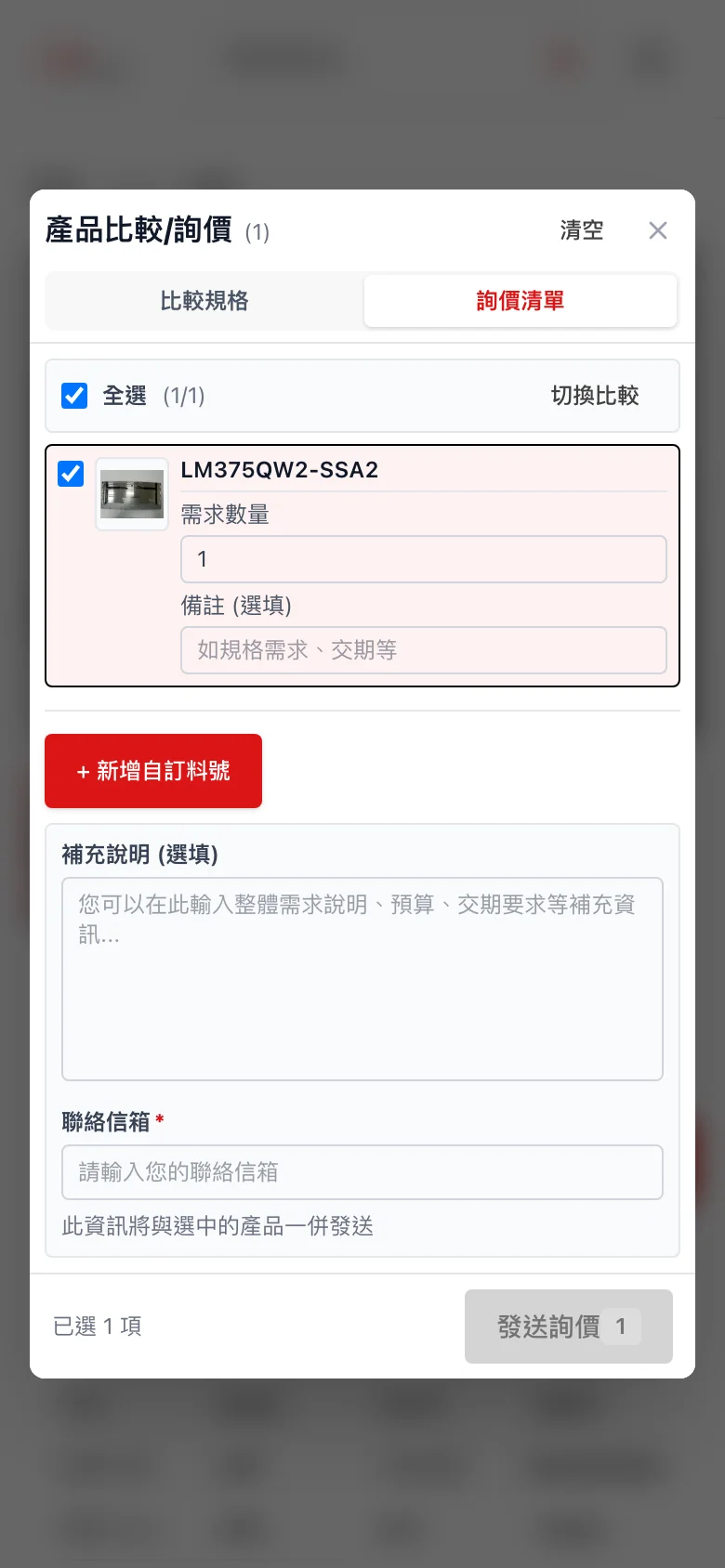
Customers add parts to a list, compare specs side by side, then enter a quantity and notes for each one. If a part number isn't listed, they can add it themselves. After sending, they get an inquiry number.
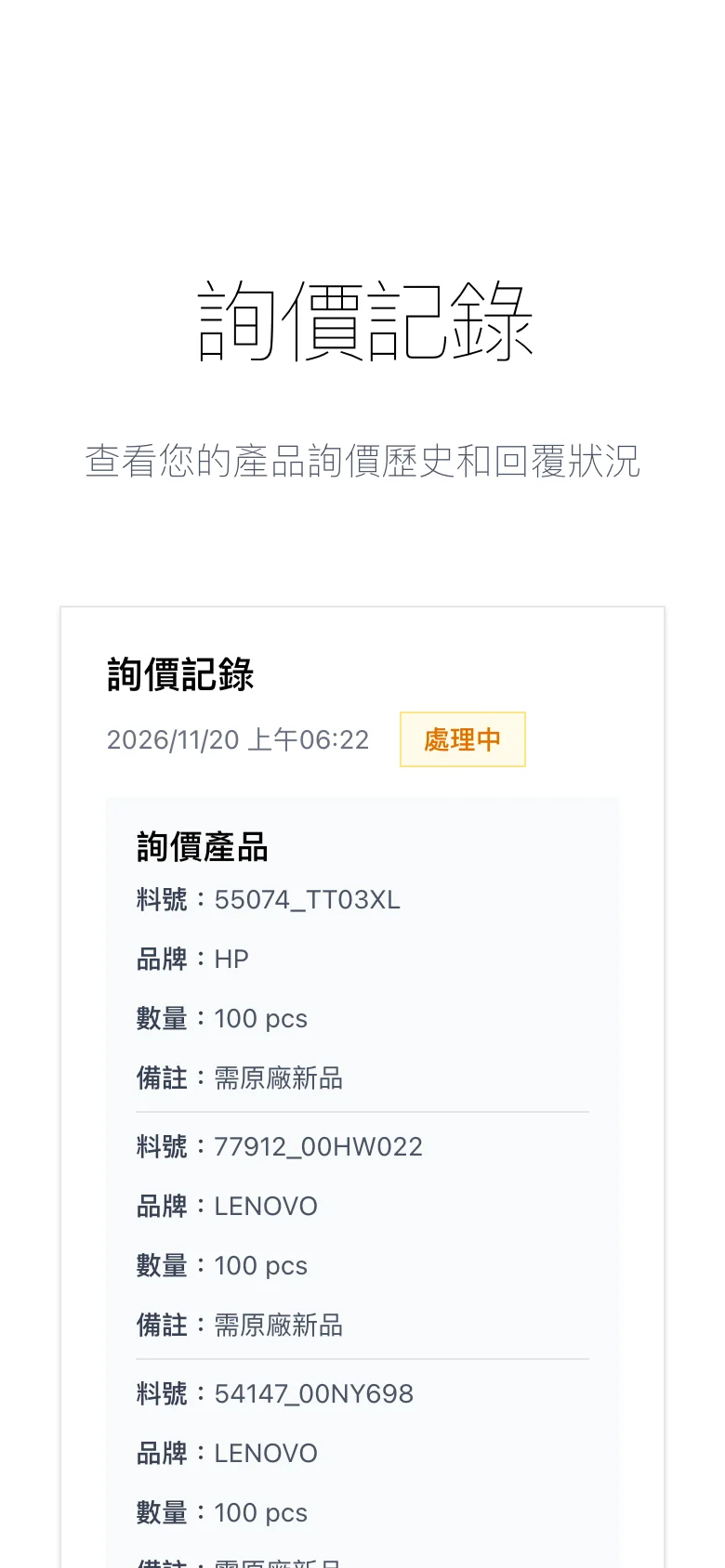
Once signed in, customers can see the status of each inquiry on their account page and message the sales team directly.
03 · Sales admin
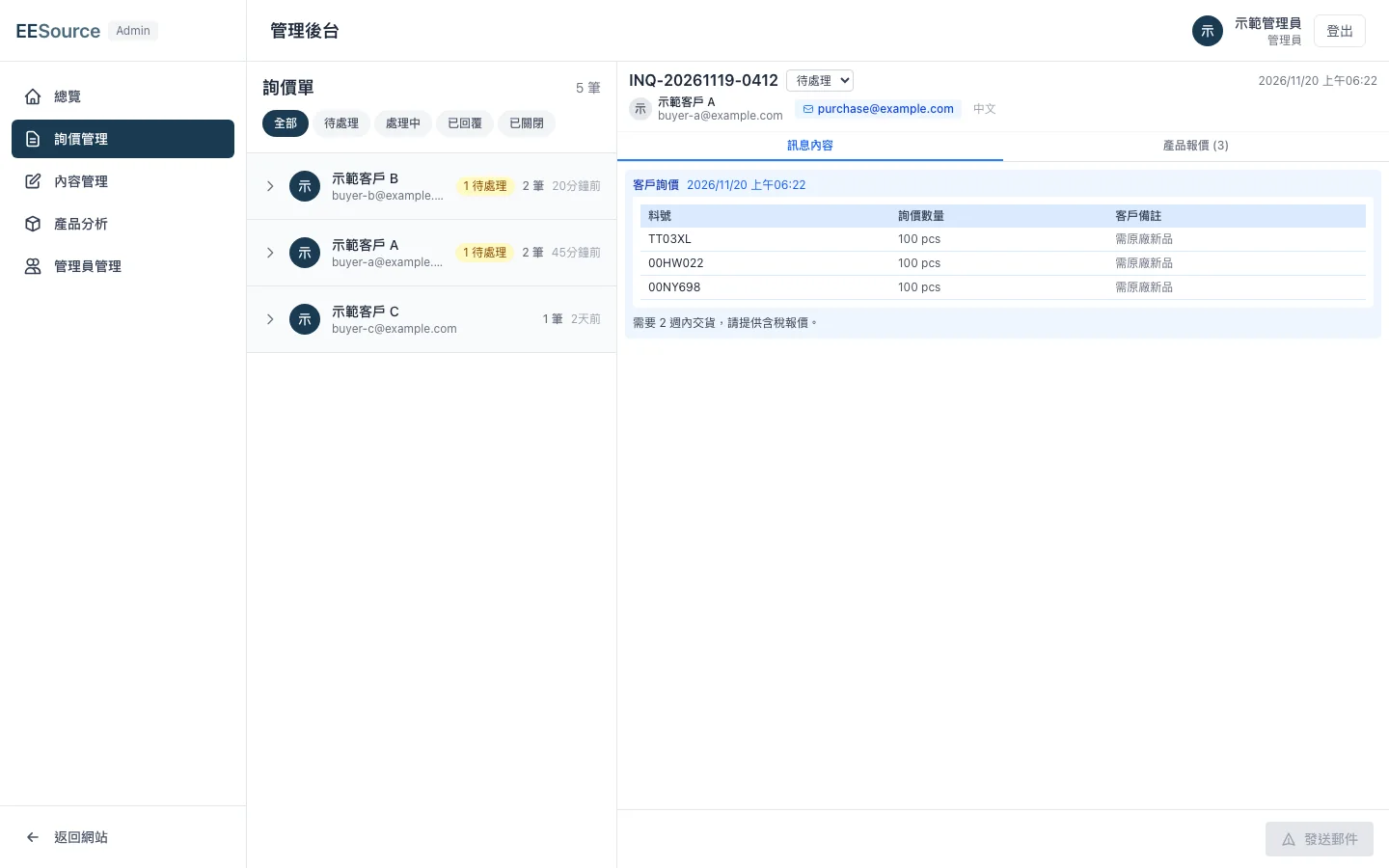
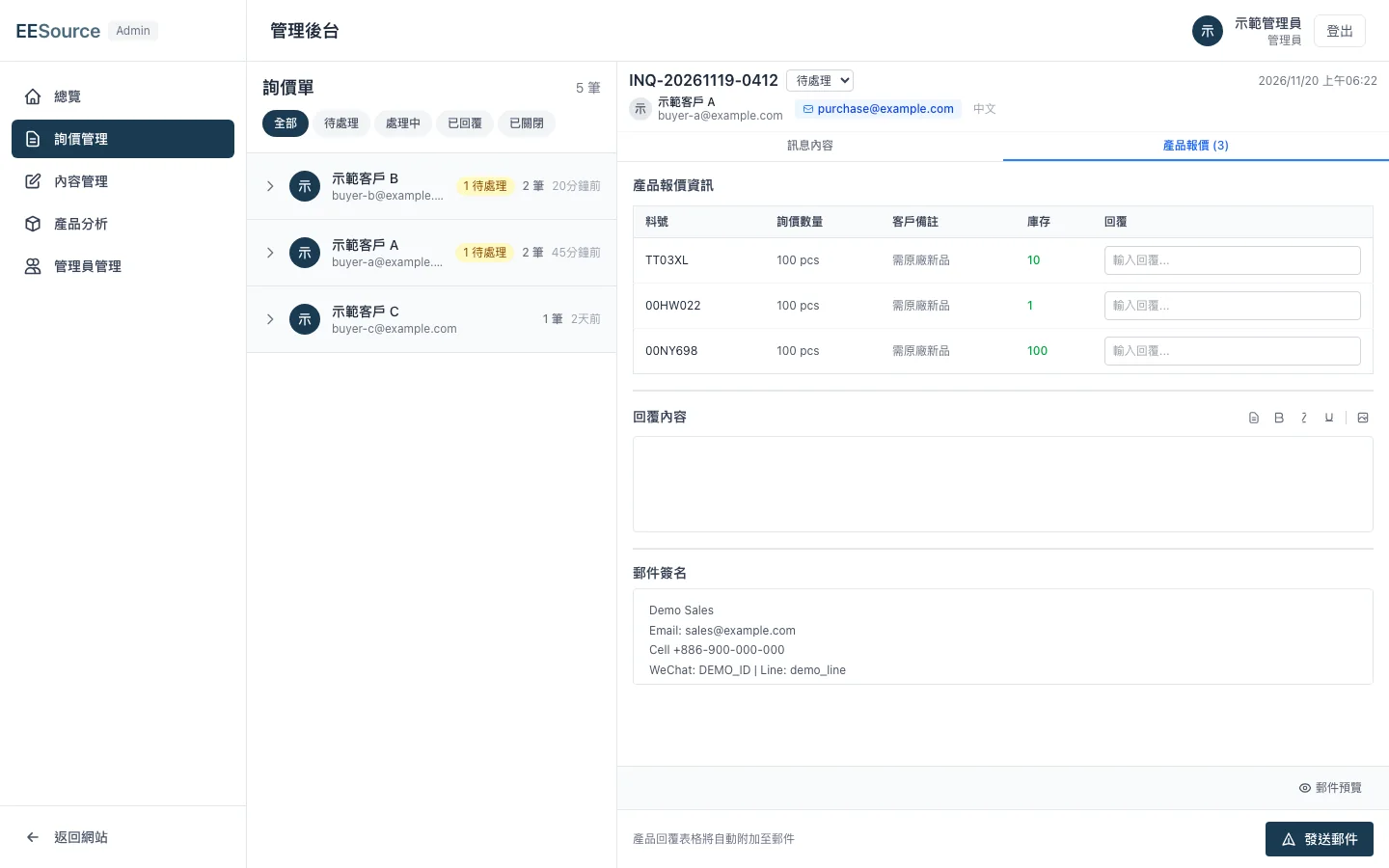
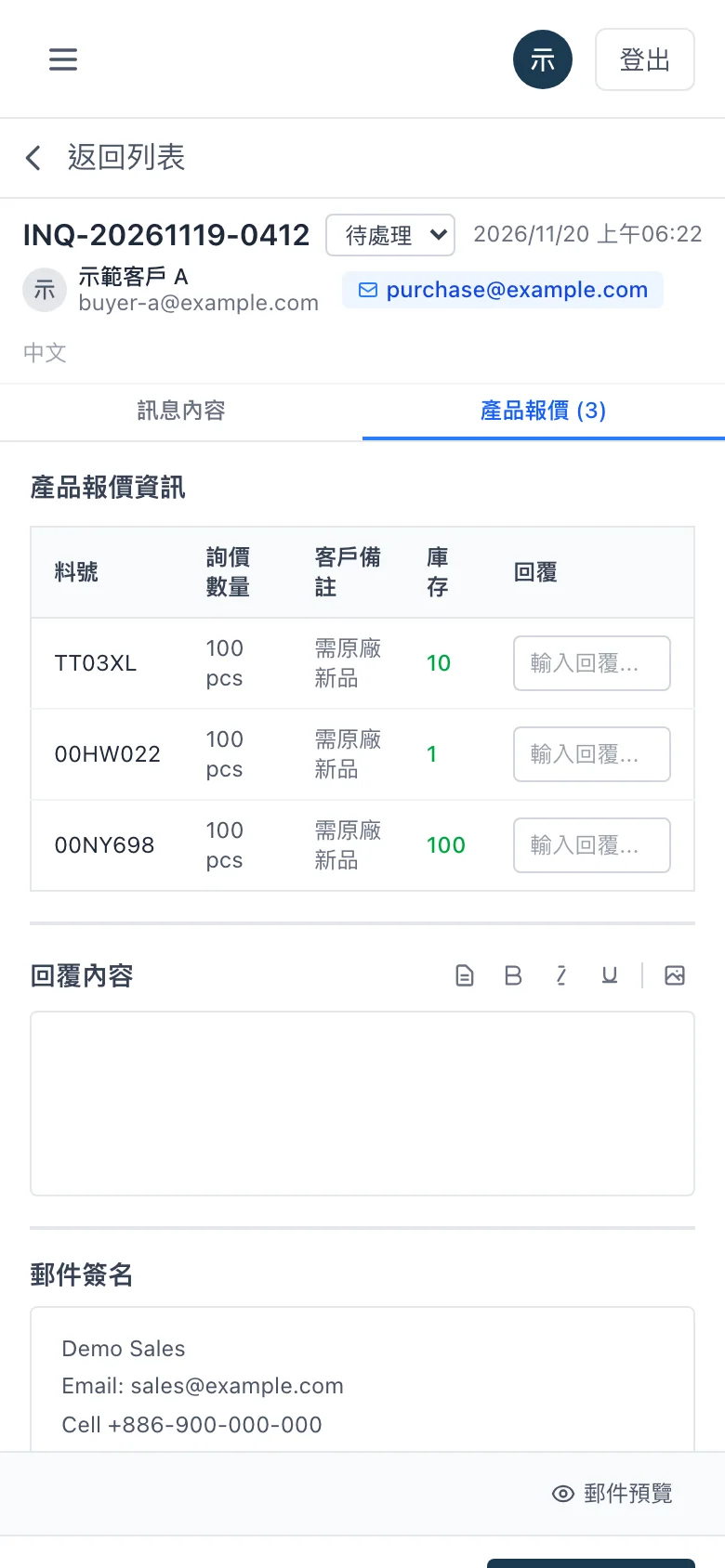
Open an inquiry and the stock is already checked
Inquiries are grouped by customer. When a salesperson opens one, the stock for each part number loads automatically. They fill in the quote, write a reply from a saved template and send it. The signature switches to Chinese or English to match the customer's language, and the status changes to “Replied” on its own once the reply is sent.
04 · Product data
Product data is edited in one place
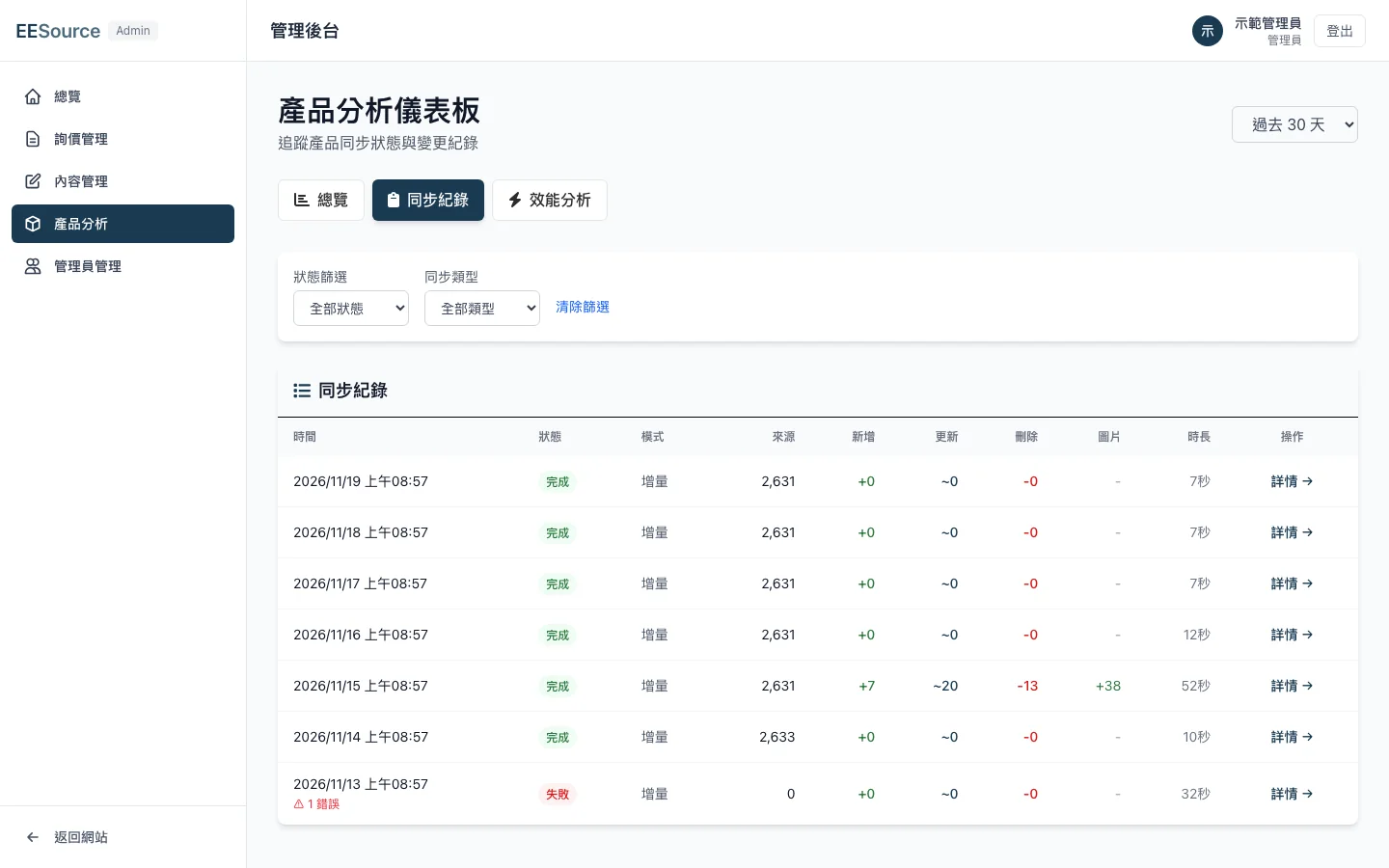
The internal system is the source of truth for product data, and it syncs to the website automatically at 2 a.m. every day. New, changed and removed items are compared before anything is written, so nothing gets deleted in bulk. Each sync leaves a log that shows which field changed on which item. A full comparison takes about 7 seconds.
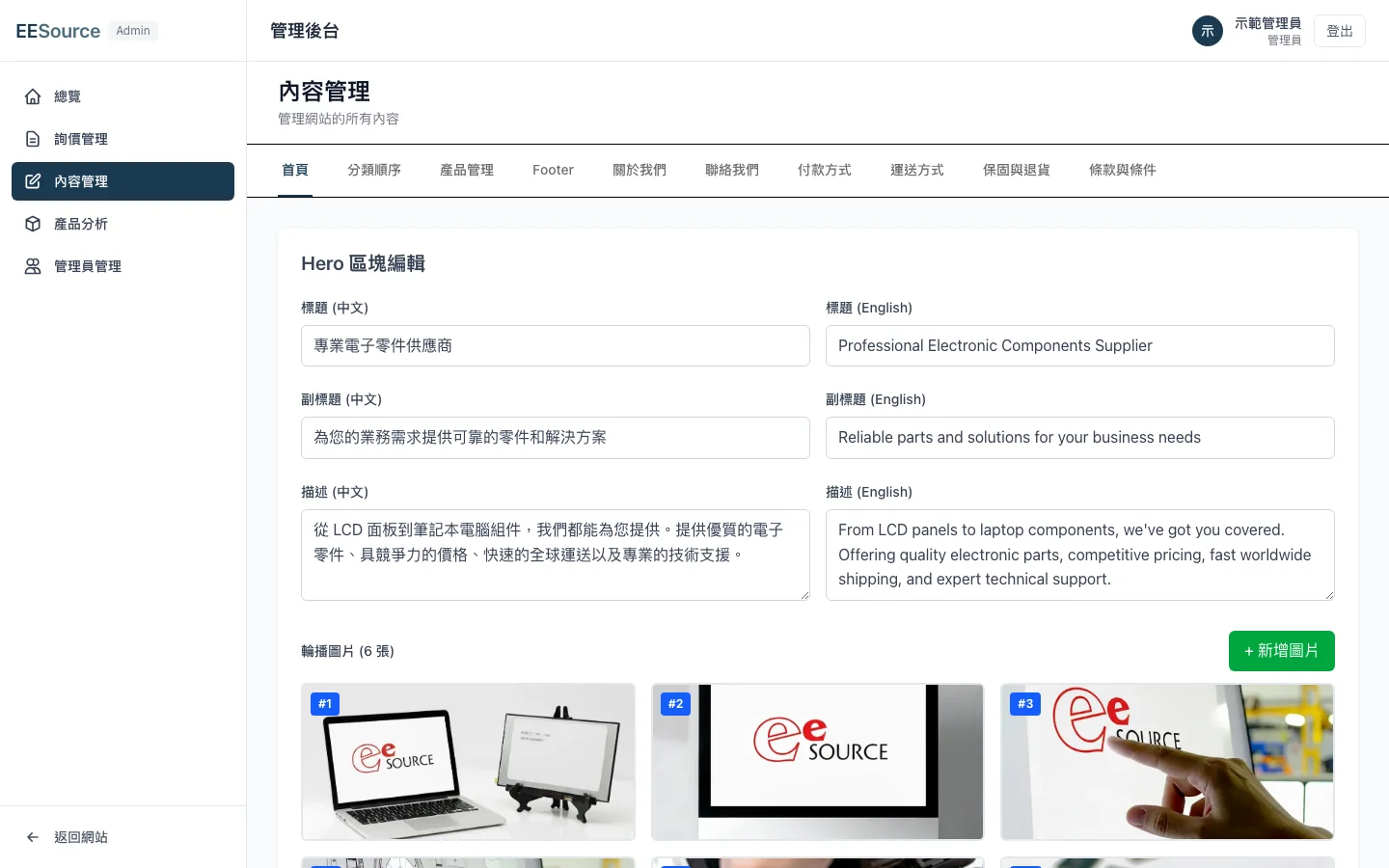
The sales team edits the Chinese and English content of the home, about, shipping and warranty pages in the admin themselves.