Events & communities
ActIsland
Our own events platform. Find events on a map, sign up for a QR ticket, and take a photo home from the event.
1,400 registered users
- 30
- brand partners
- QR
- From sign-up to check-in in one flow
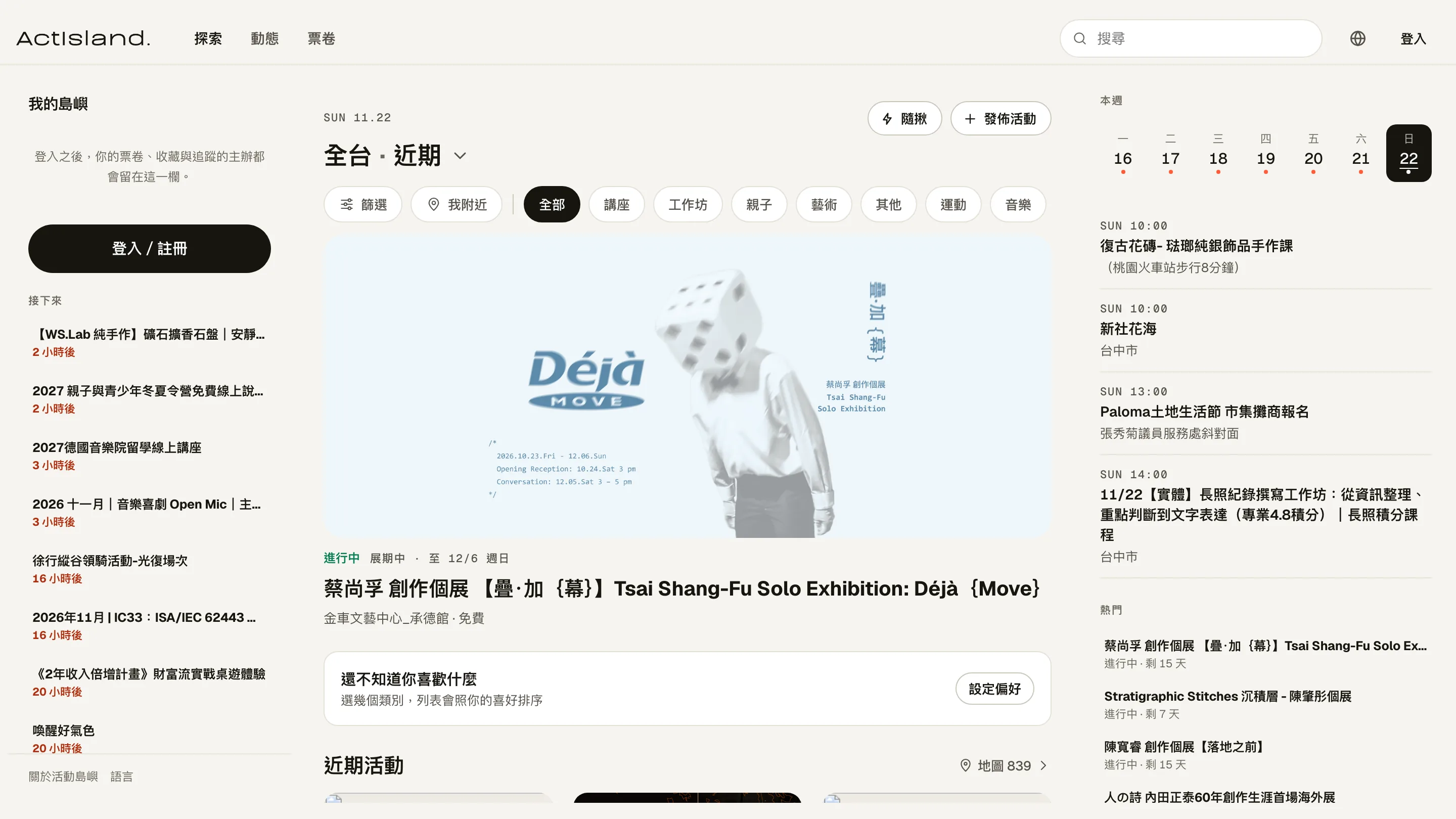
ActIsland is an events platform that Monglo built and runs. People looking for something to do find weekend plans on a map, sign up, and get a ticket. People hosting events list them for free, review sign-ups, and scan guests in at the door. The website and the iPhone and Android apps share the same code, so features update together. It currently has 1,400 registered users and 30 brand partners.
- Project type
- Events platform we run ourselves
- What we did
- Product planning, interface design, app and admin development, operations
- Where it's used
- Website, iPhone app, Android app
- Interface languages
- Traditional Chinese, English, Japanese, Korean, Thai, Vietnamese
Project overview
Many small events still collect sign-ups with forms, organize the list in spreadsheets, and check names one by one from a printout on the day. We wanted a place where hosting an event costs nothing and finding one doesn't mean searching everywhere. Finding an event, signing up, getting in, and keeping photos afterward all happen in one app.
01 · Finding events
Where to go this weekend, right when you open the app
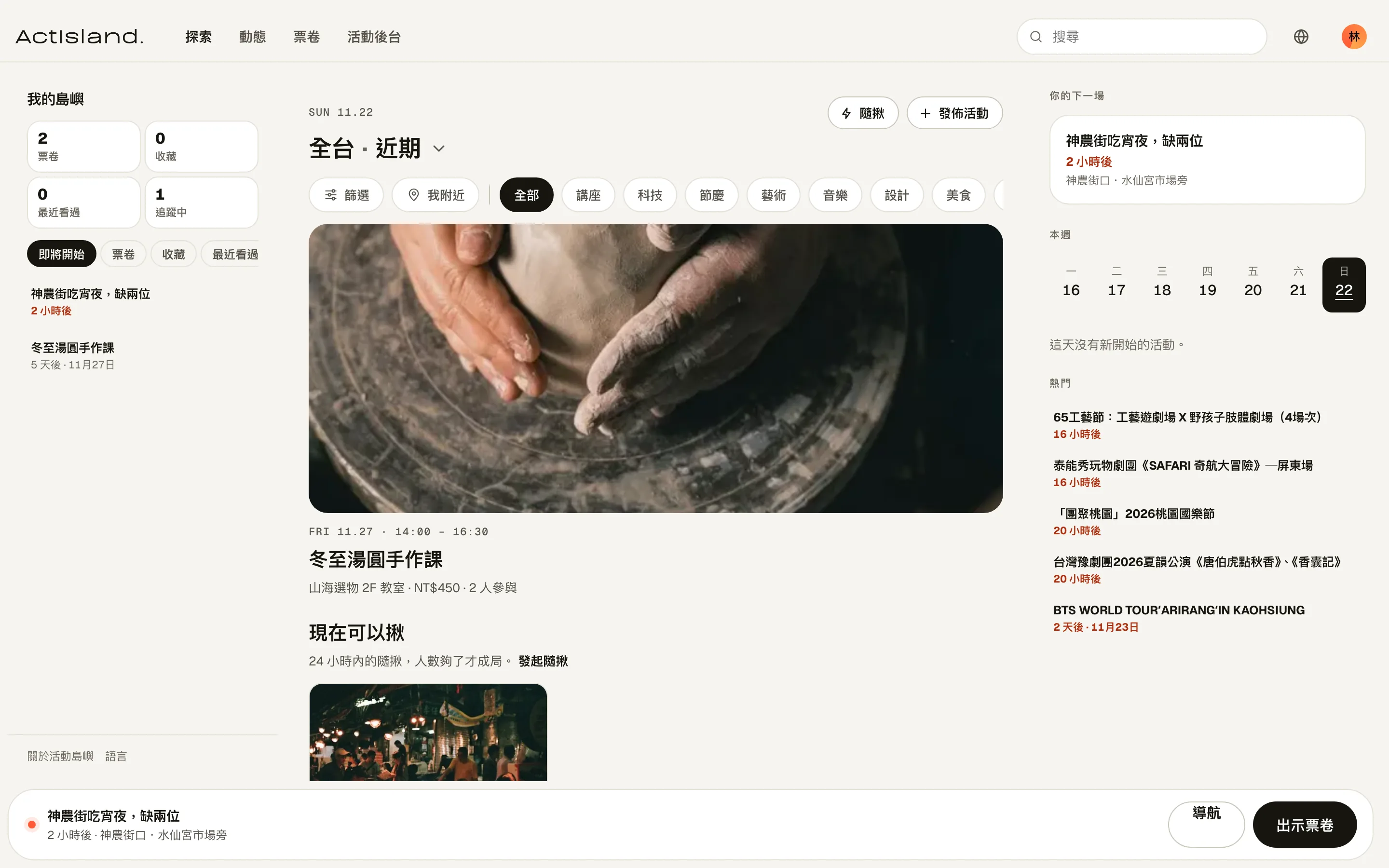
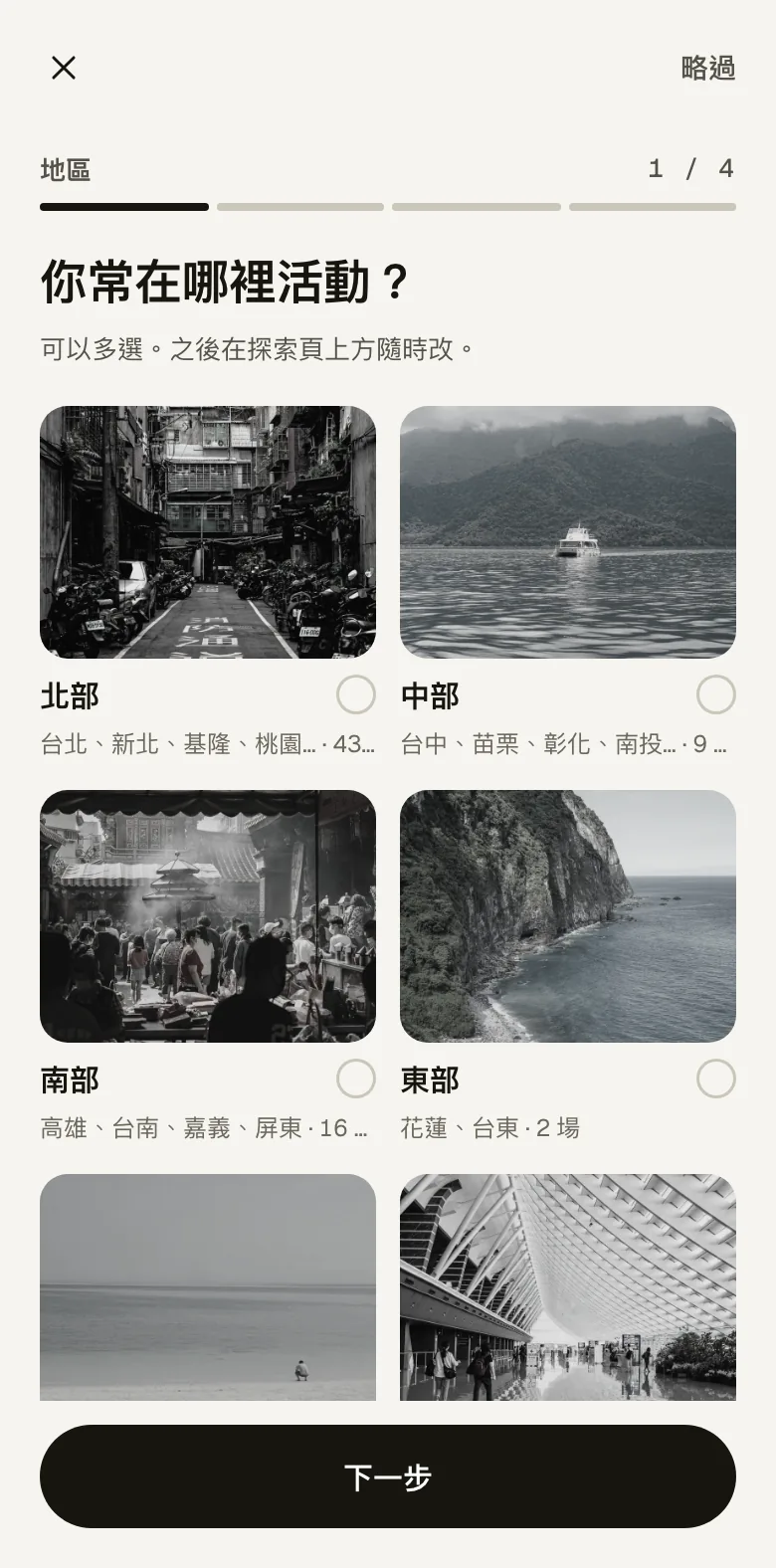
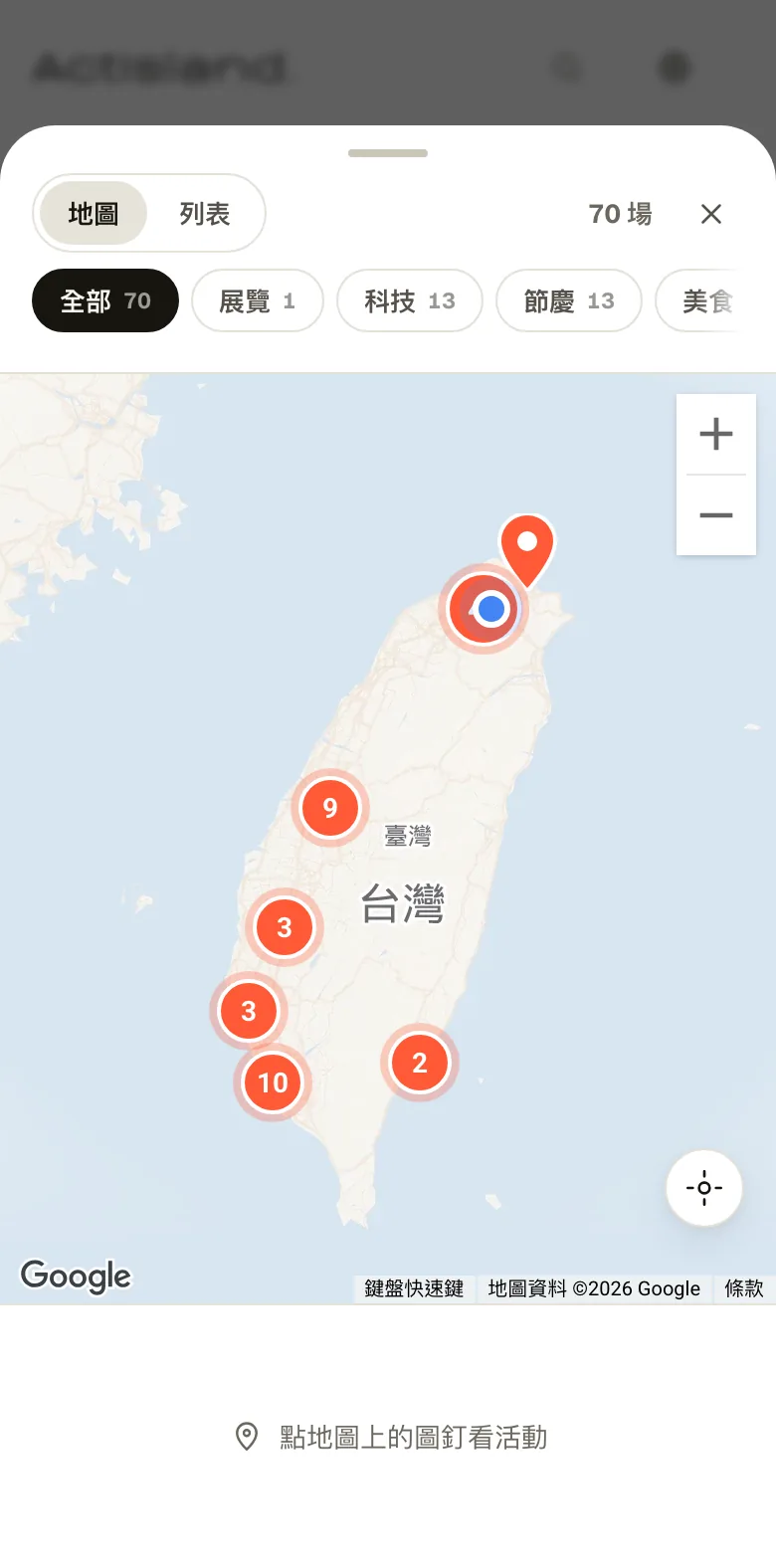
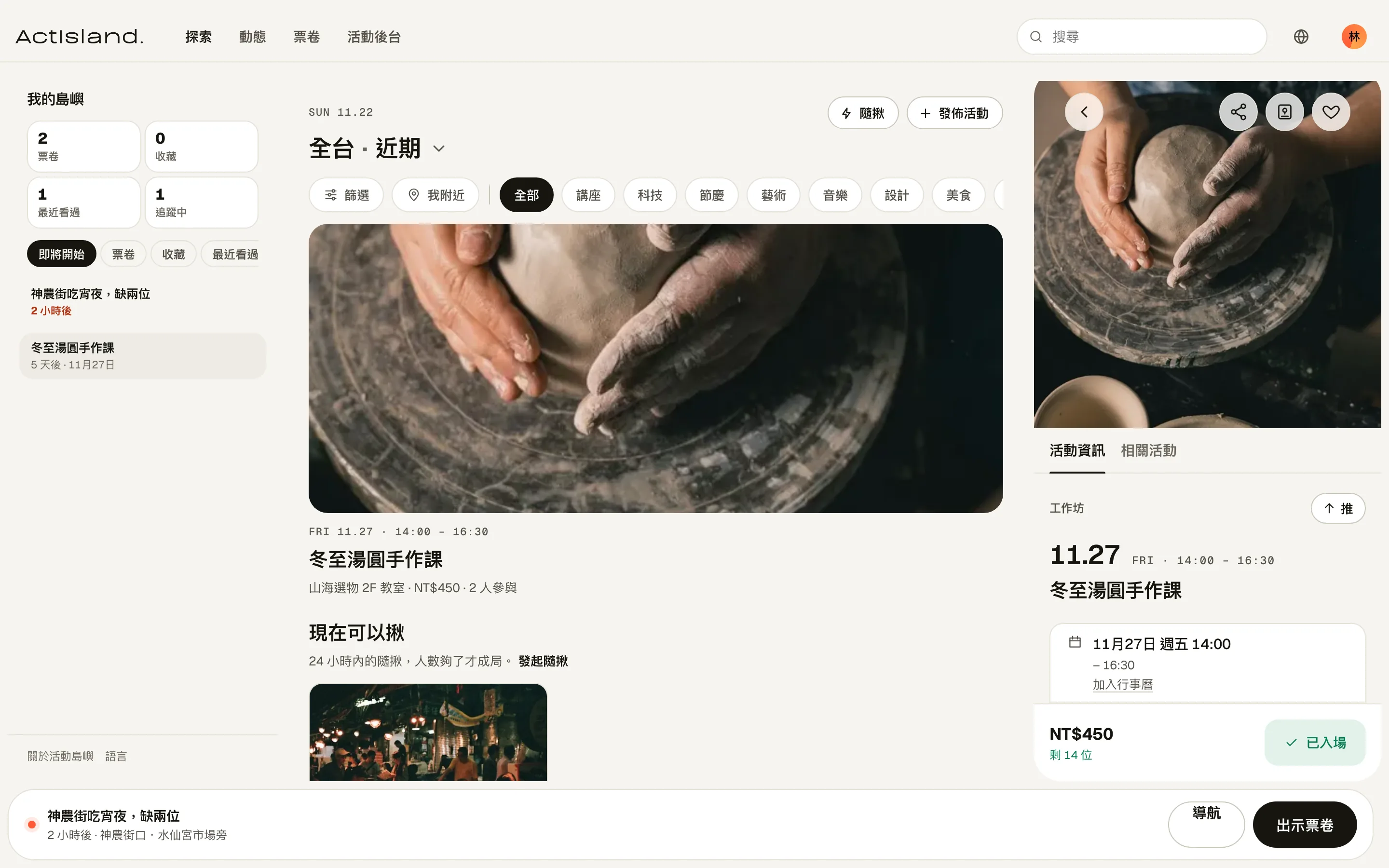
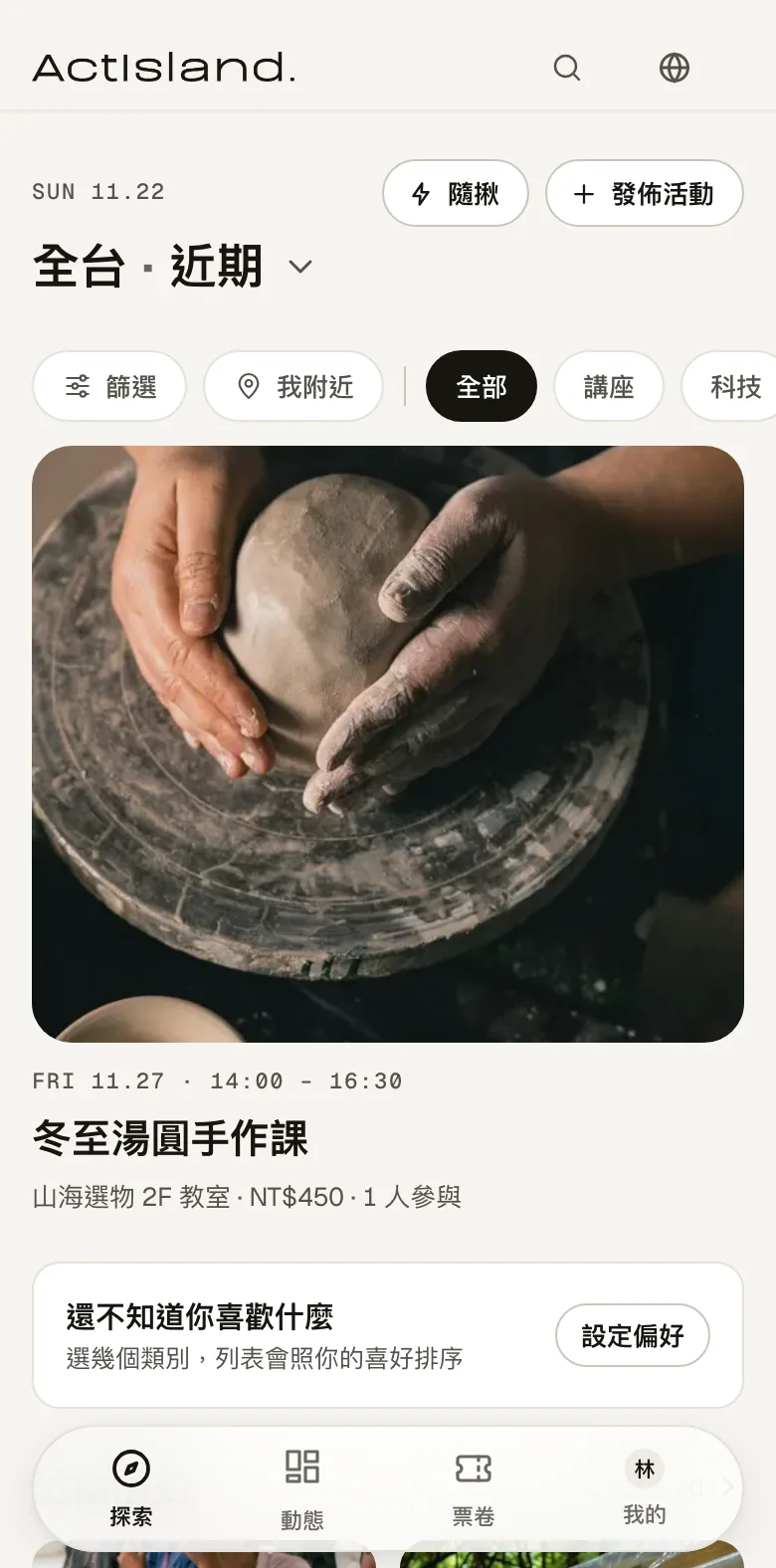
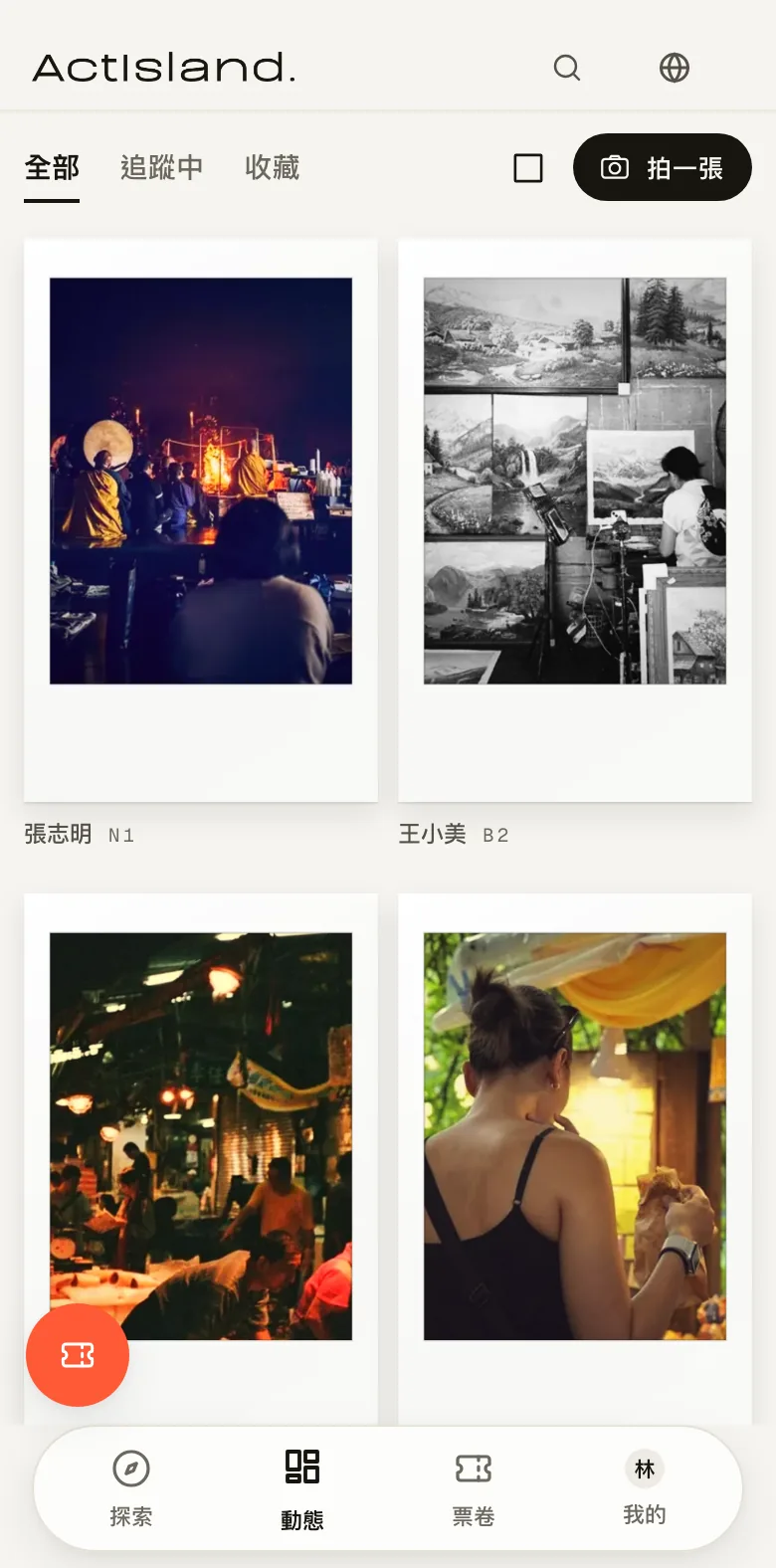
The first time you open it, it asks which areas you usually go to and which kinds of events you like, then orders the explore page around your answers. Events are also pinned on a map, and when several are in the same area, they merge into one numbered circle.
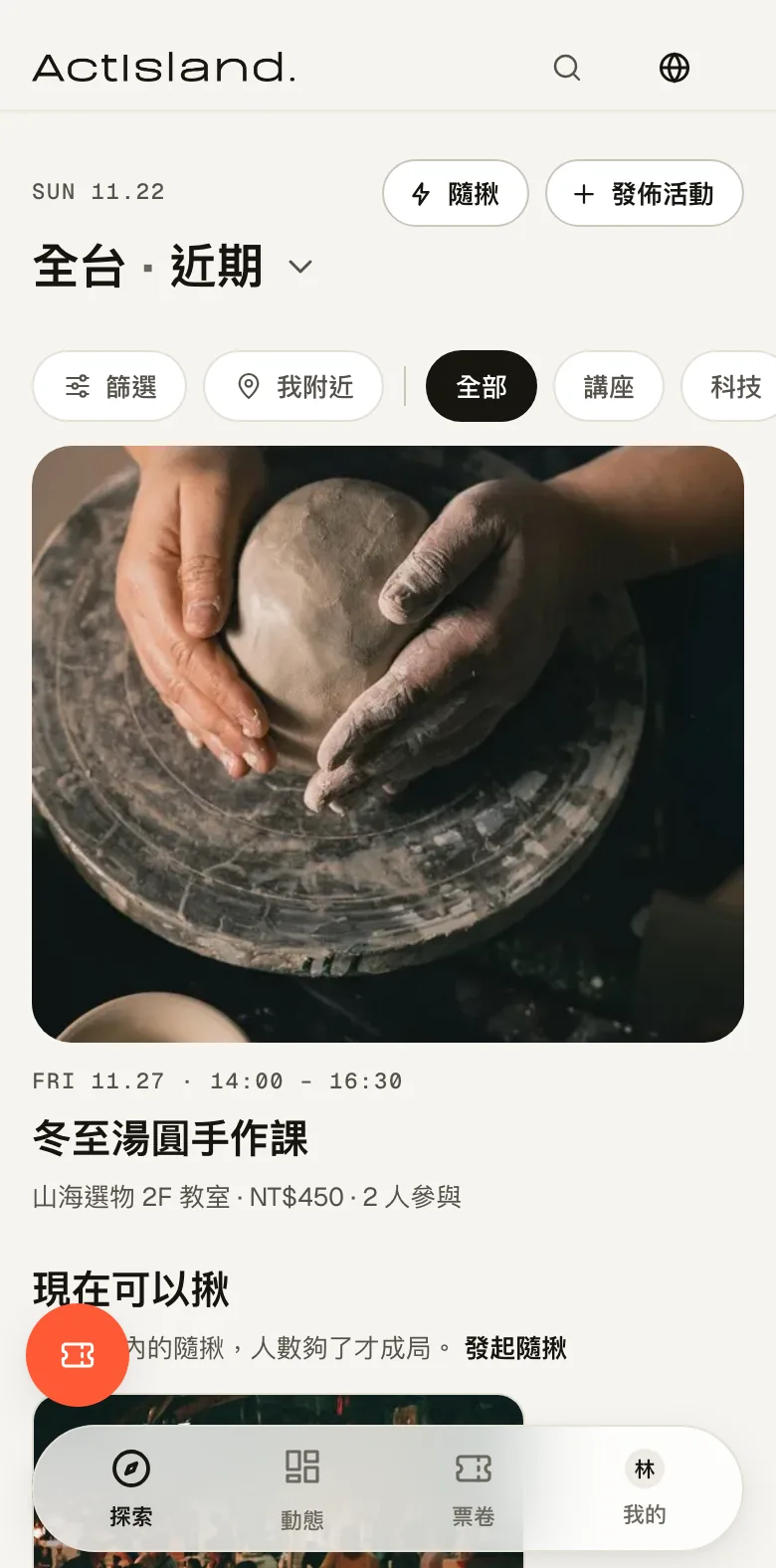
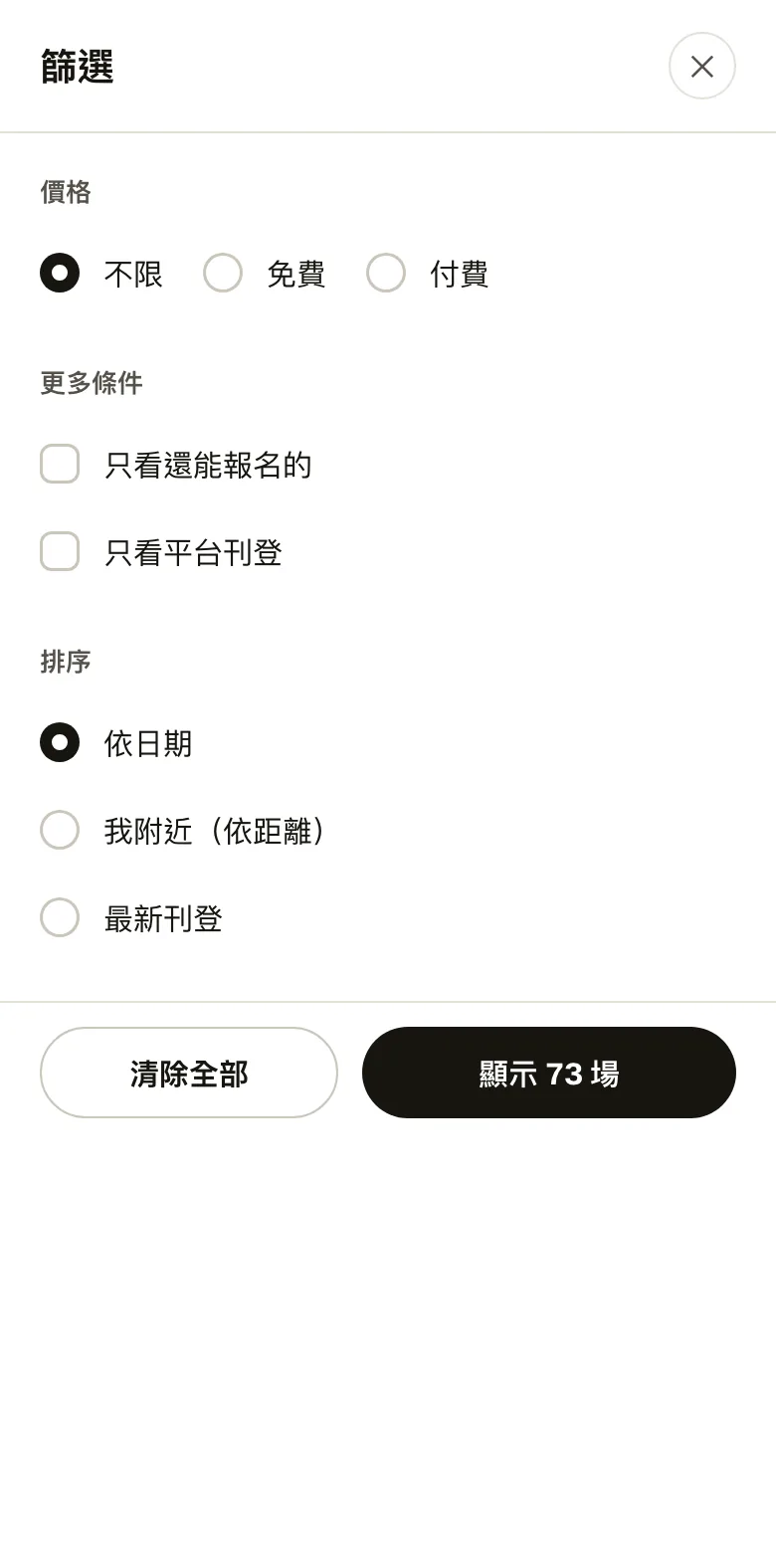
You can show only free events or ones still open for sign-up, and sort by date, by distance from you, or by newest listing. On a computer, your tickets and saved events sit on the left, with this week's calendar and popular events on the right.
02 · Signing up
Answer the host's questions when you sign up
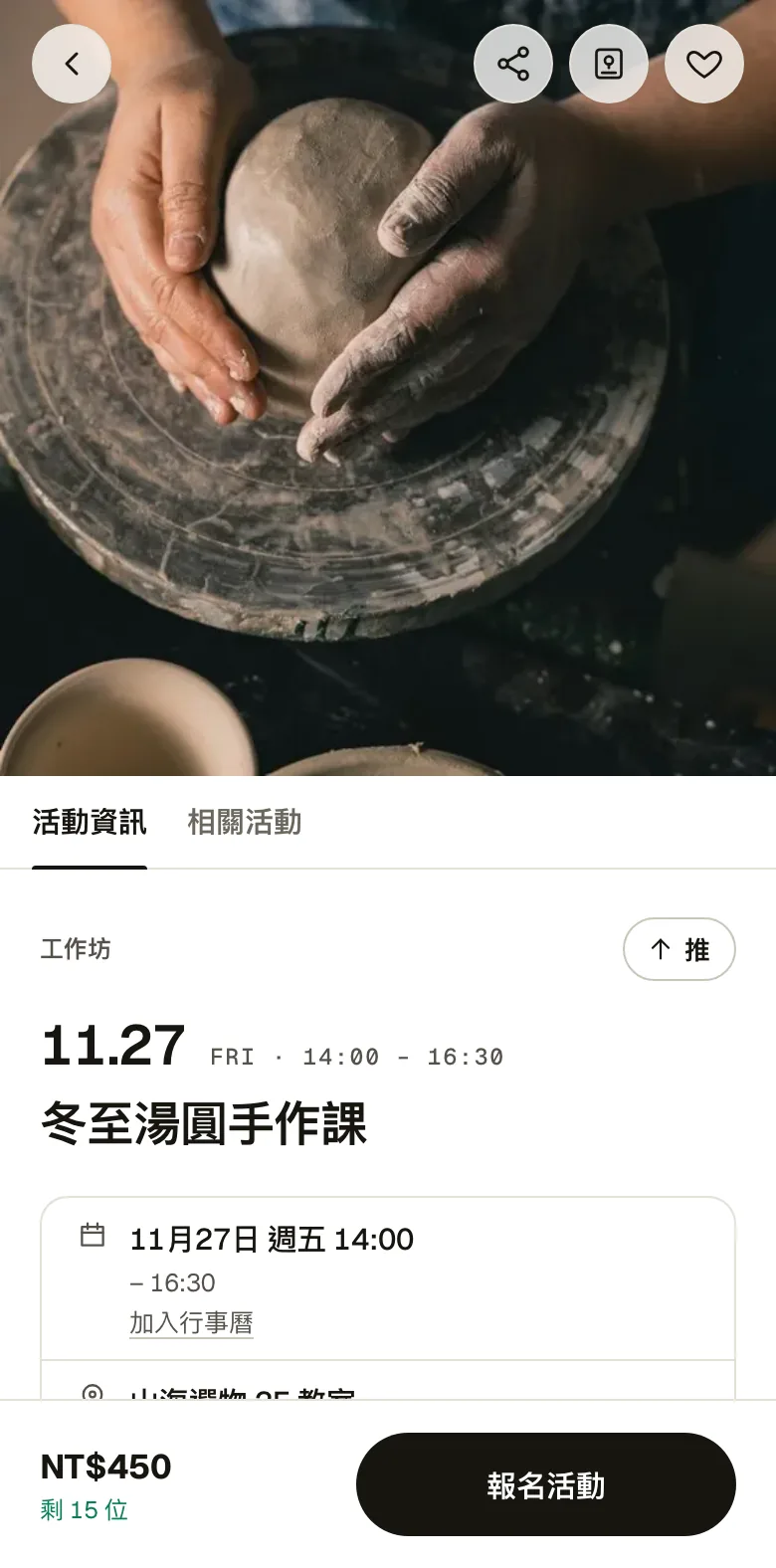
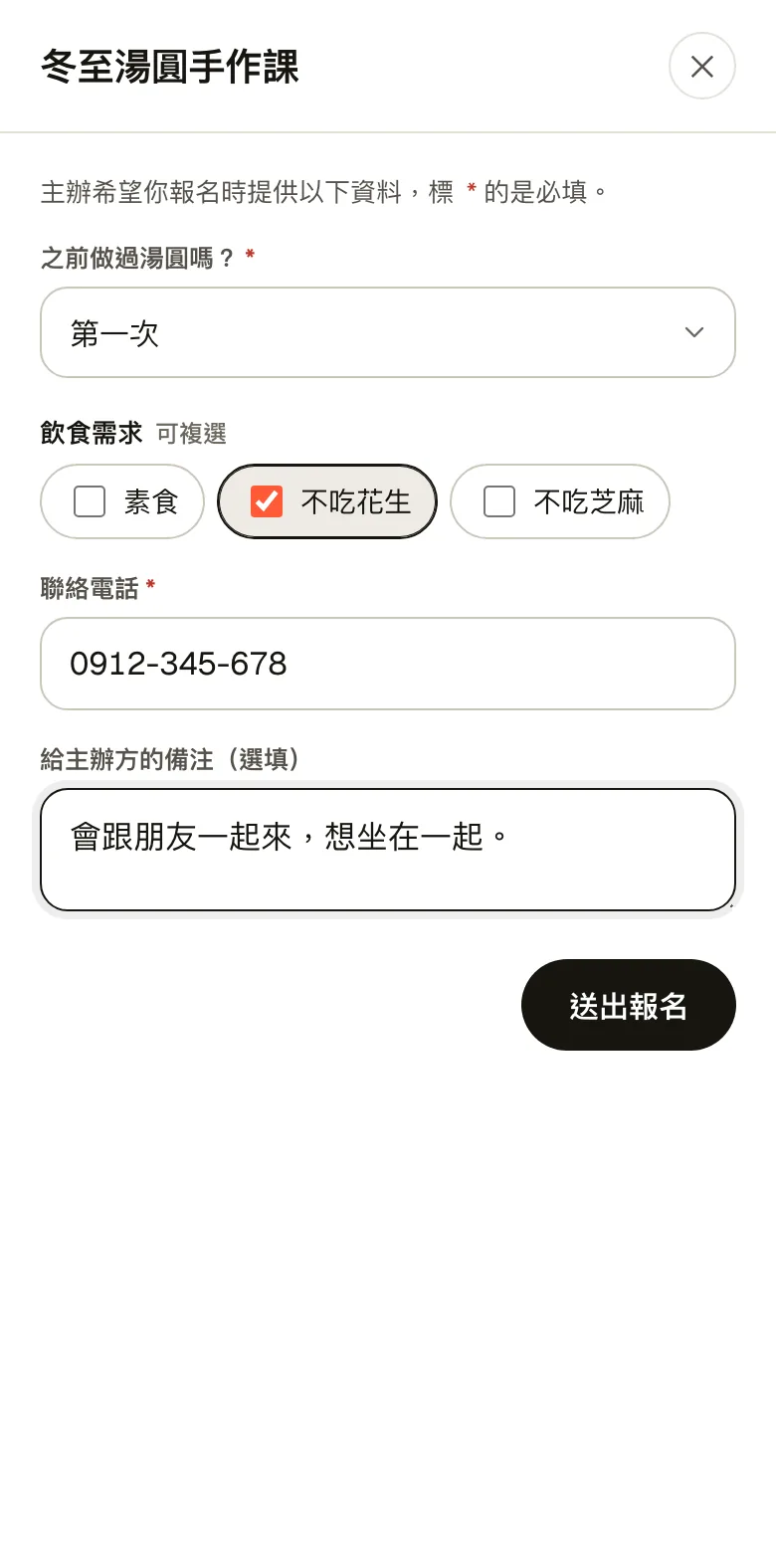
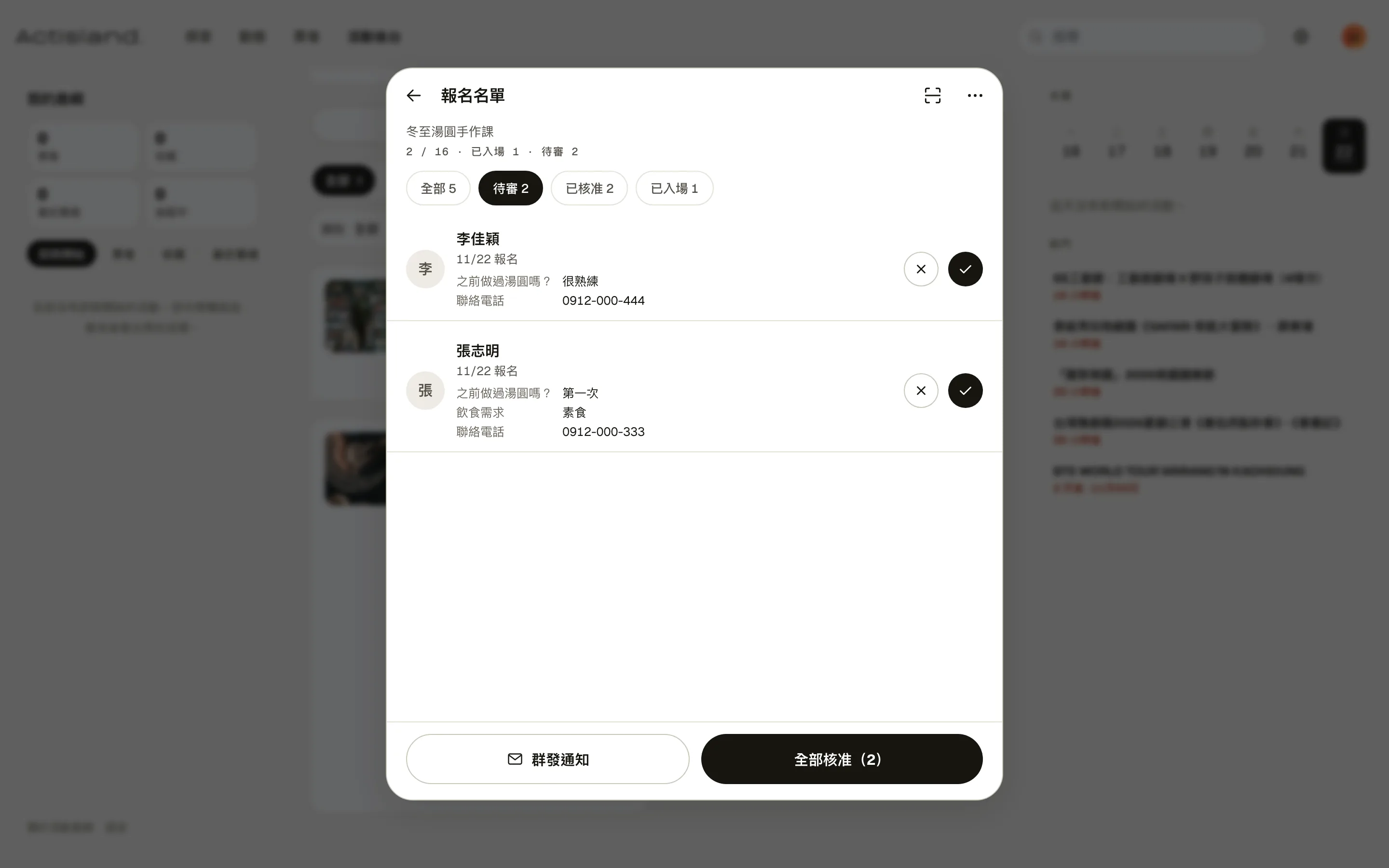
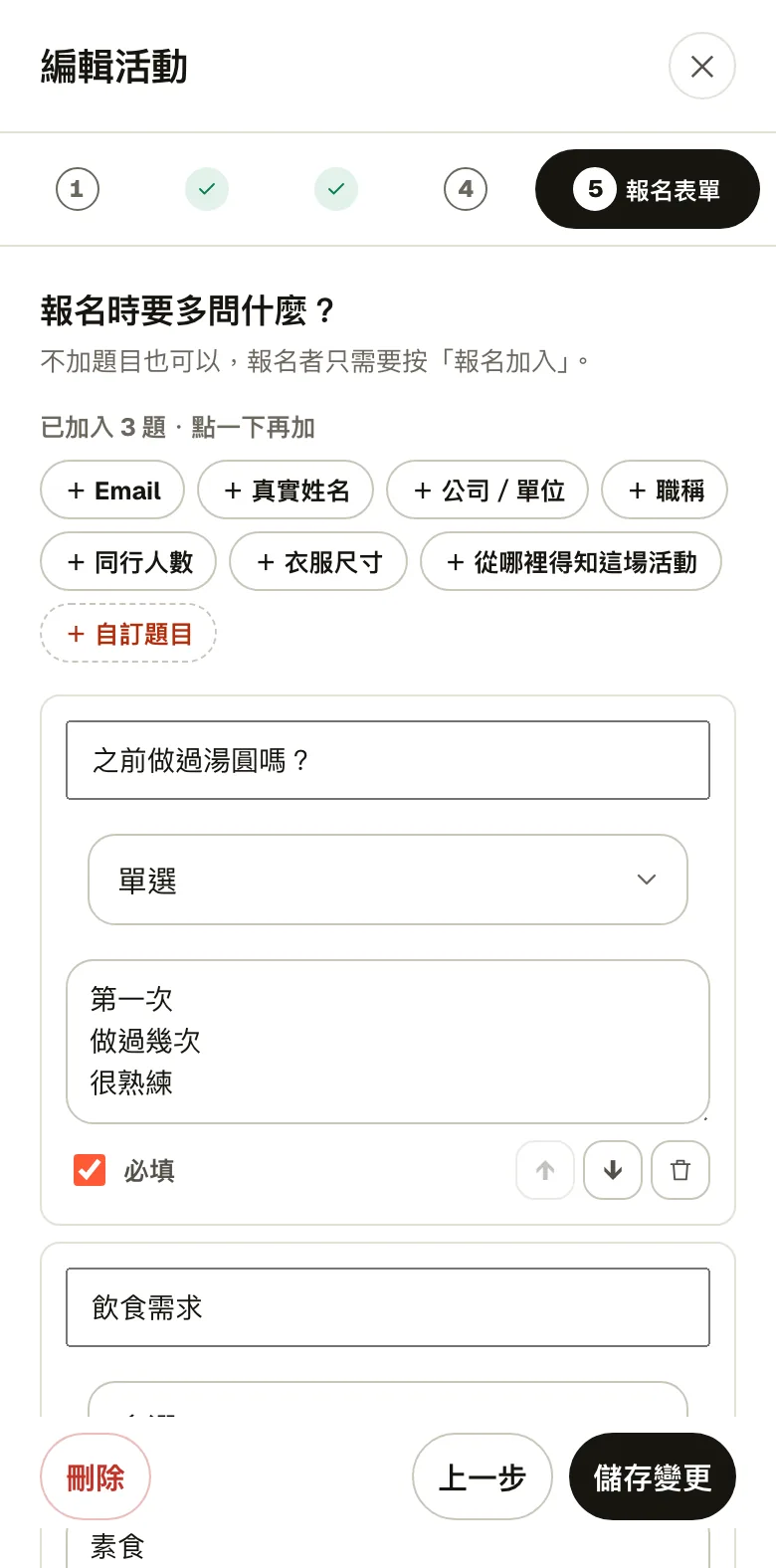
The event page lists the time, place, price and how many spots are left. Hosts can add questions to the sign-up form, such as whether you've done this before, dietary needs or a phone number, and attendees answer them when they sign up.
After sending, the event page shows “Under review.” You only get a ticket once the host approves.
03 · Payment & entry
Enter the last five digits after paying, and the ticket arrives once the host confirms
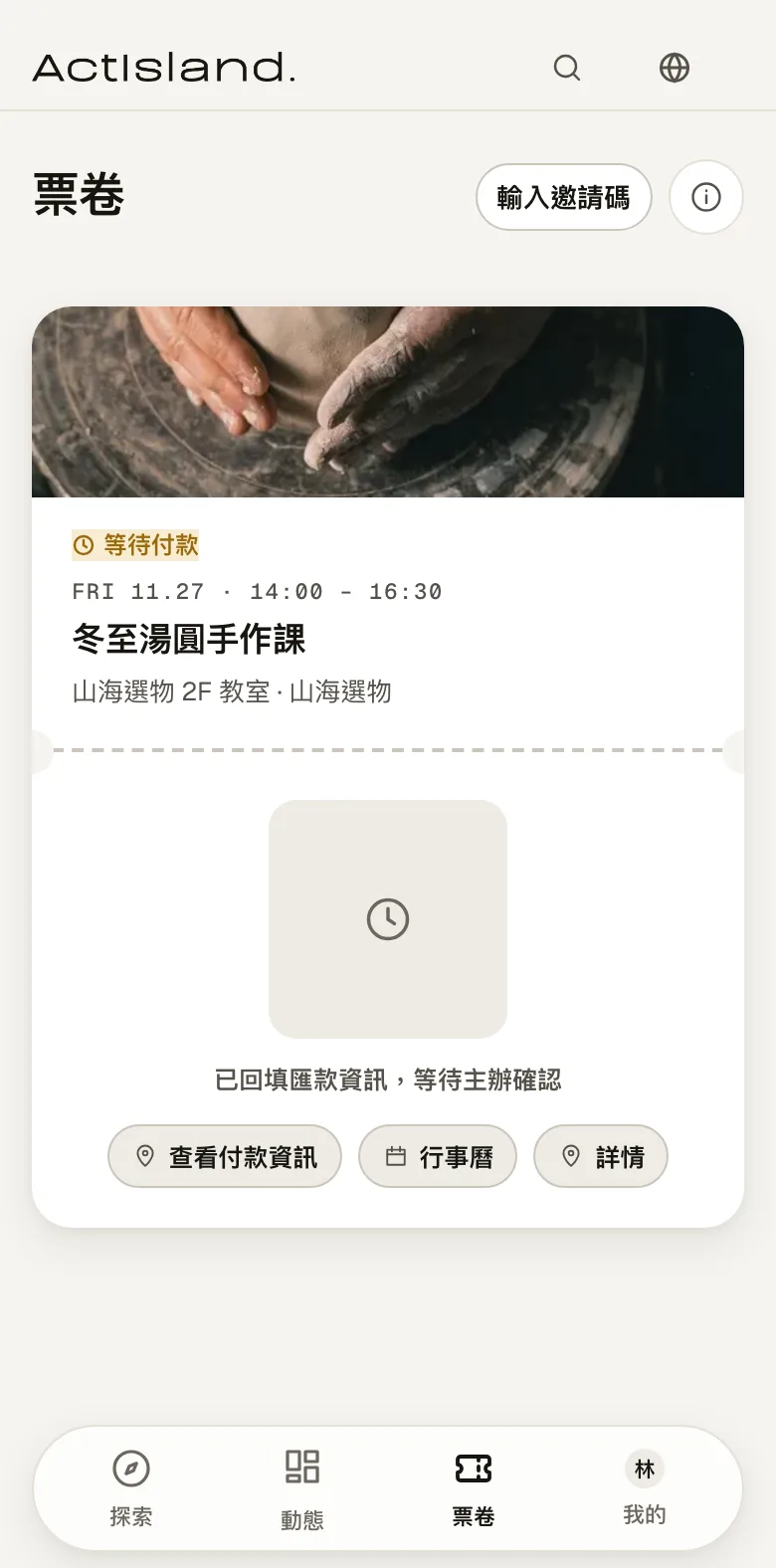
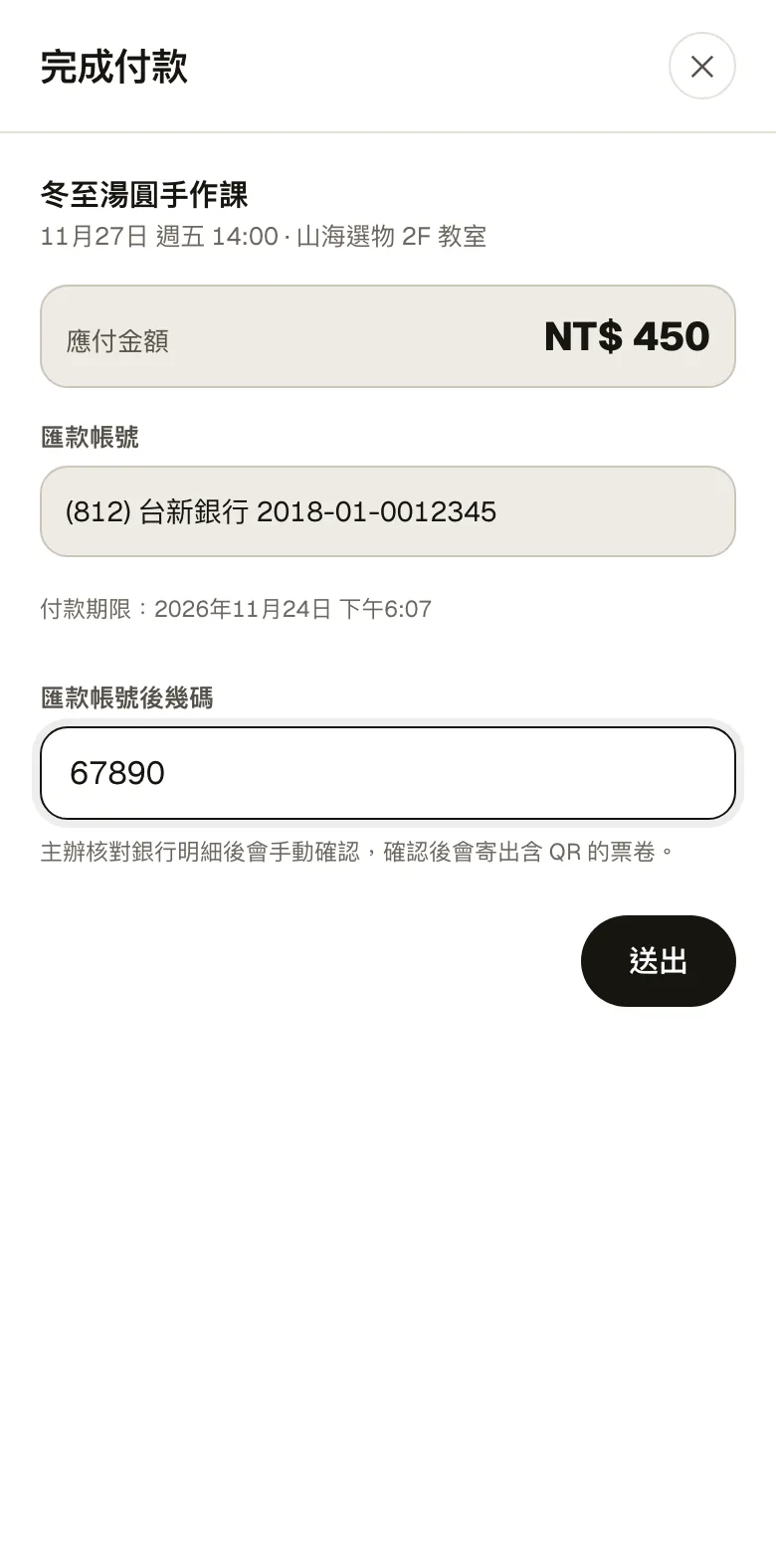
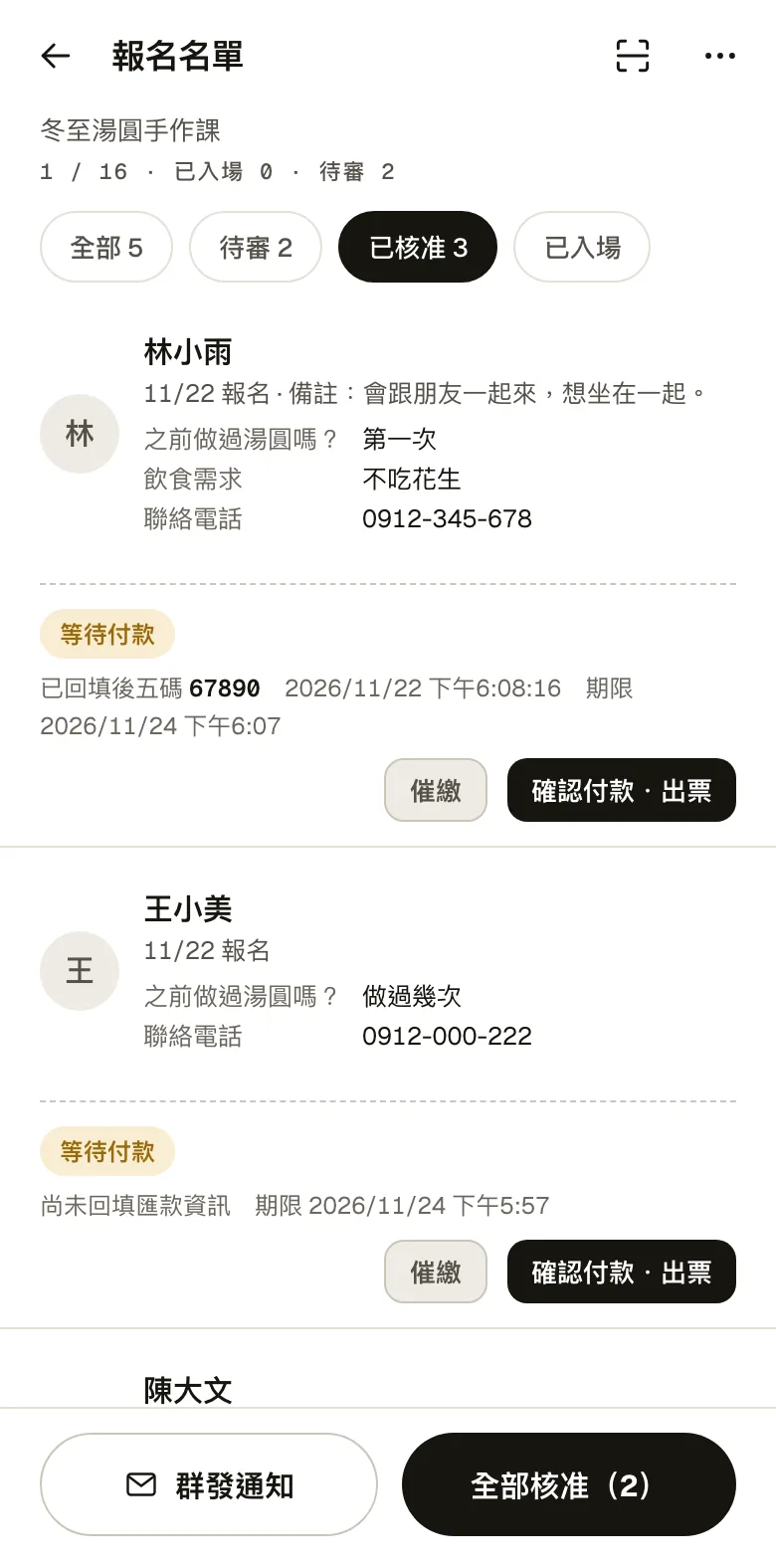
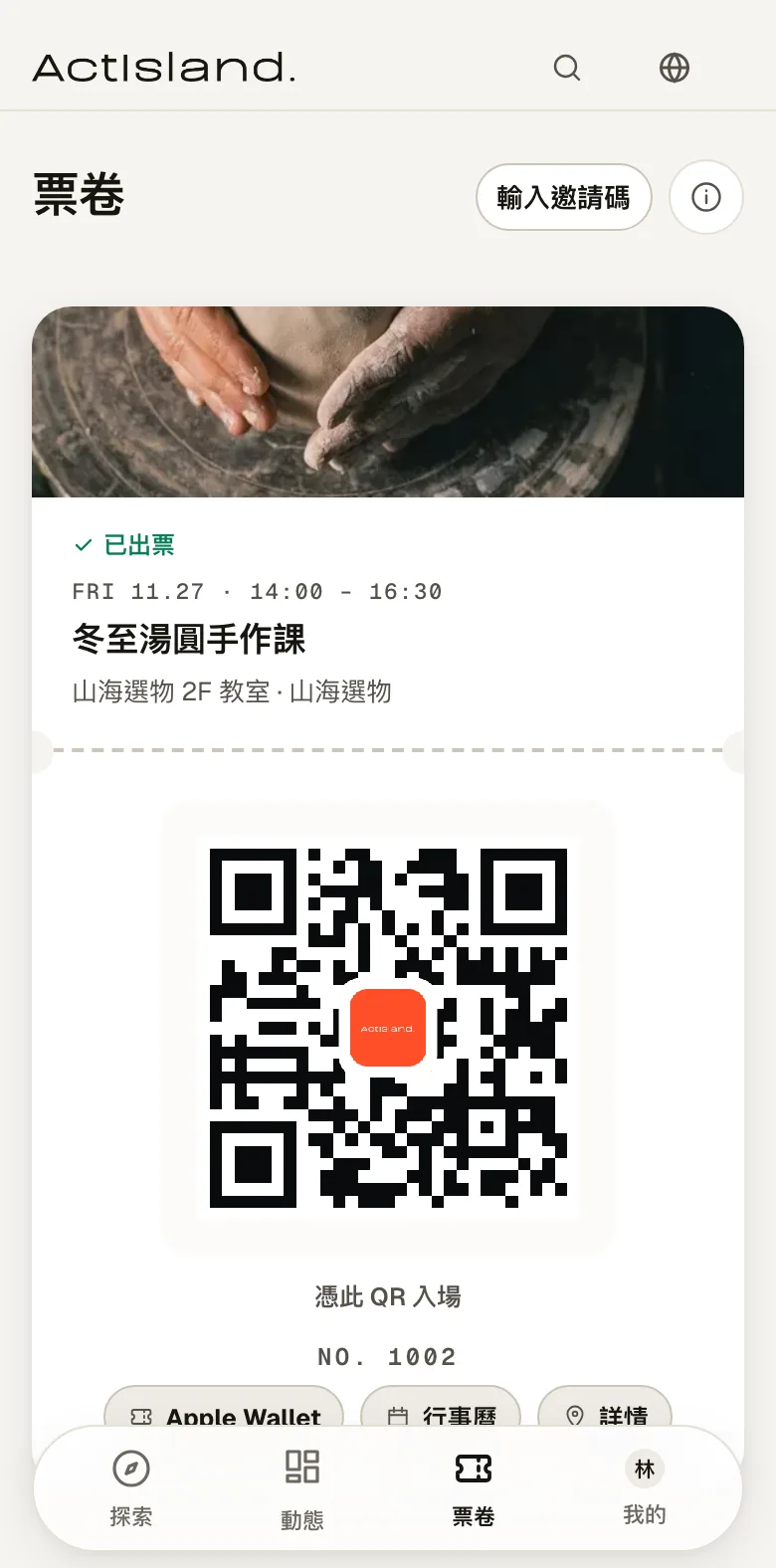
For paid events, the ticket first shows “Awaiting payment” and the bank account after approval. The attendee pays by transfer and enters the last five digits of the transfer account. The host matches those digits in the list and taps “Confirm payment and issue ticket,” and a QR ticket appears on the attendee's ticket page. It can also be added to Apple Wallet.
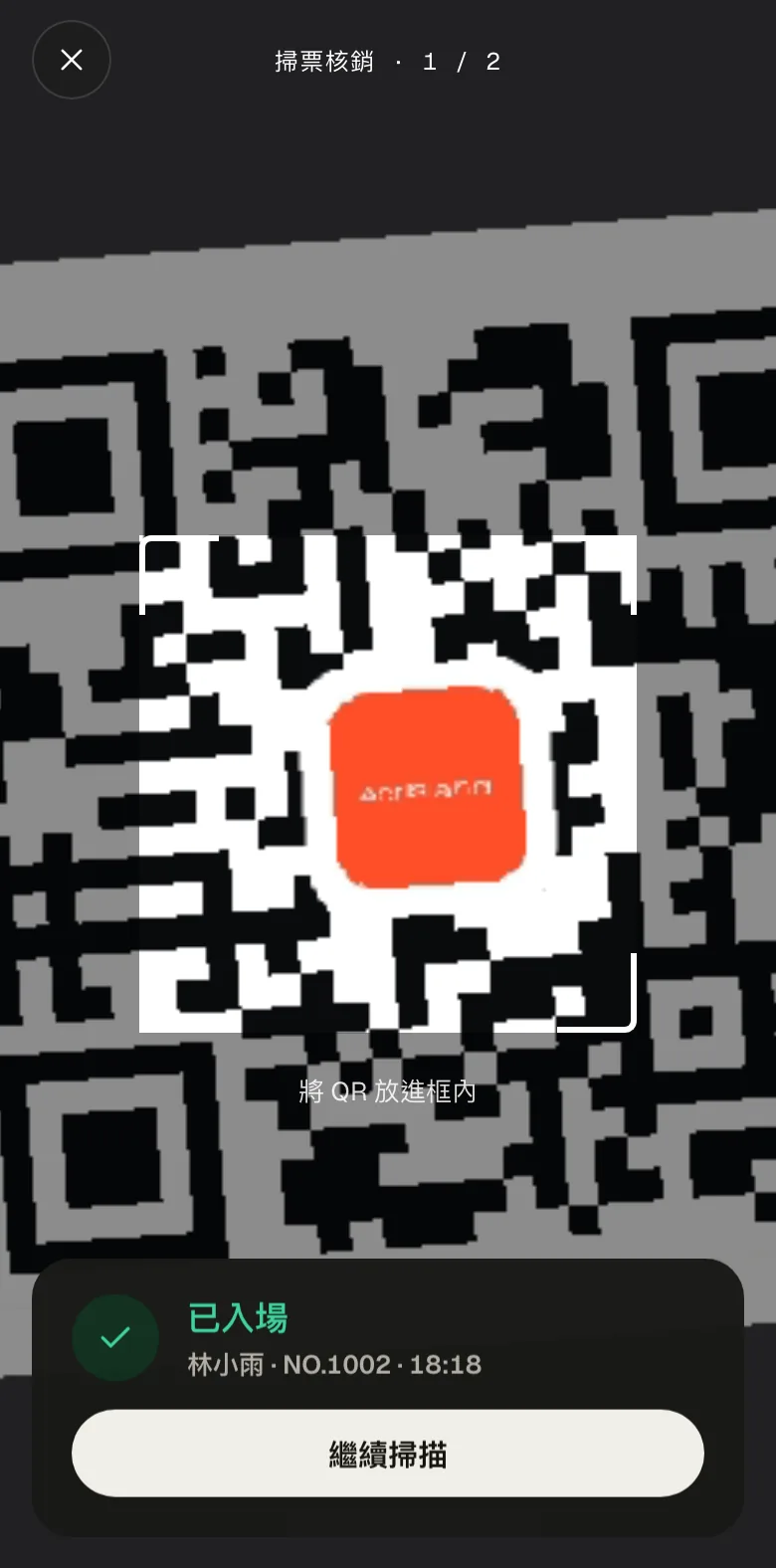
On the day, staff scan the QR with a phone camera, and the screen shows the attendee's name and ticket number. Scanning the same ticket again shows “Already checked in.”
04 · Hosting
Create events, review sign-ups and check the numbers, all in the host dashboard
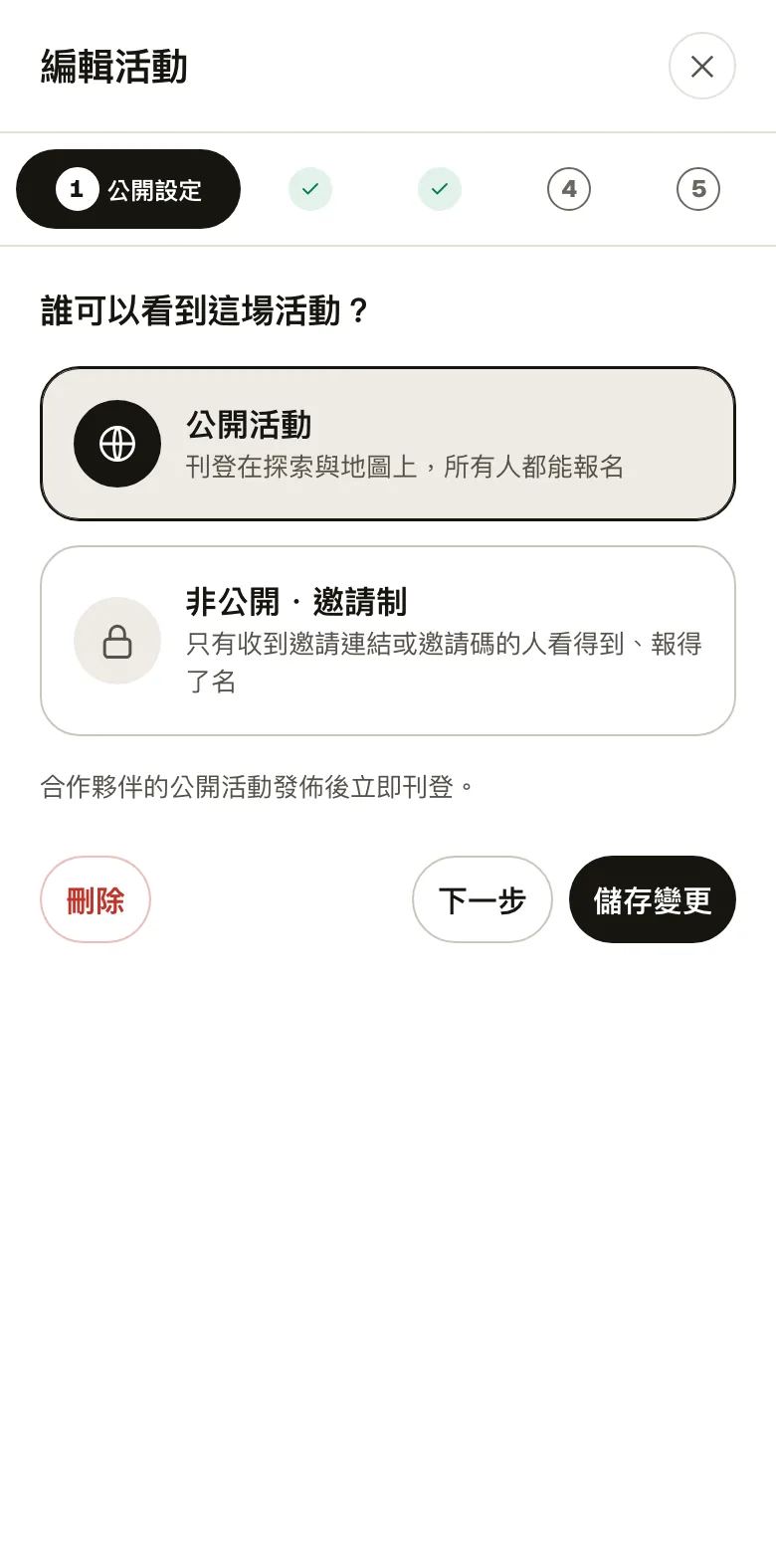
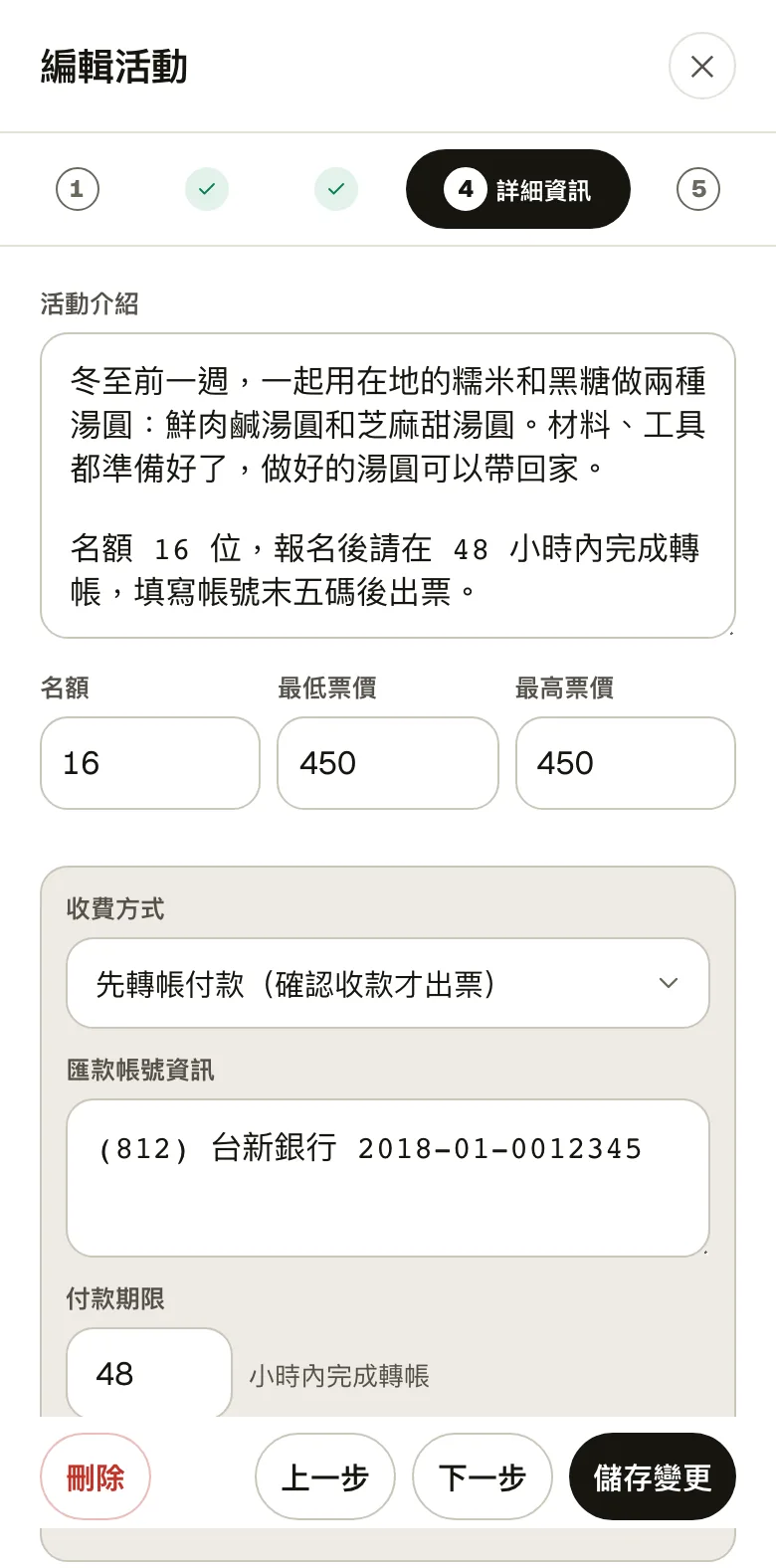
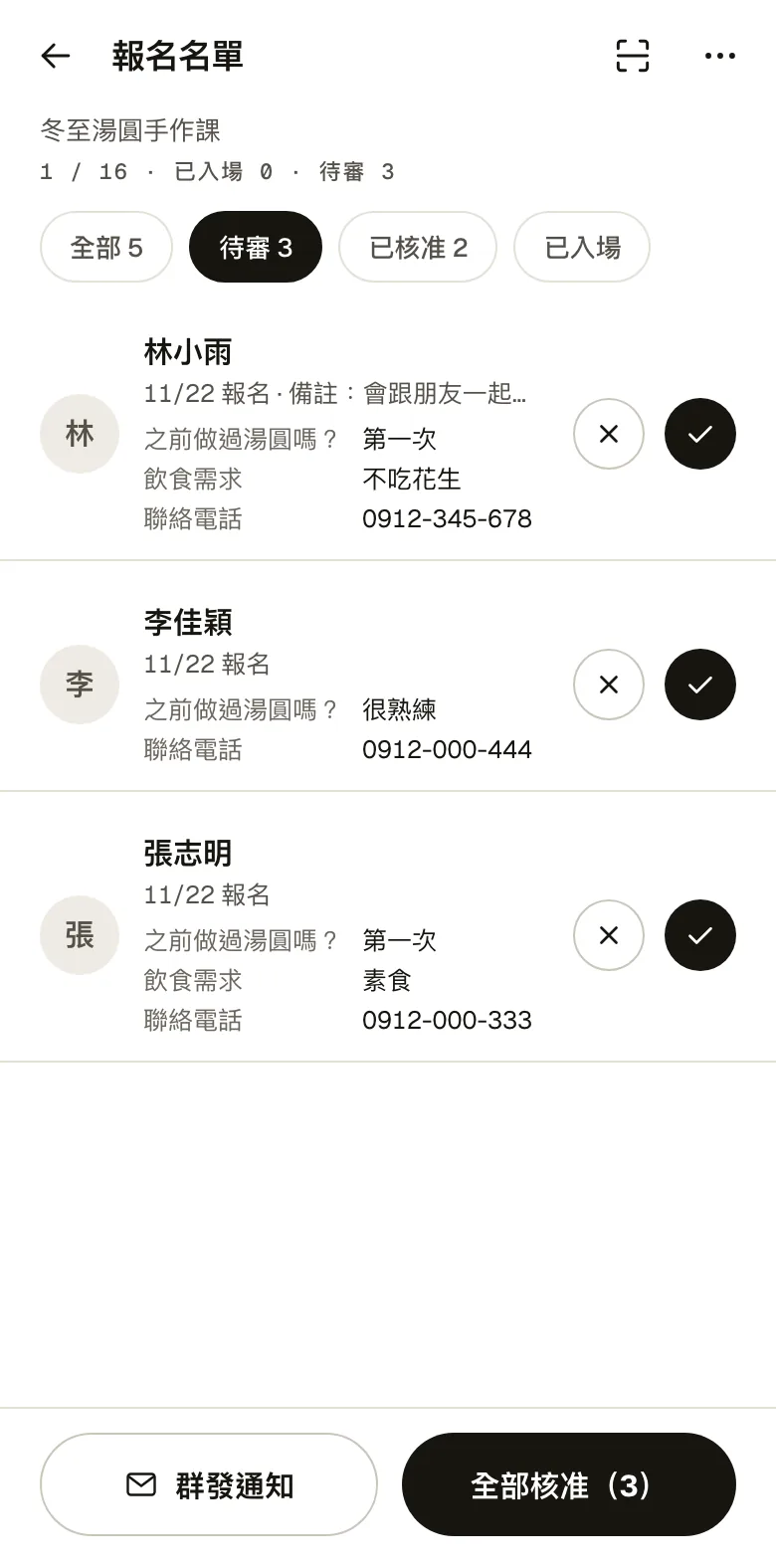
Creating an event takes five steps: public or invite-only, basic details, time and place, more details, and the sign-up form. Paid events can use bank transfer, with the account and payment deadline filled in.
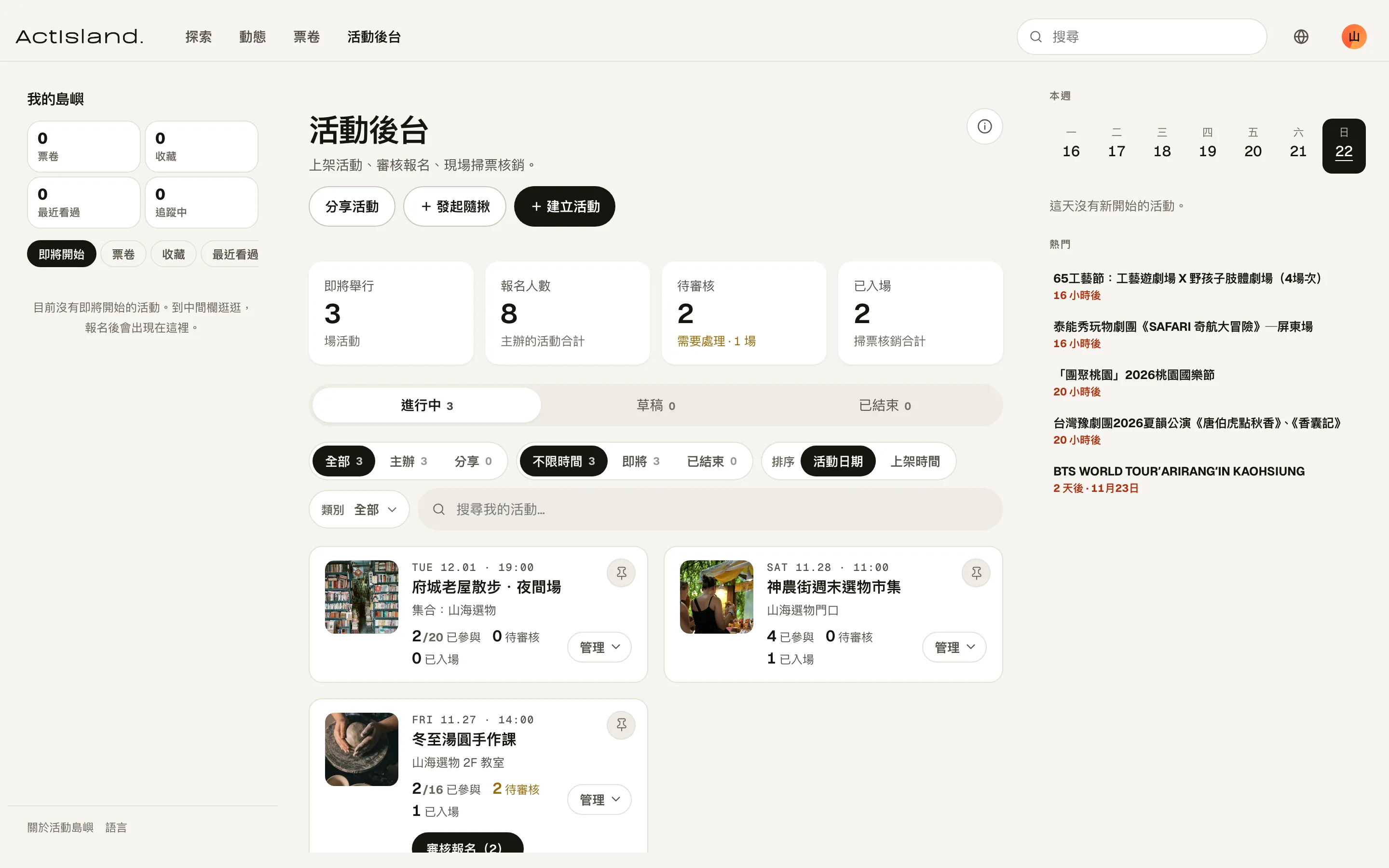
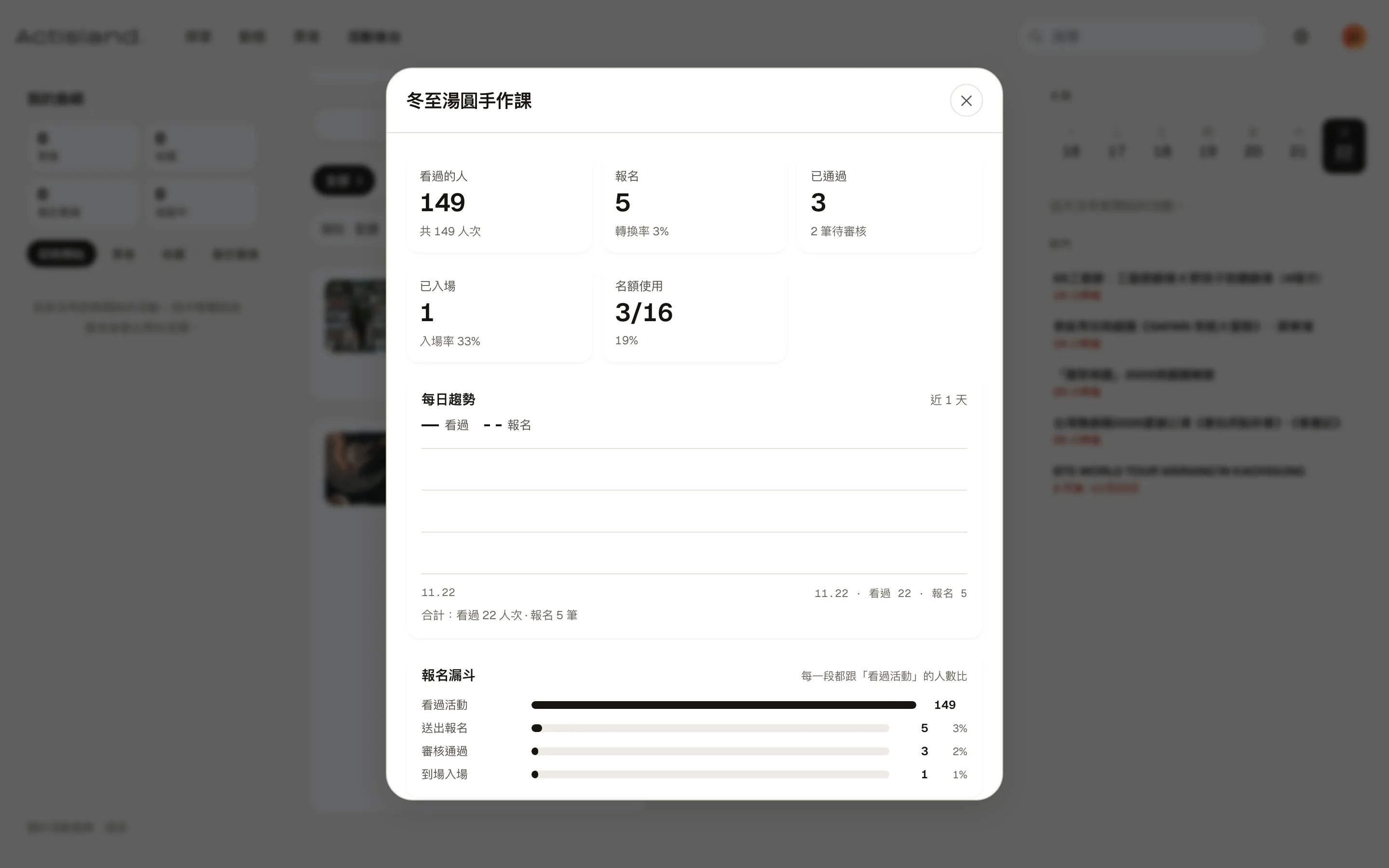
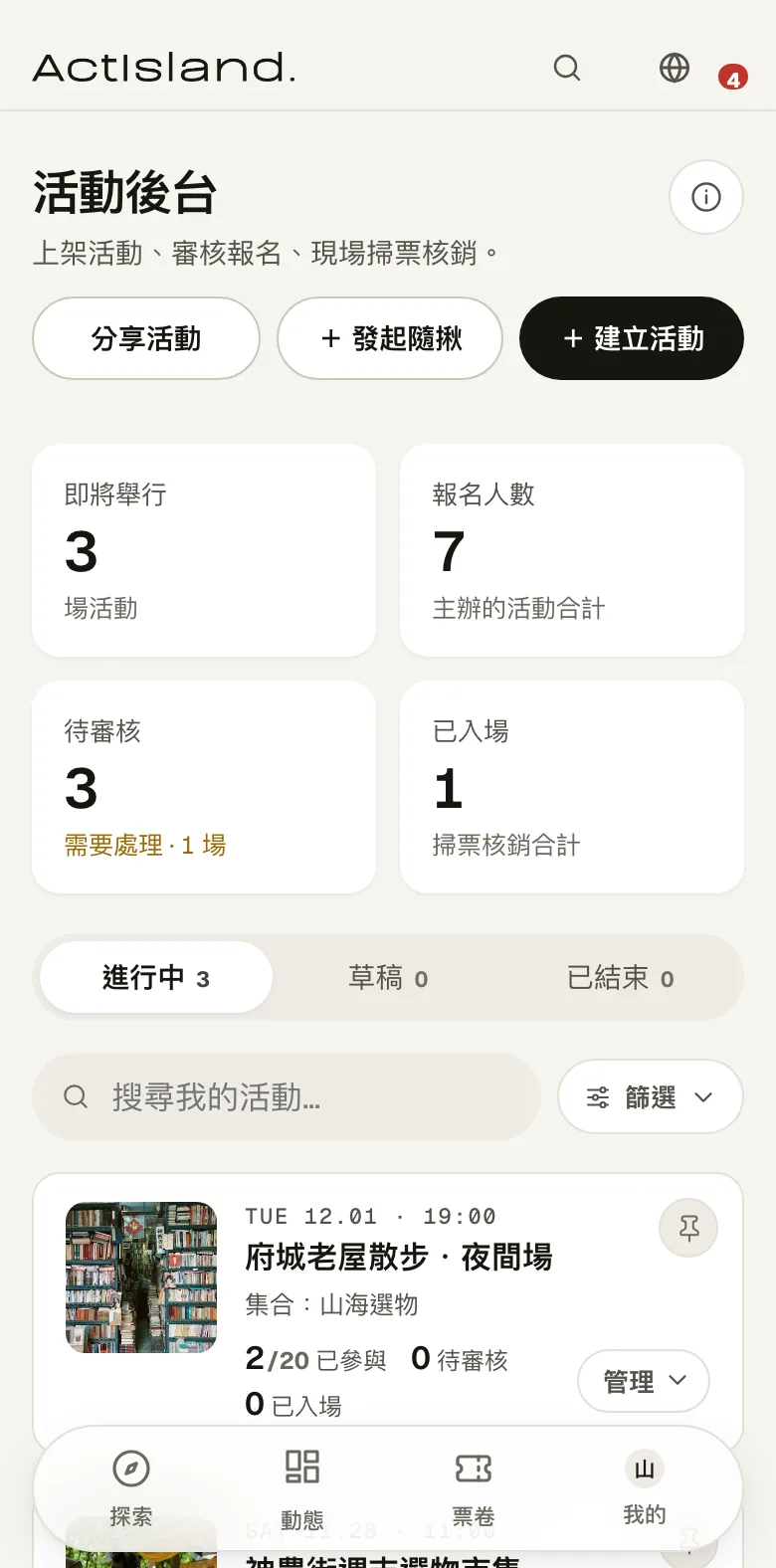
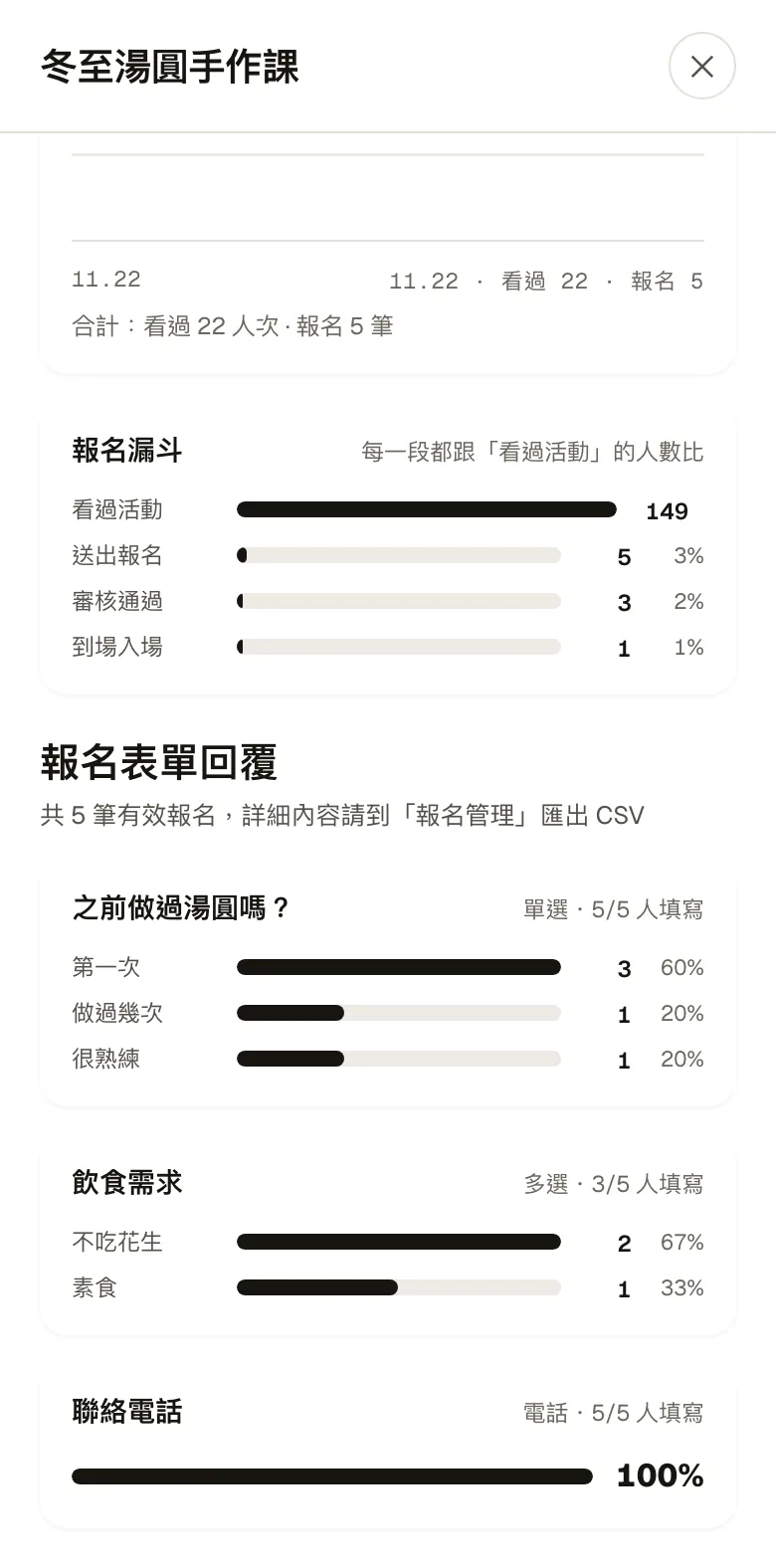
The host dashboard lists upcoming events and how many people are waiting for review or have checked in. Sign-ups can be approved one by one or all at once, and hosts can message everyone. The analytics page shows how many people viewed, signed up and checked in, plus a summary of the answers to each form question.
05 · Photos & feed
Take a photo and post it to the feed
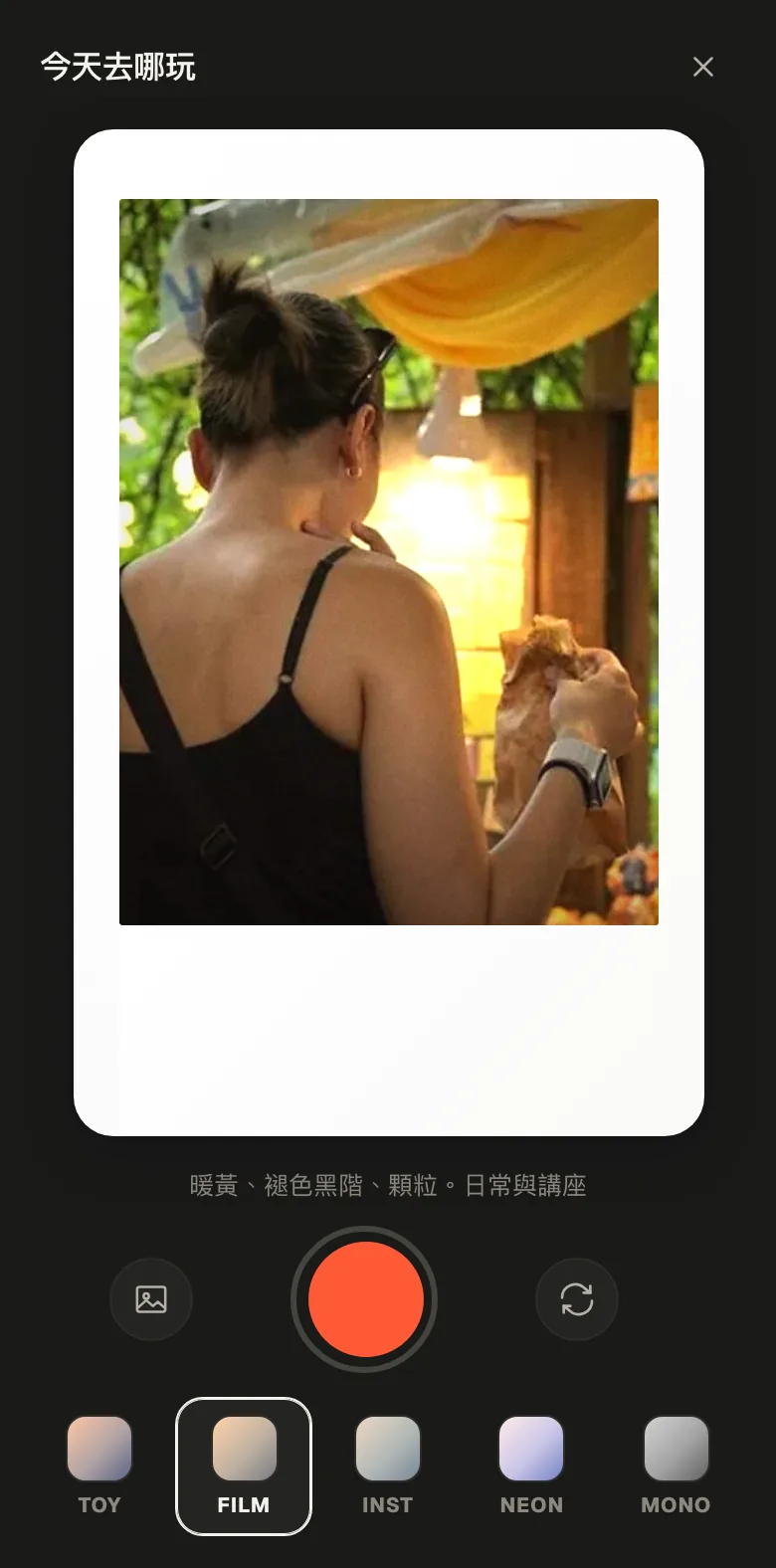
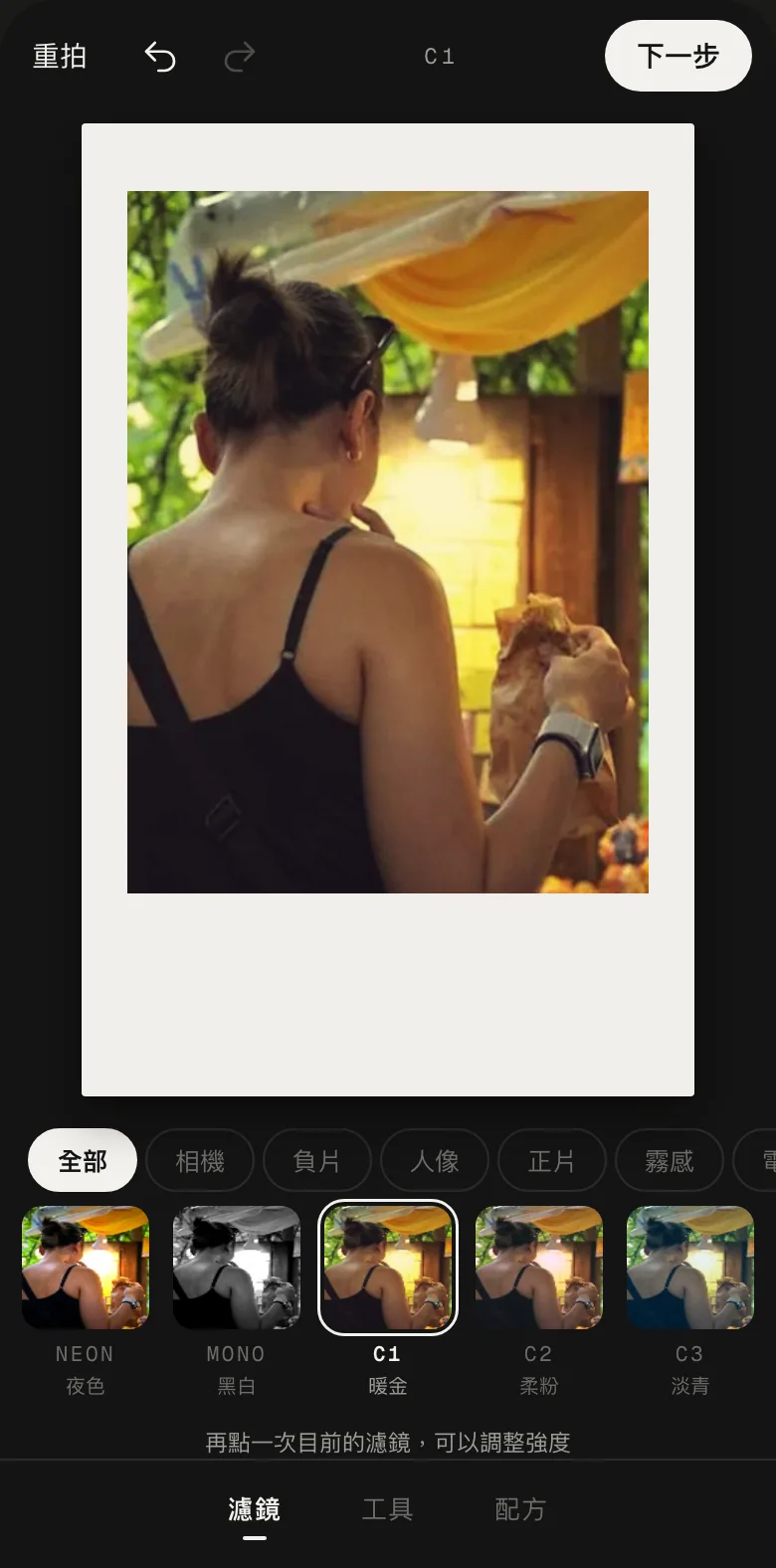
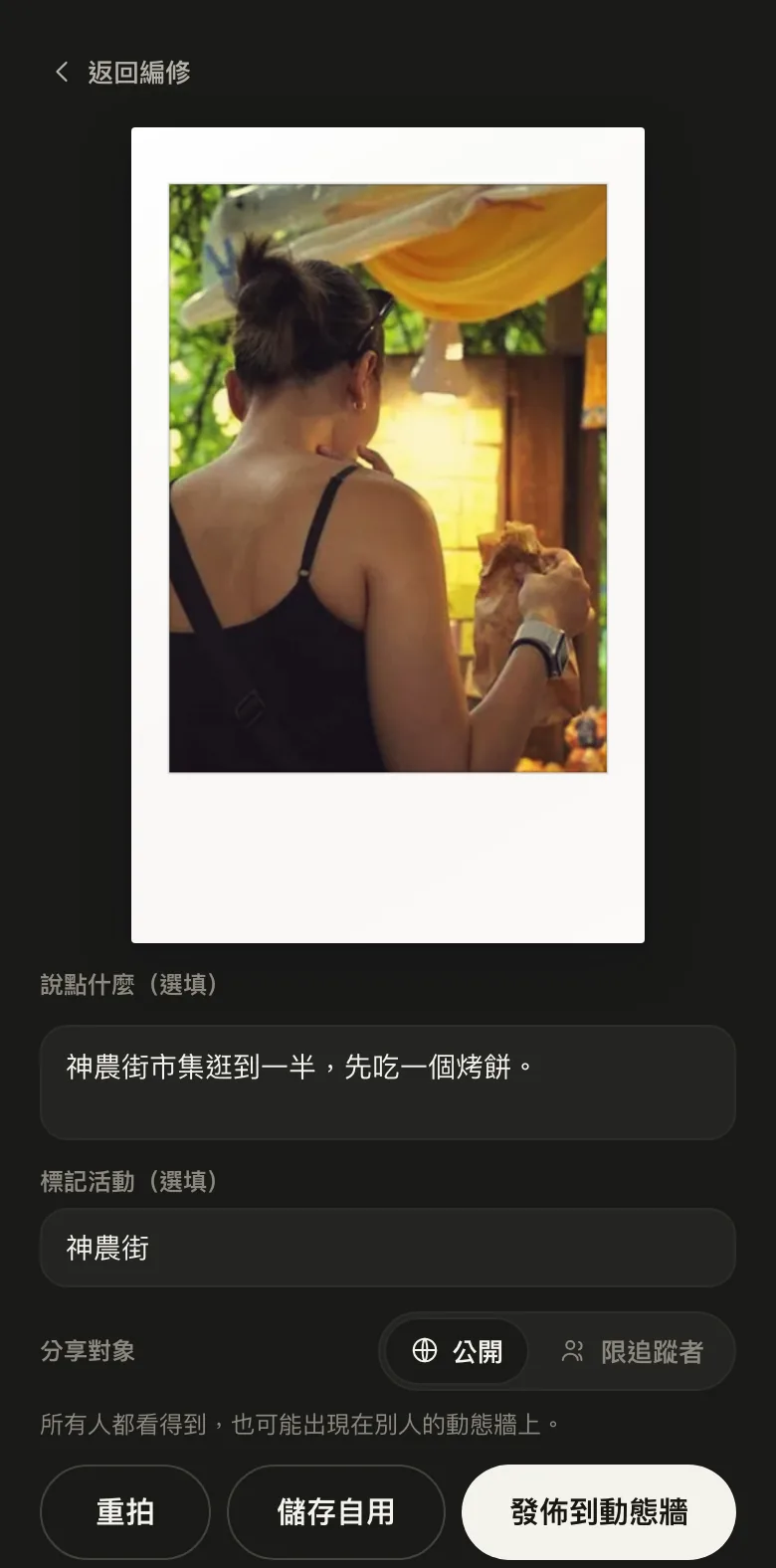
The app has 5 cameras: TOY, FILM, INST, NEON and MONO, and each photo is framed as a vertical instant print. You can add a filter, adjust it, write a line, tag the event, and post it to the feed or share it only with your followers.
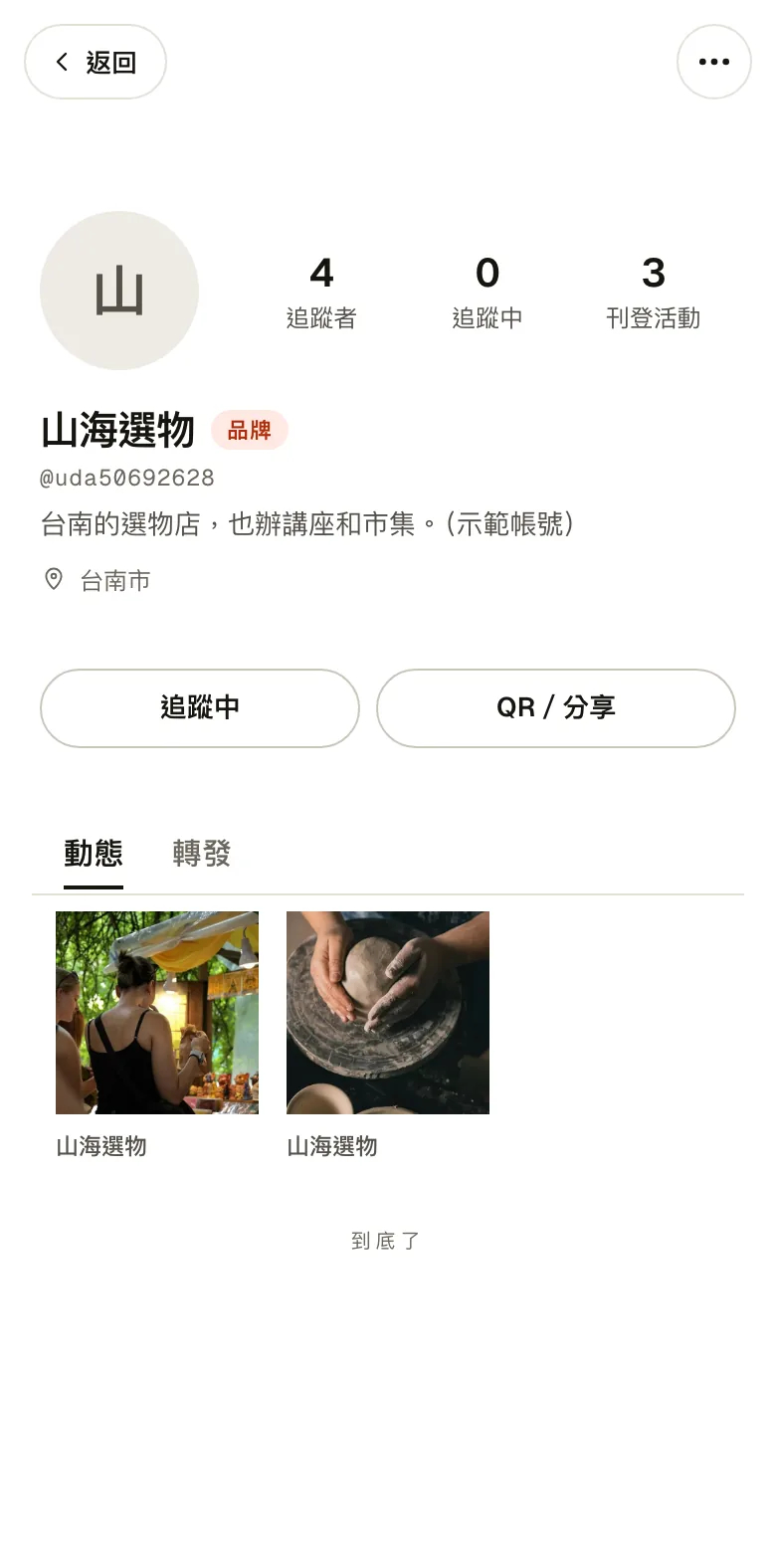
Brands have their own pages where they post updates and people can follow them. Followers see the brand's news in their feed.
06 · Quick meetups
Need people on short notice? Start a quick meetup
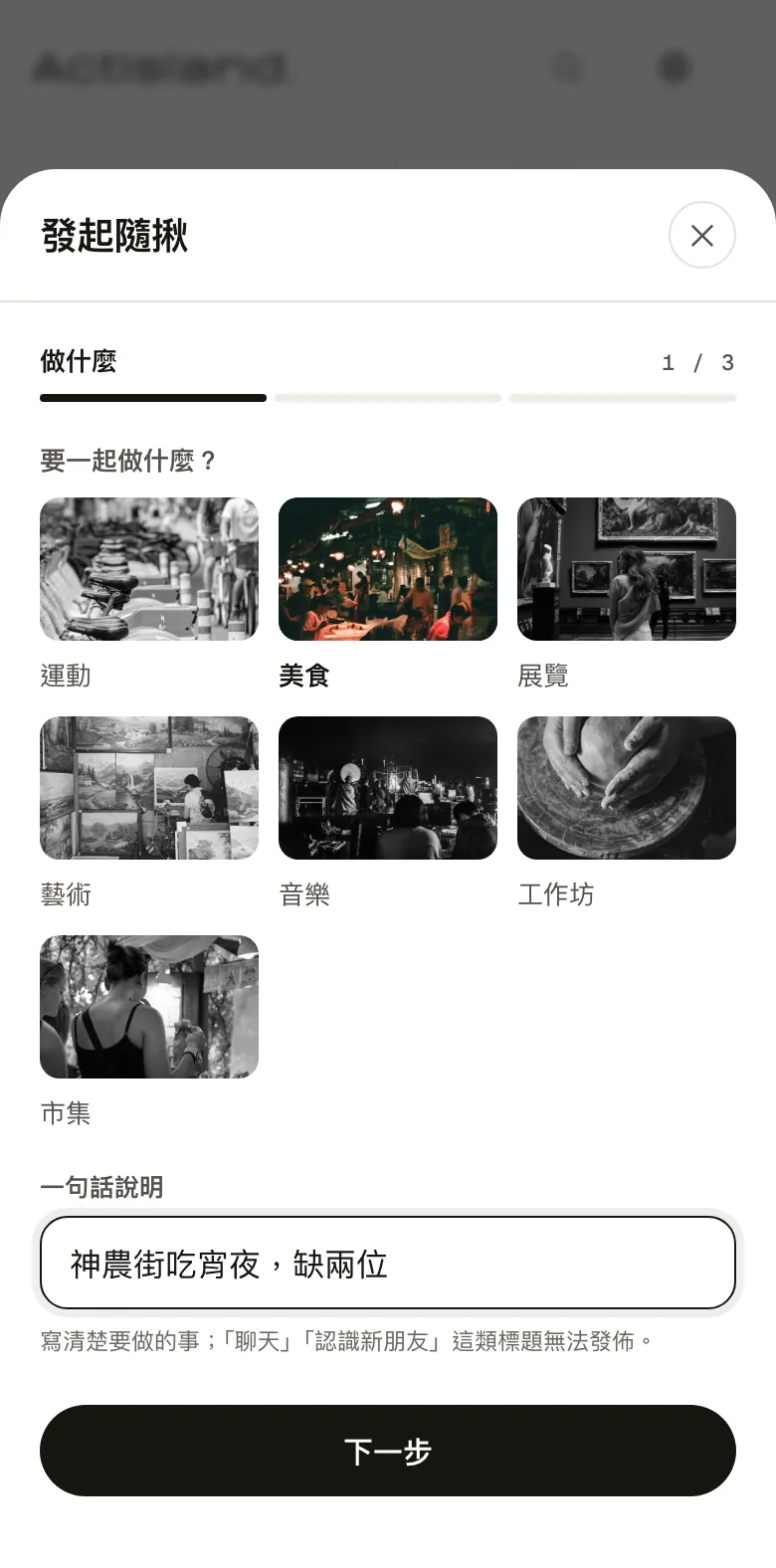
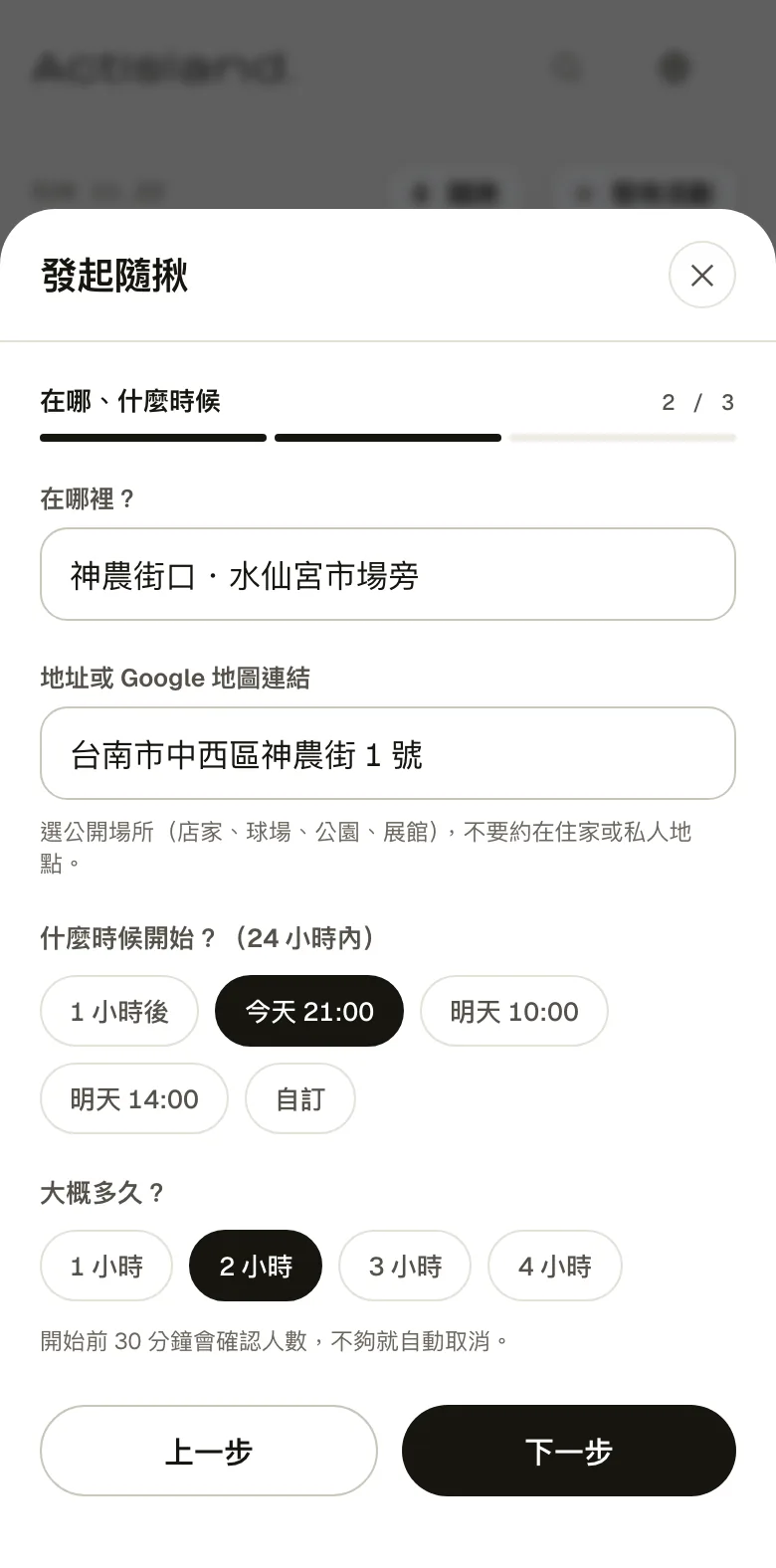
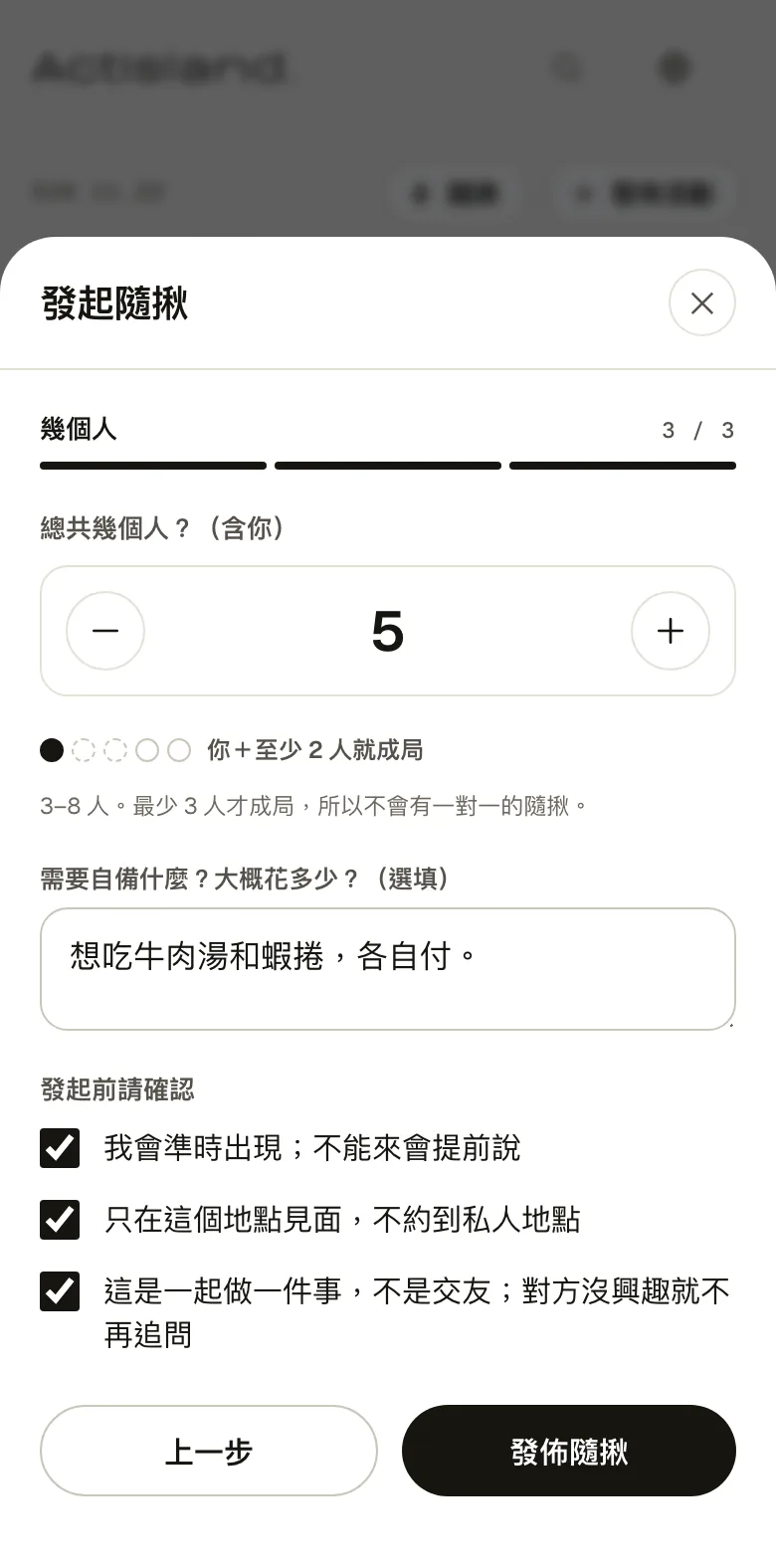
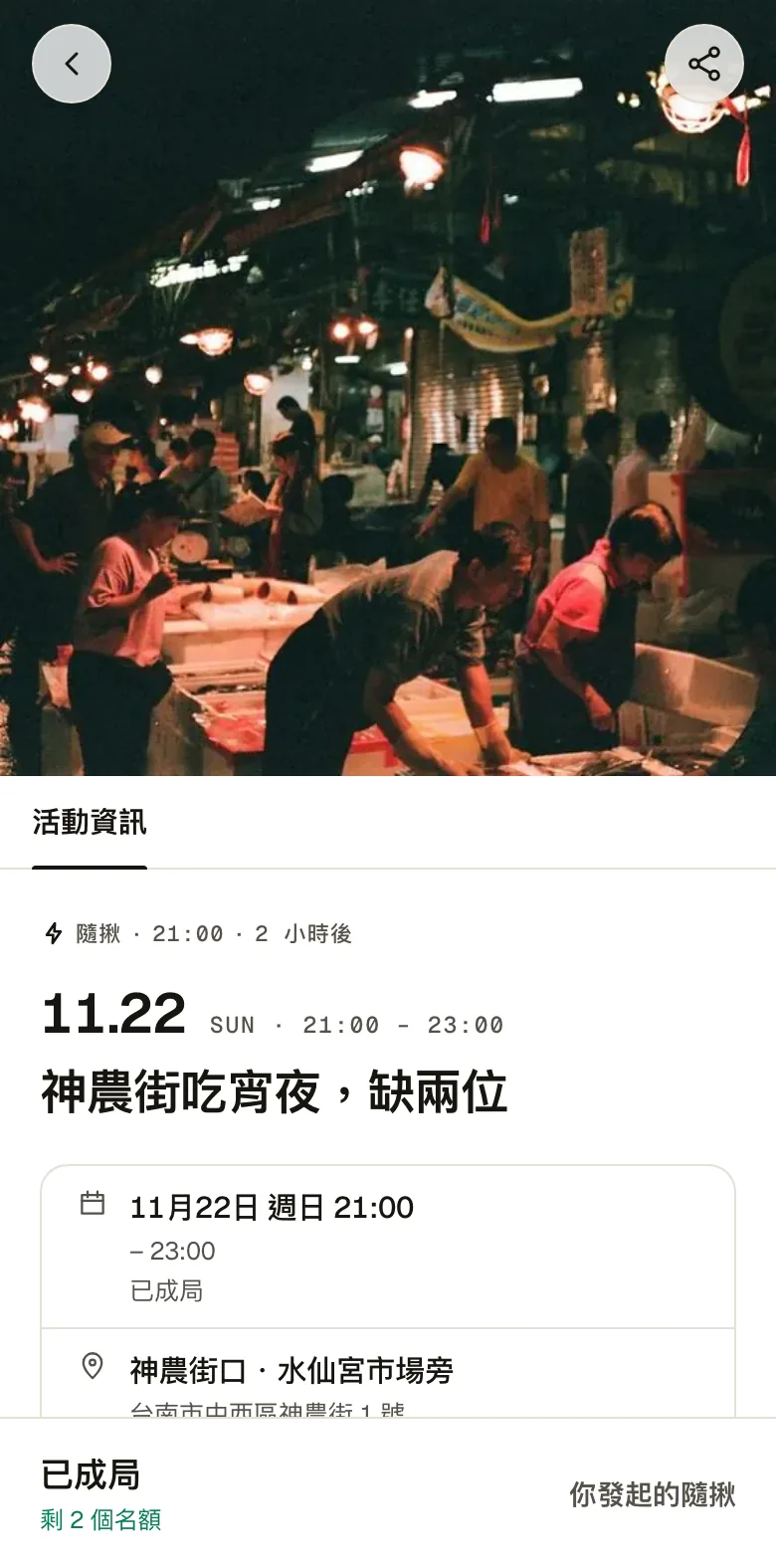
A quick meetup is a small event within the next 24 hours: pick what to do, where and when, then set the total number of people. Groups are 3 to 8, and it only goes ahead with at least 3. If there still aren't enough people 30 minutes before the start, it's canceled automatically.
Before starting one, you verify your phone by text message and agree to three rules: show up on time, meet only in public places, and don't press anyone who isn't interested.
Scale
1,400 registered users, 30 brand partners