Museums & culture
National Museum of Marine Biology and Aquarium
A hand-drawn guide map for the National Museum of Marine Biology and Aquarium. Open the web page on your phone and tap any tank to see what's in it.
77 guide points

- 3
- exhibition halls
An in-museum guide website we made for the National Museum of Marine Biology and Aquarium. The whole campus and its three exhibition halls were redrawn by hand as maps. Visitors open it on their phones without downloading an app, tap while standing in front of a tank, and see an introduction to that tank and the animals living in it.
- Project type
- Interactive in-museum guide website
- What we did
- Hand-drawn maps, interface design, website development
- How visitors use it
- Open the web page on a phone, no app to download
- Current status
- Being integrated with the museum's systems, preparing to launch
Project overview
The museum is large. Its three halls hold dozens of tanks, and first-time visitors often don't know where to start or what the tank in front of them is. The museum already had complete data on its tanks. What it lacked was an entry point visitors could open on their phones inside the museum, one that is easy to understand and fun to use.
01 · Campus
Open it and see the whole museum first
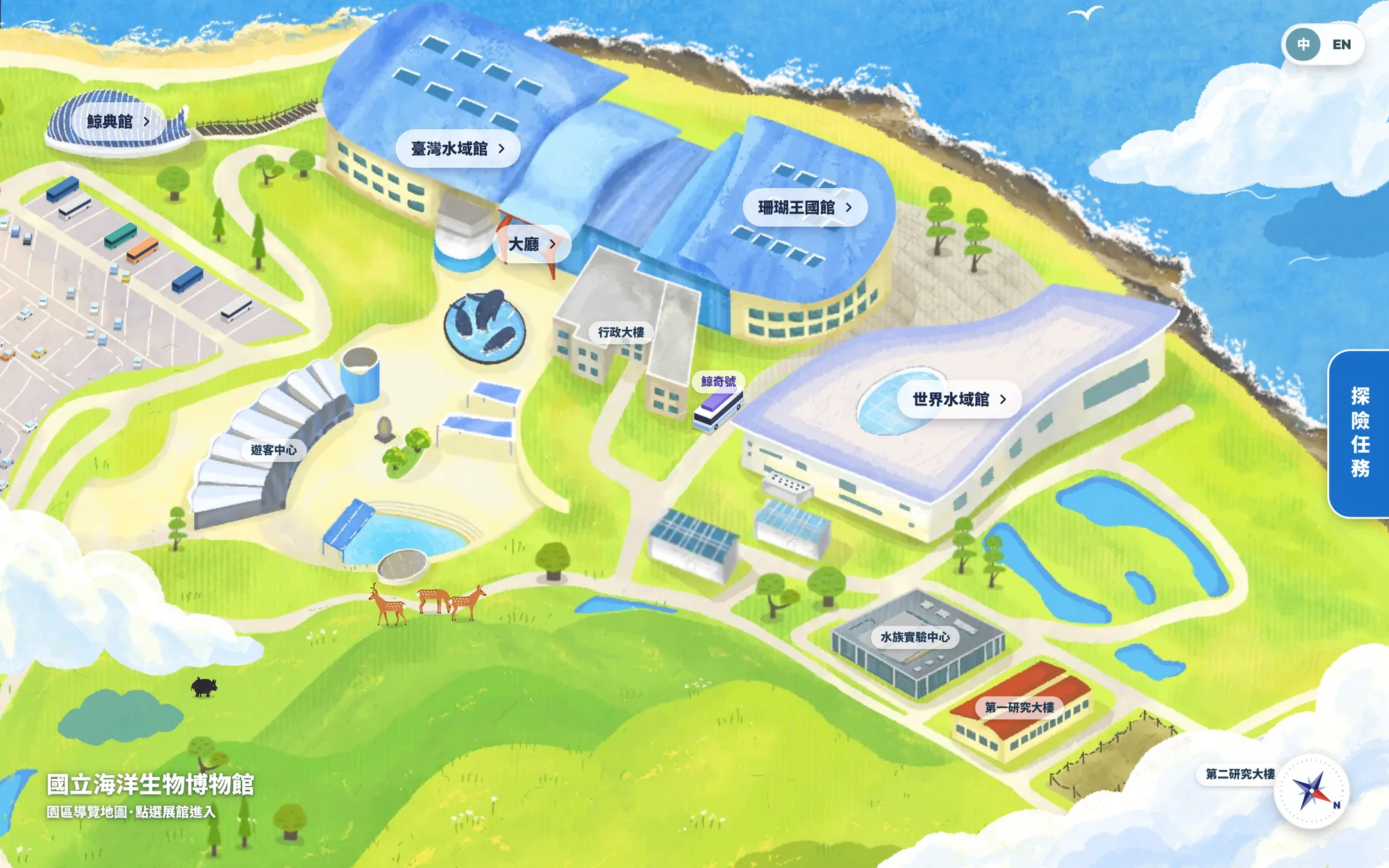
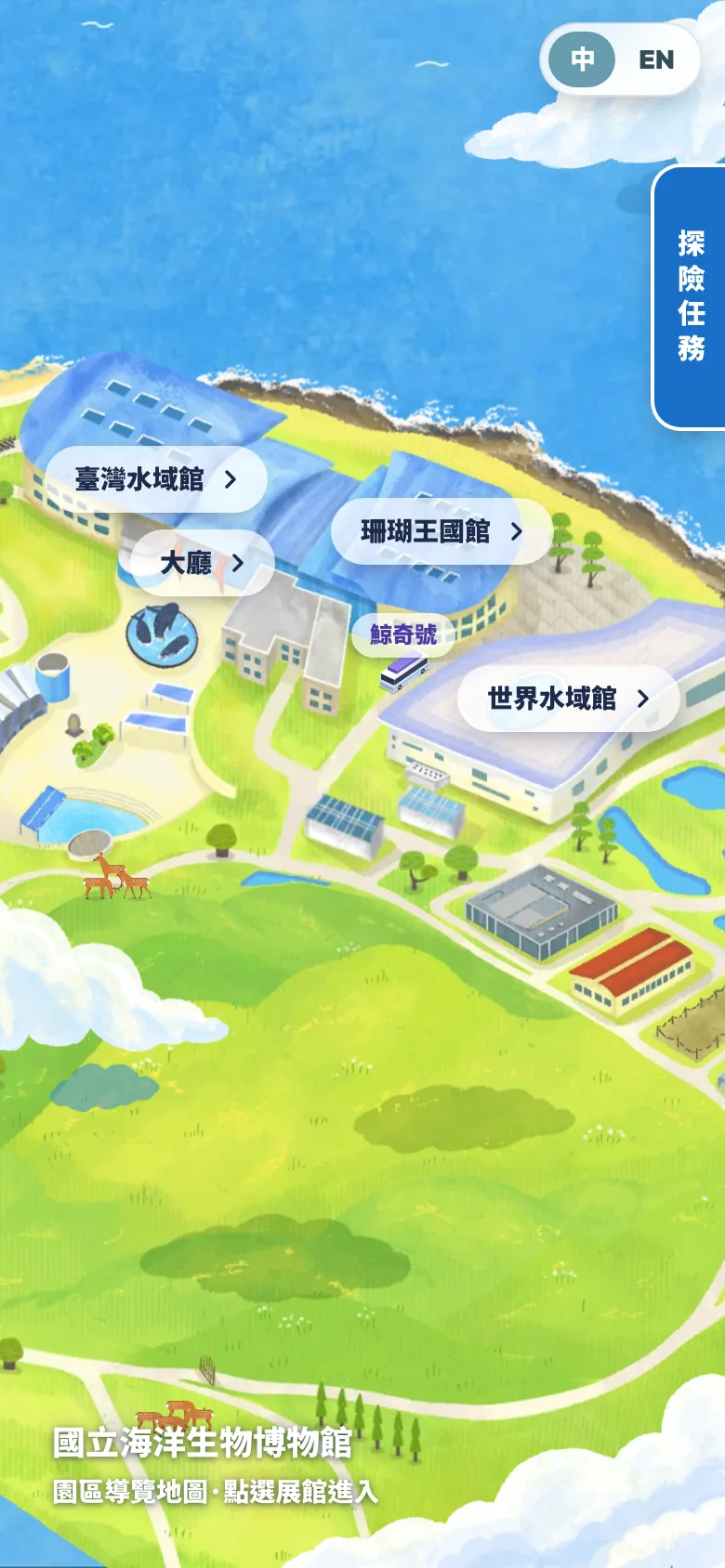
It opens with a hand-drawn campus map showing the three halls, the Whale Hall, and the Whale Wonder tram. Beluga whales, penguins, and passing vehicles move across the map. Tap a hall's name to step inside.
First-time visitors can tap “Lobby” to see what each of the three halls offers and how to use the guide.

02 · Halls
Tap the point for the tank you're standing in front of
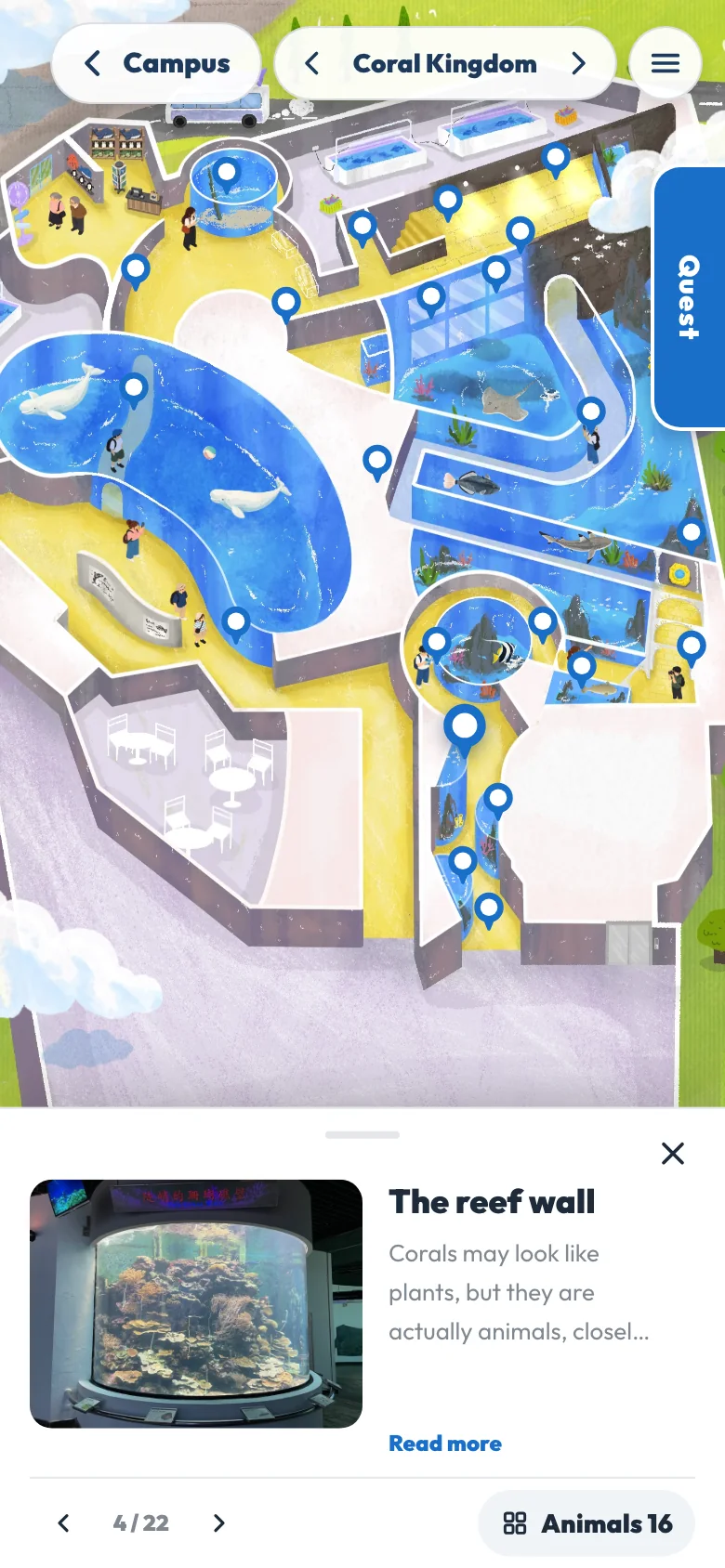
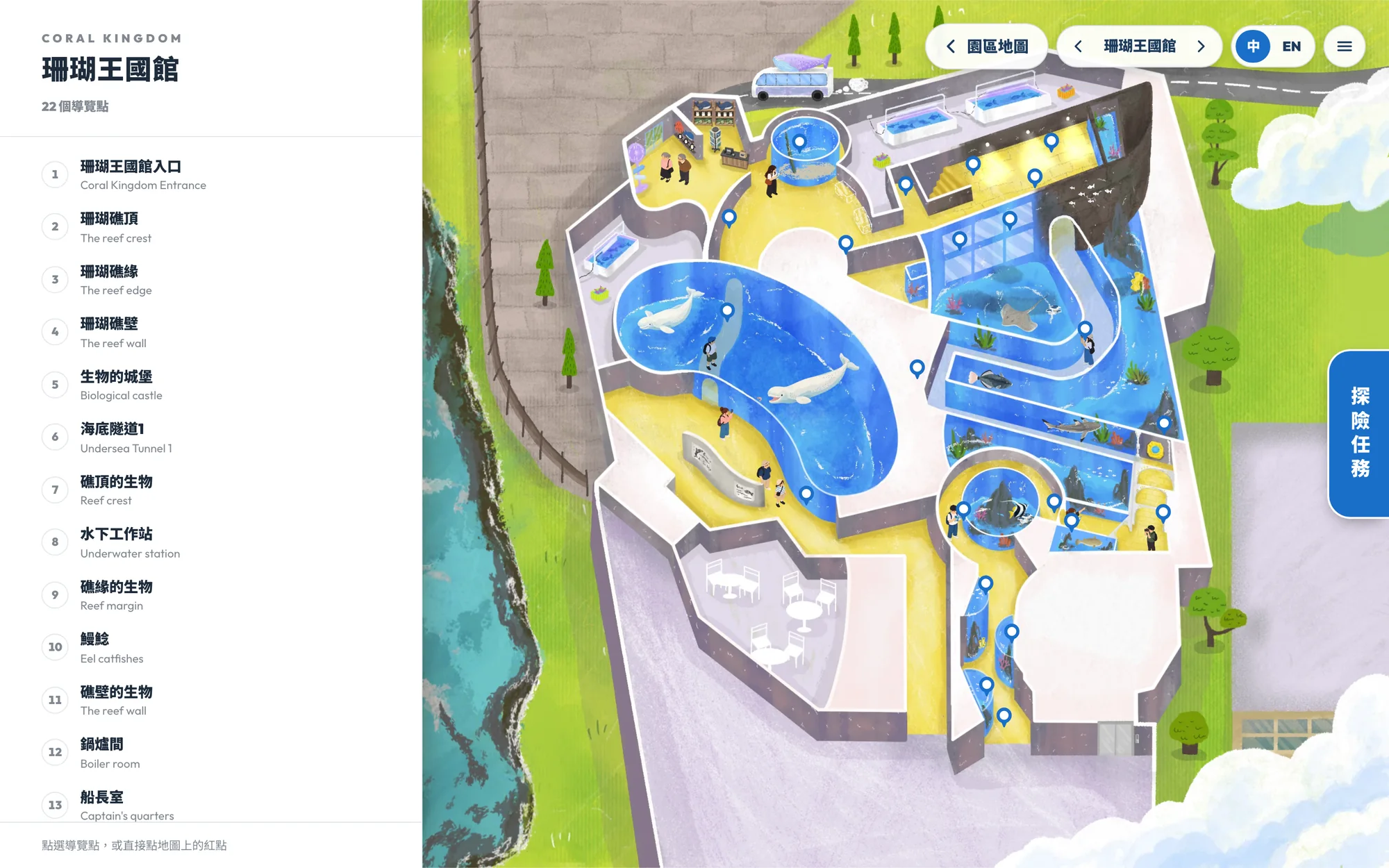
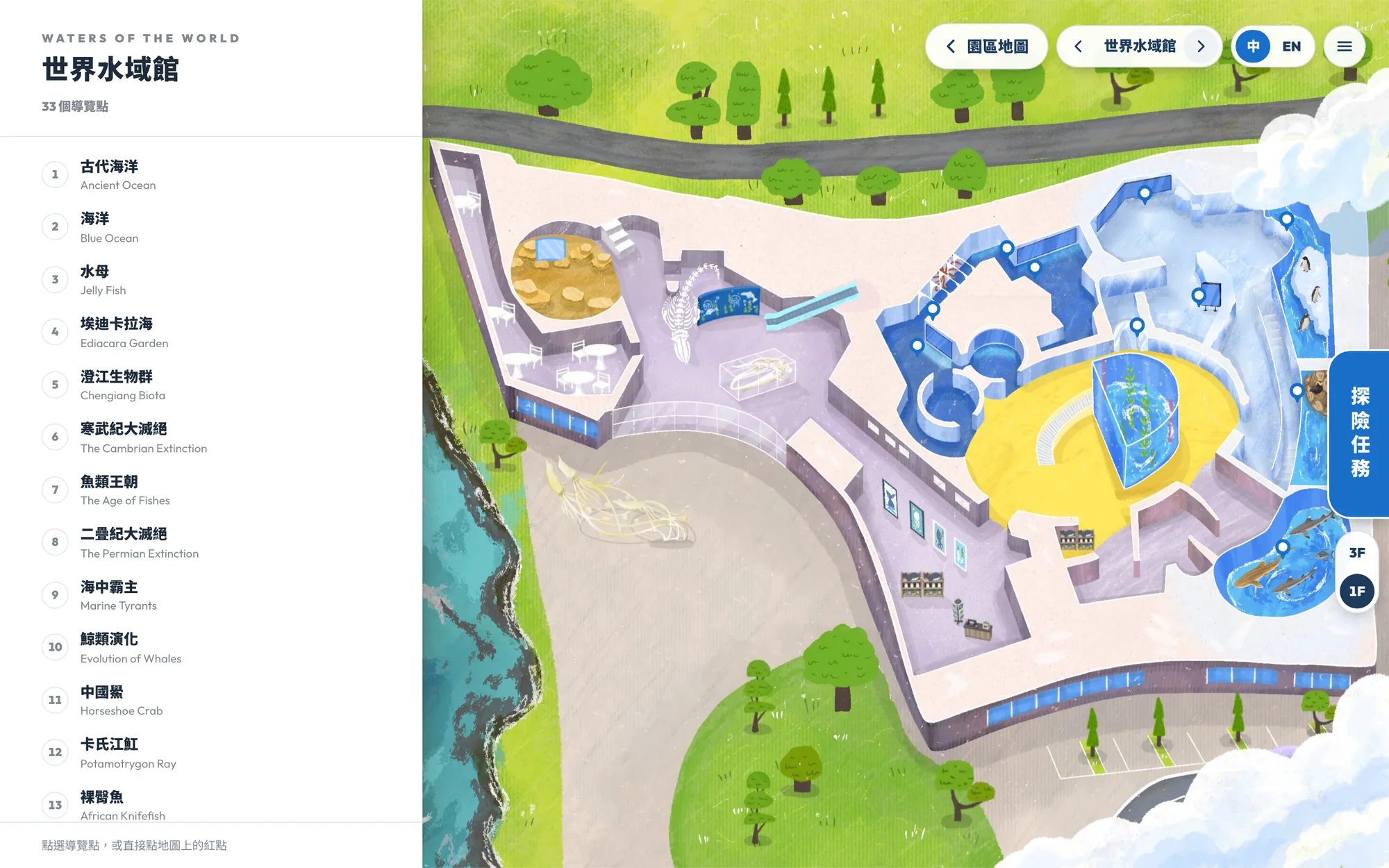
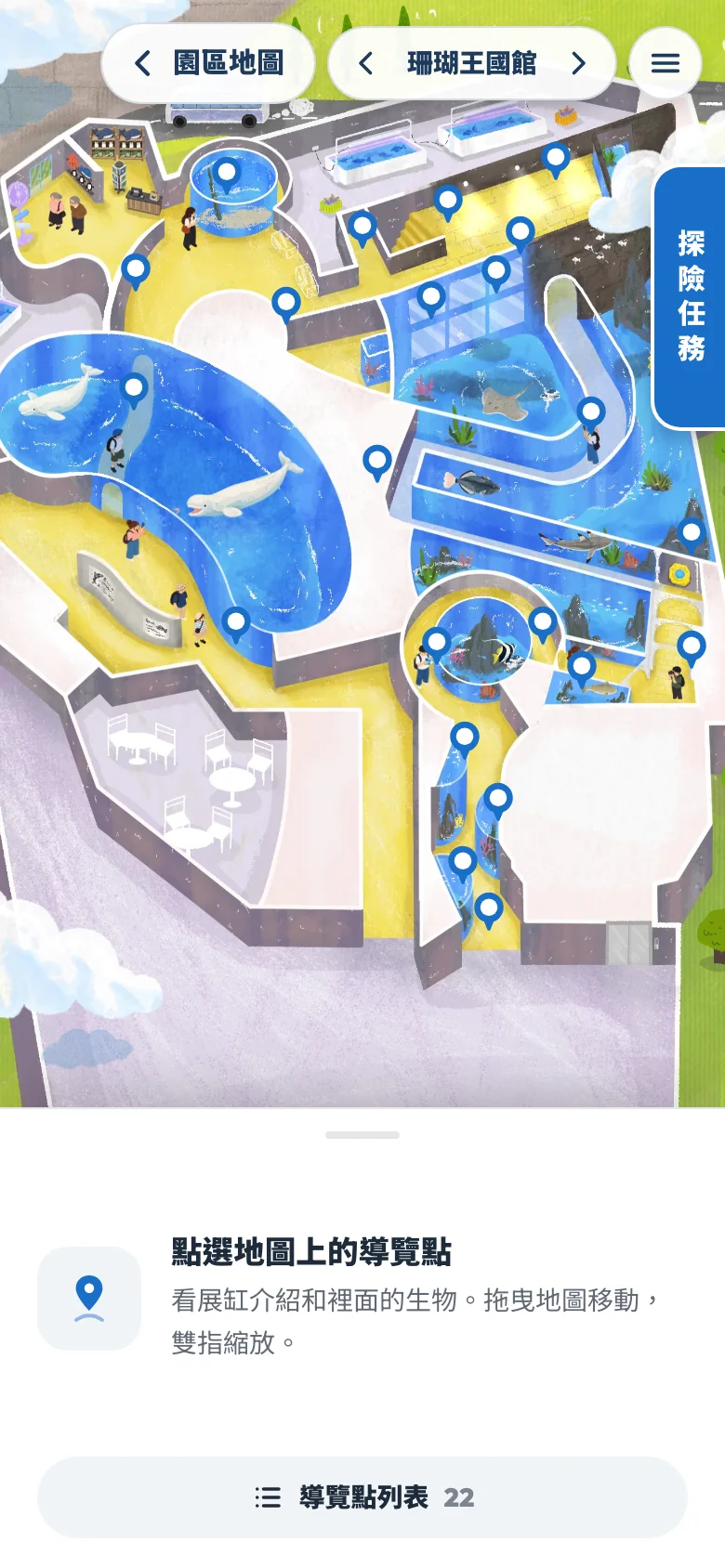
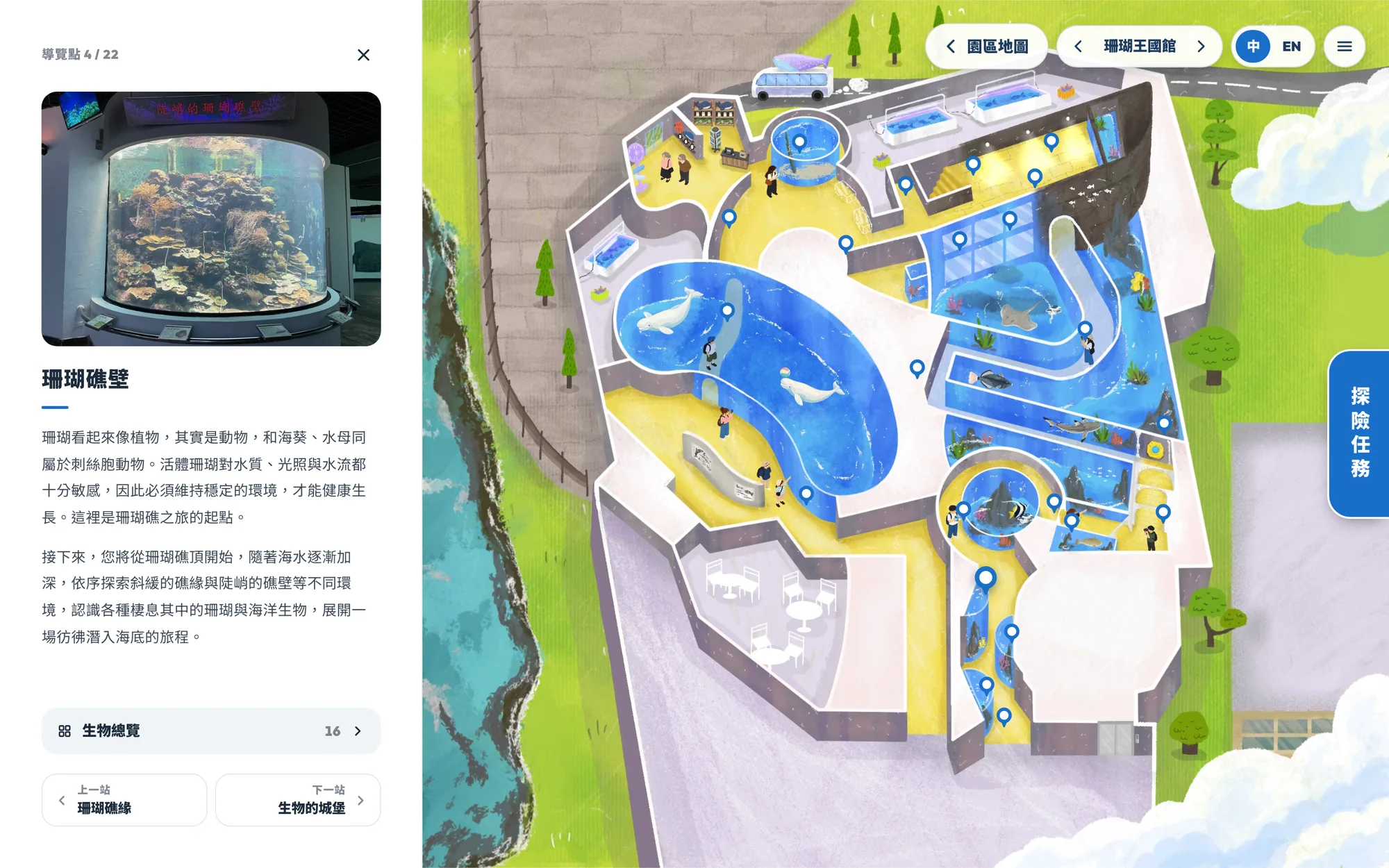
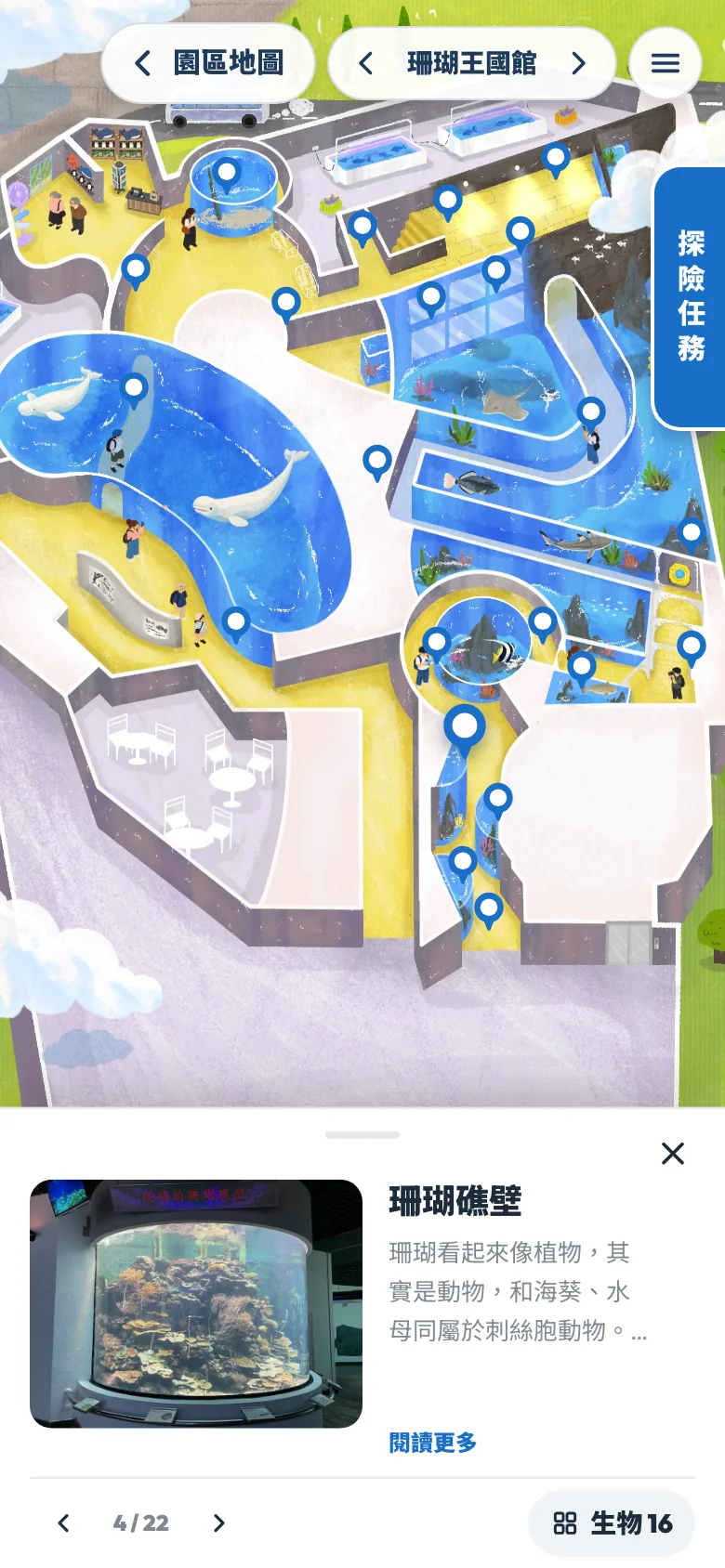
Each hall has its own hand-drawn floor plan, with 77 guide points across the three halls. The Waters of the World Pavilion is also split into 1F and 3F. Tap a point on the map, and the view moves over and zooms in while an introduction to that tank appears below.
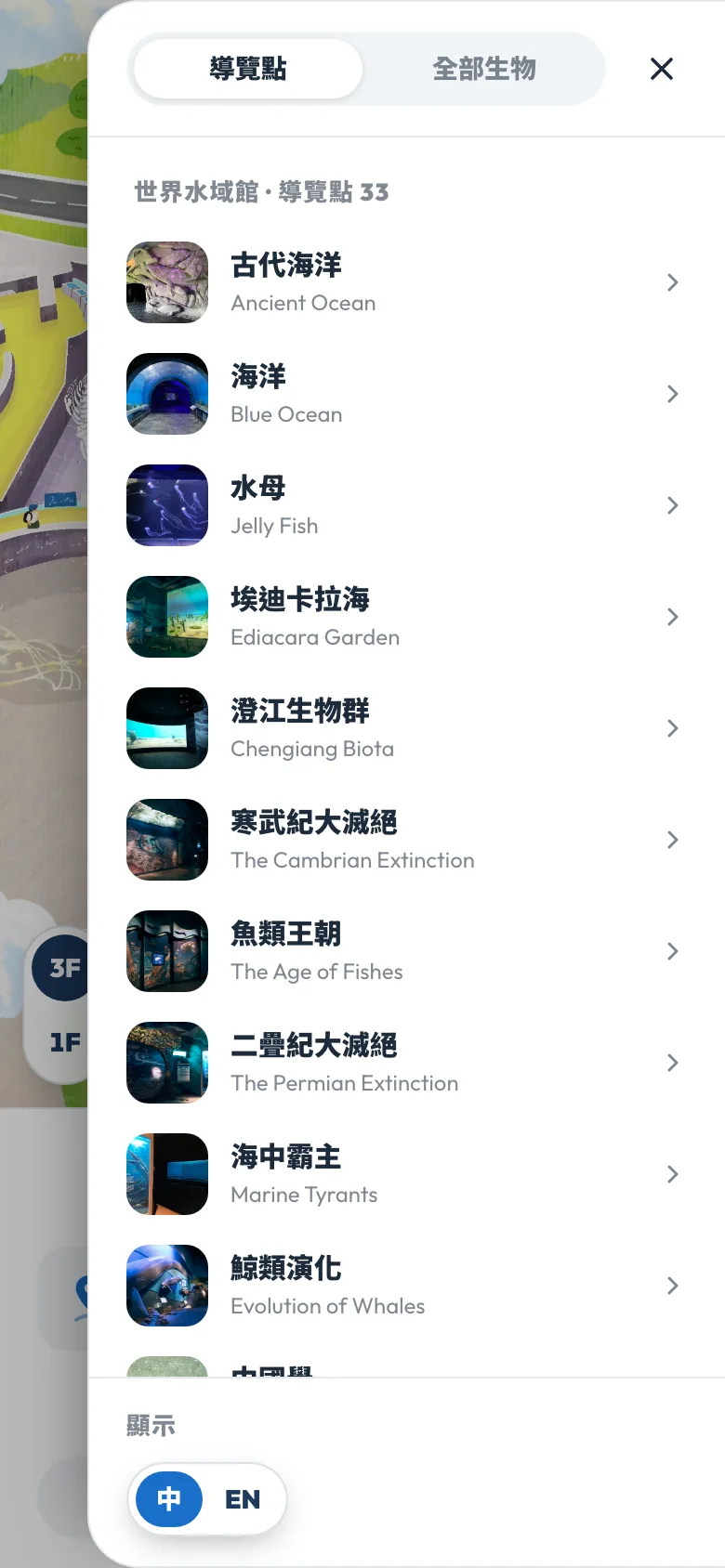
You can also open the list of guide points and follow them stop by stop in numbered order.
03 · Tanks
Tap a tank to see what lives in it
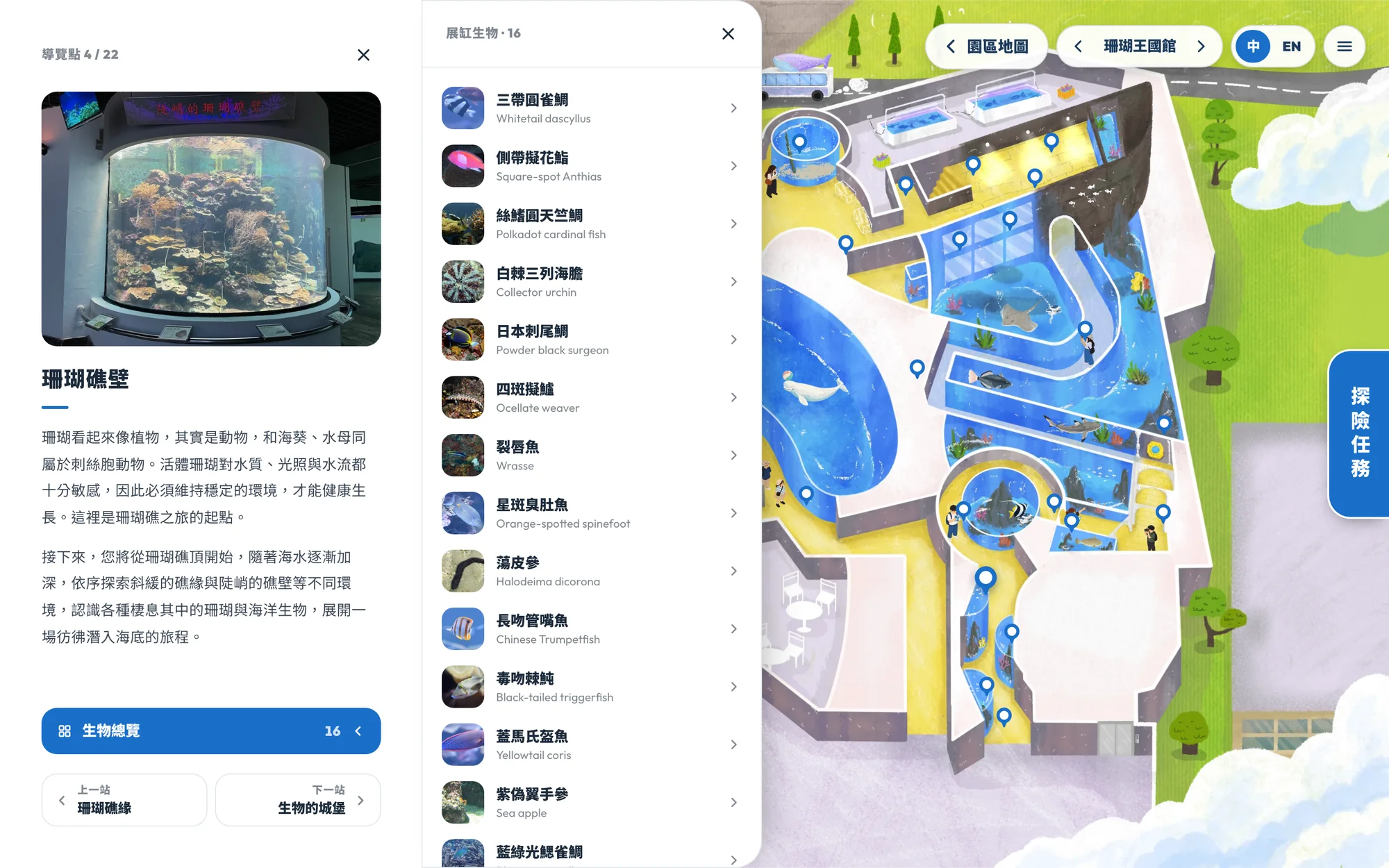
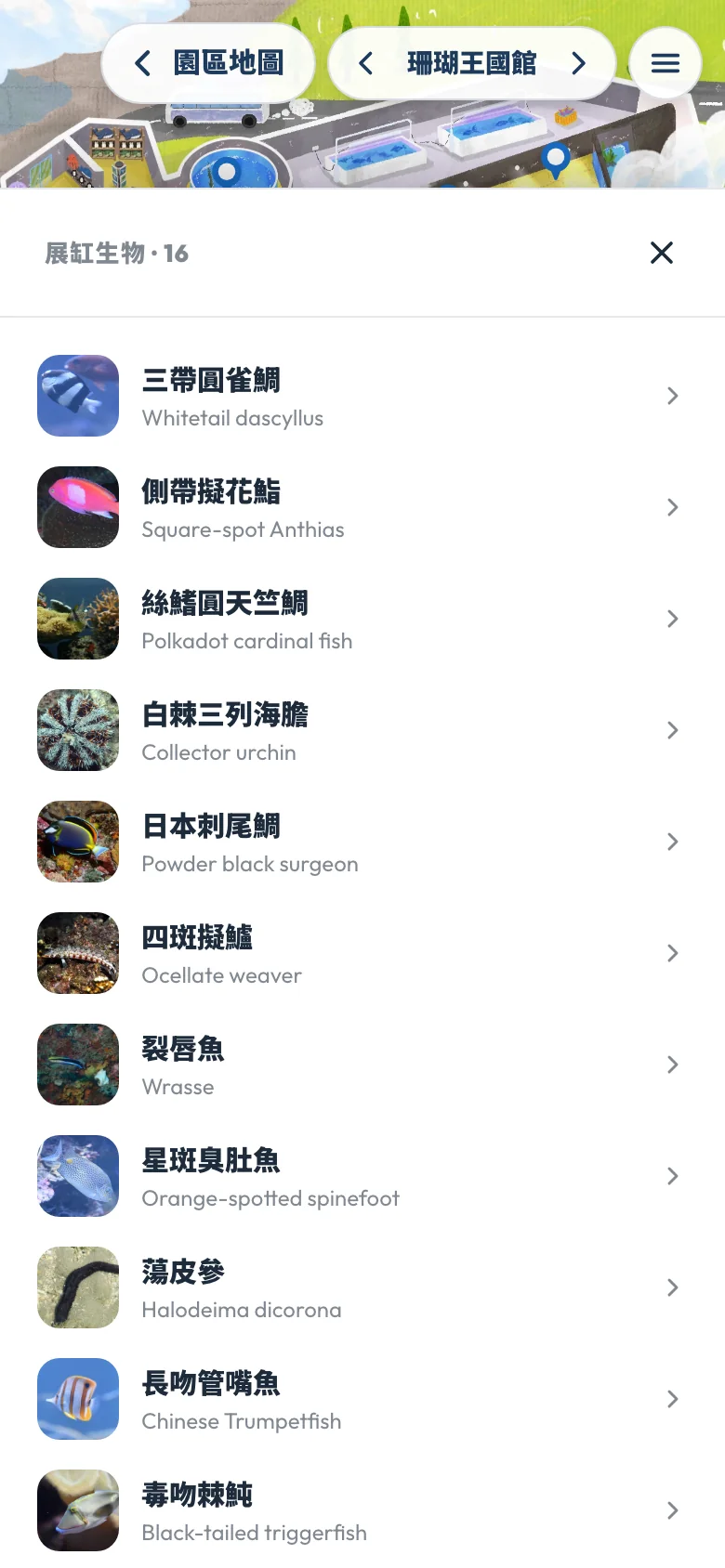
Tank photos and introductions come straight from the museum's own database, and the text is the version the museum already wrote. To see which animals are in a tank, tap “All animals” for a list of their Chinese and English names with photos.
When you finish one tank, tap “Next stop” to keep going without returning to the map to find the next one.
04 · Quest
After the halls, there's an explorer's quest
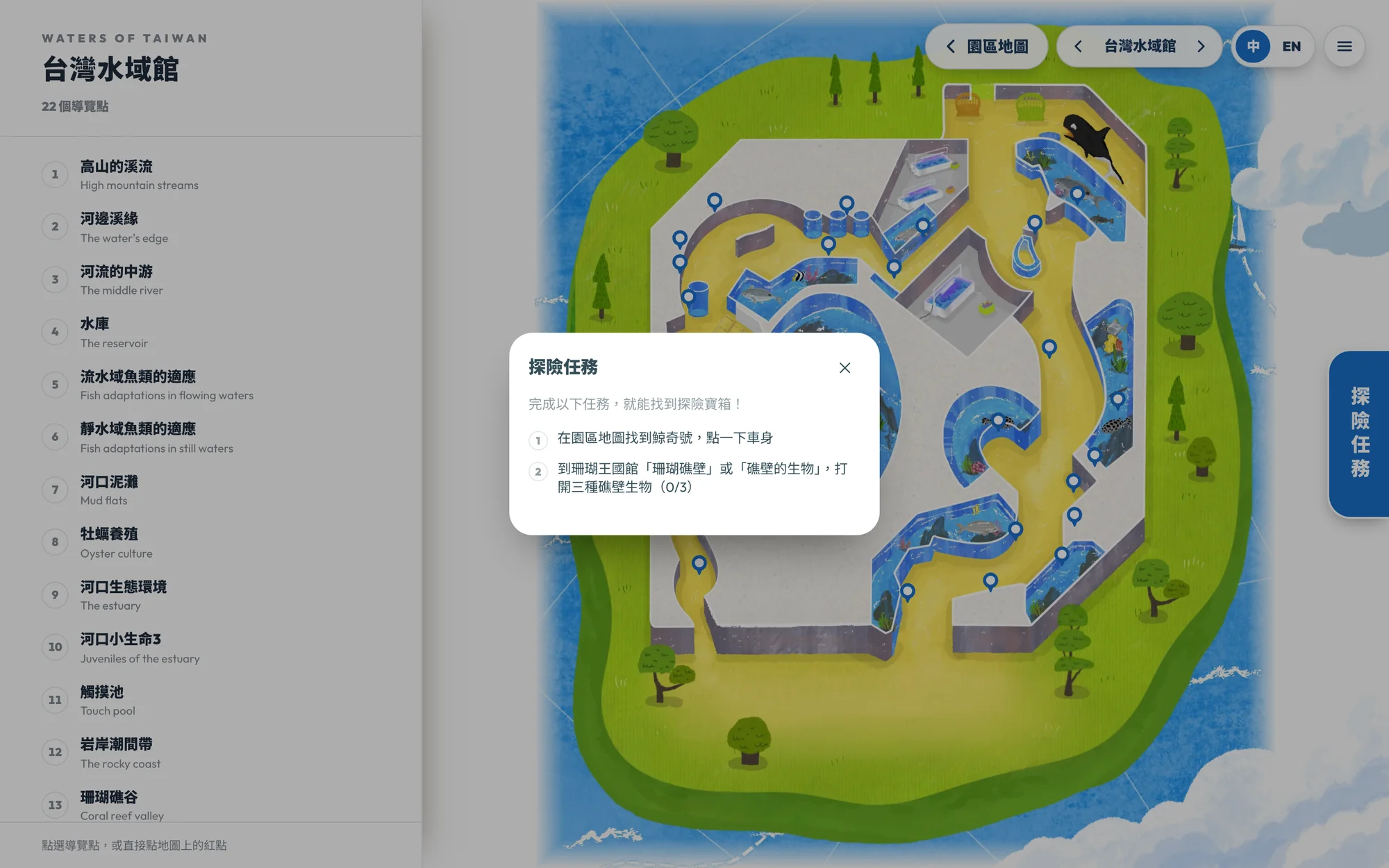
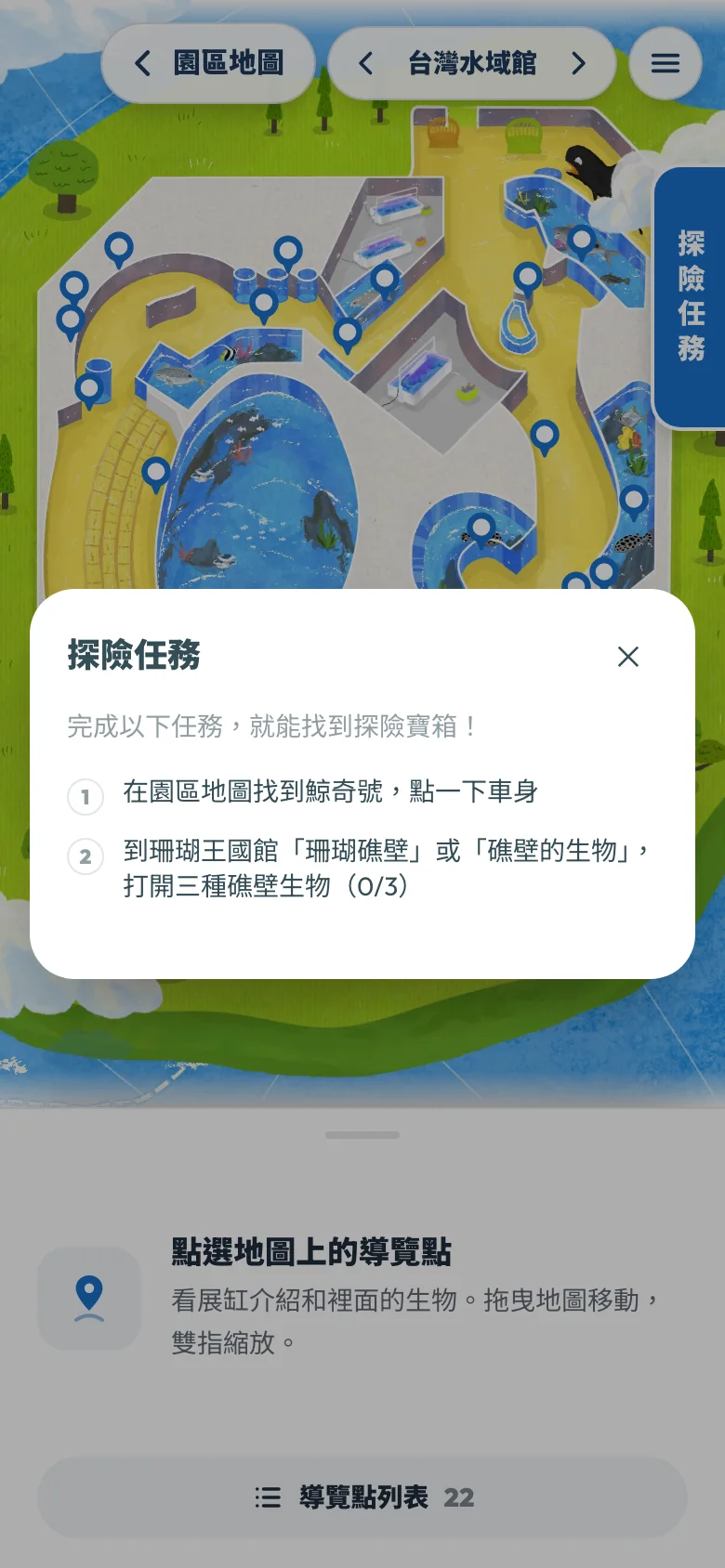
Next to the map is an “Explorer's quest.” First find the Whale Wonder tram on the campus map, then find three reef-wall animals in the Coral Kingdom Pavilion. That opens a treasure chest, where visitors can leave an email address to enter a prize draw.
Entries go straight into the museum's Google Sheet, and each email address can only enter once. Staff use the spreadsheet they already work with to check off and notify winners, with no new admin to learn.
05 · Chinese & English
International visitors switch to English in the top-right corner
The whole guide comes in Chinese and English, switched with one tap in the top-right corner. Tank introductions use the museum's original English text too.
Almost all visitors use it on their phones, and the map can be dragged and zoomed there as well. Older phones don't have enough memory, so the map could go blank partway through drawing when zoomed in too far. We lowered the maximum zoom on phones a little to prevent that.