Healthcare
TCM Clinic Management System
An in-house system for a TCM clinic that handles herbs, clock-ins, scheduling, and payroll in one place.
36+ features in one system
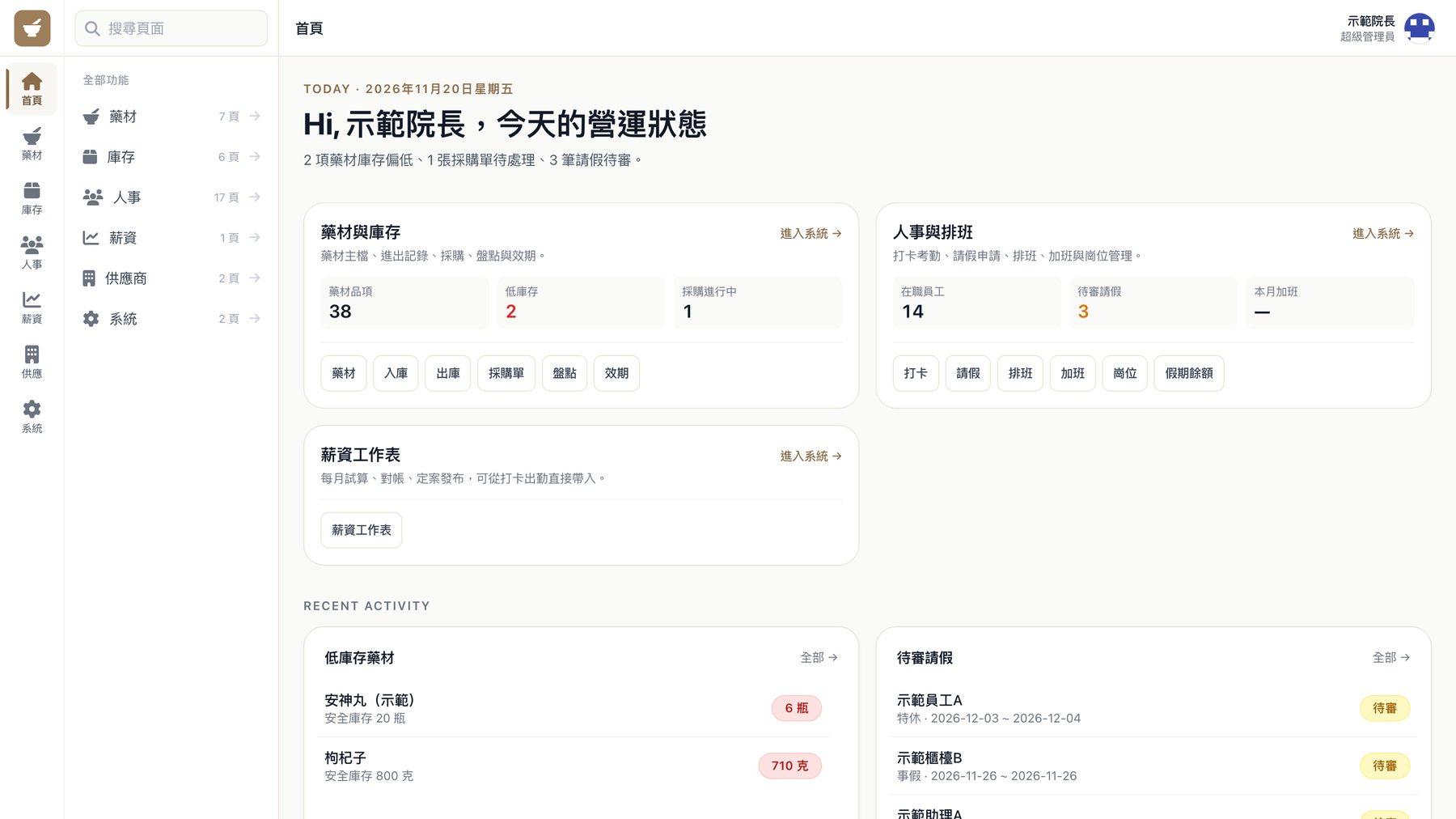
An internal management system we built for a traditional Chinese medicine (TCM) clinic. Herb stock, staff clock-ins, scheduling, leave, and monthly payroll all run in one system. The director manages it on a computer, and staff clock in on their phones.
- Project type
- Clinic management system
- What we did
- Workflow planning, interface design, system development
- Who uses it
- The director, managers, and staff, each seeing the features for their role
- How it's used
- On a computer or phone, and it can be added to the phone's home screen
Project overview
The clinic has to track batch numbers and expiry dates for its herbs. Its staff include doctors, full-time and part-time employees, and massage therapists, each with different schedules and pay rules. Everything used to live on paper and in spreadsheets, so month-end payroll meant matching clock-ins, leave, and overtime one entry at a time. The system keeps this data together and pulls it straight into payroll.
01 · Home
Open the system in the morning and see today's tasks first
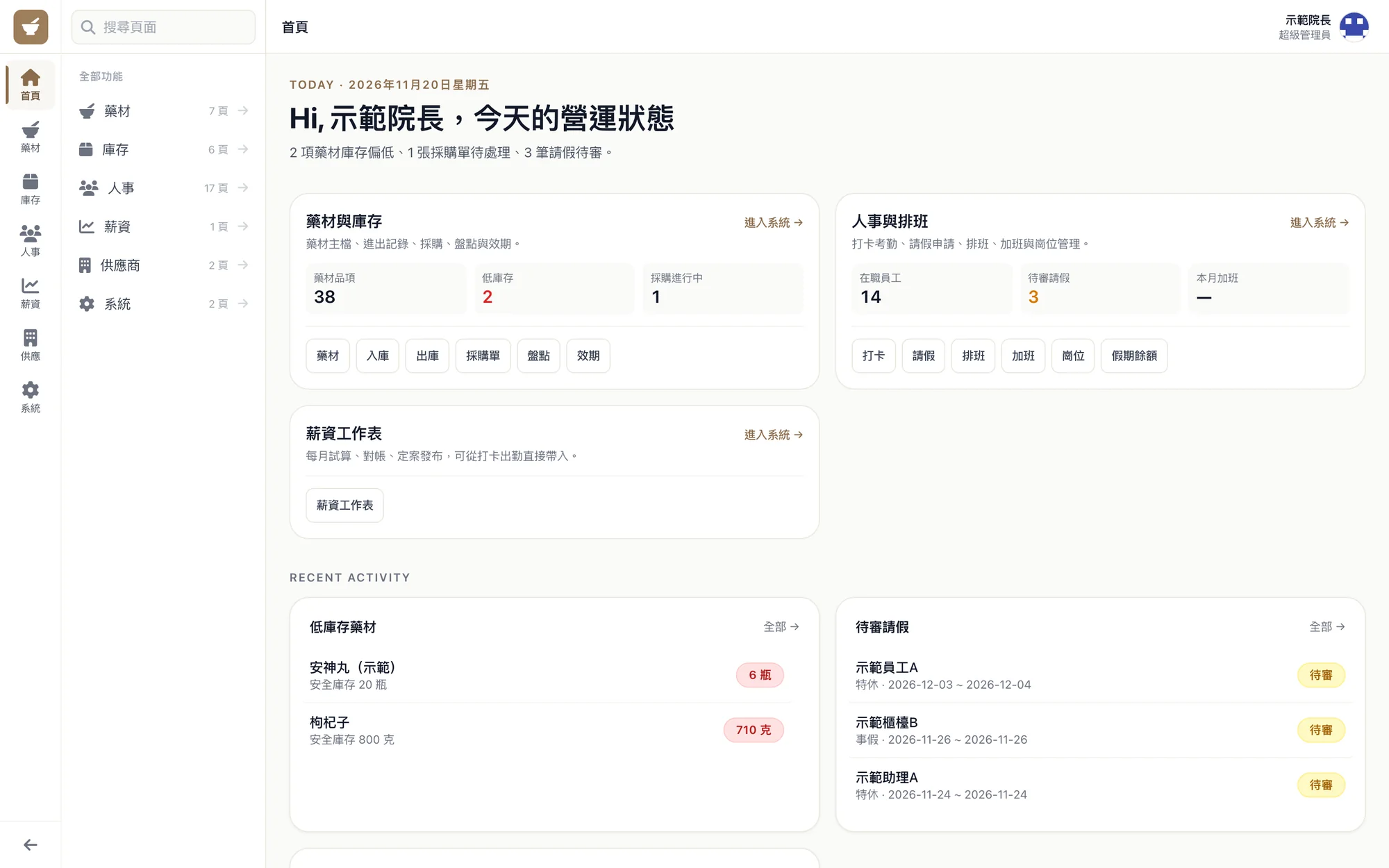
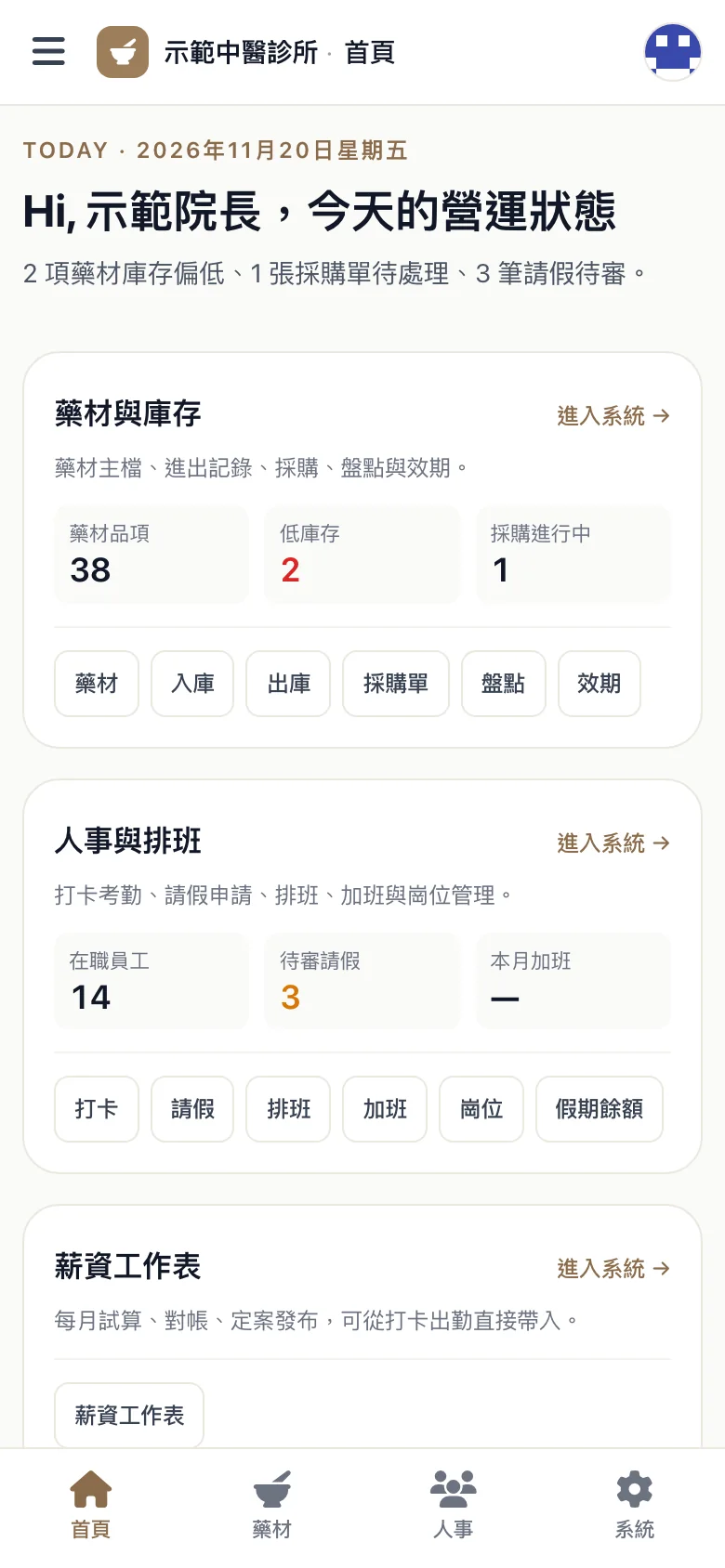
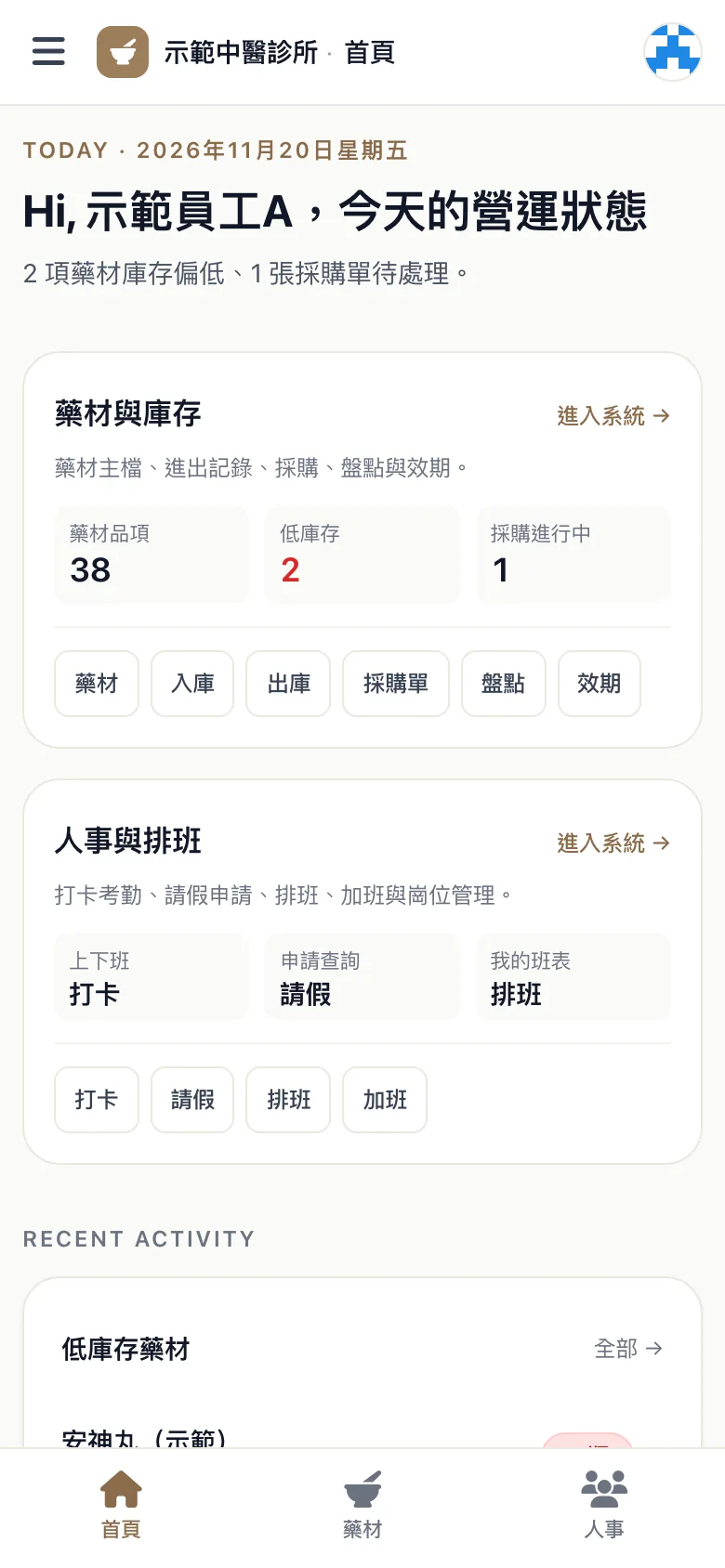
The home screen has two parts. The herb side shows the number of items, which are running low, and which are on order. The staff side shows how many people are working today and how many leave requests are waiting for approval. To run payroll, go straight from the home screen to the payroll worksheet.
02 · Clock-in
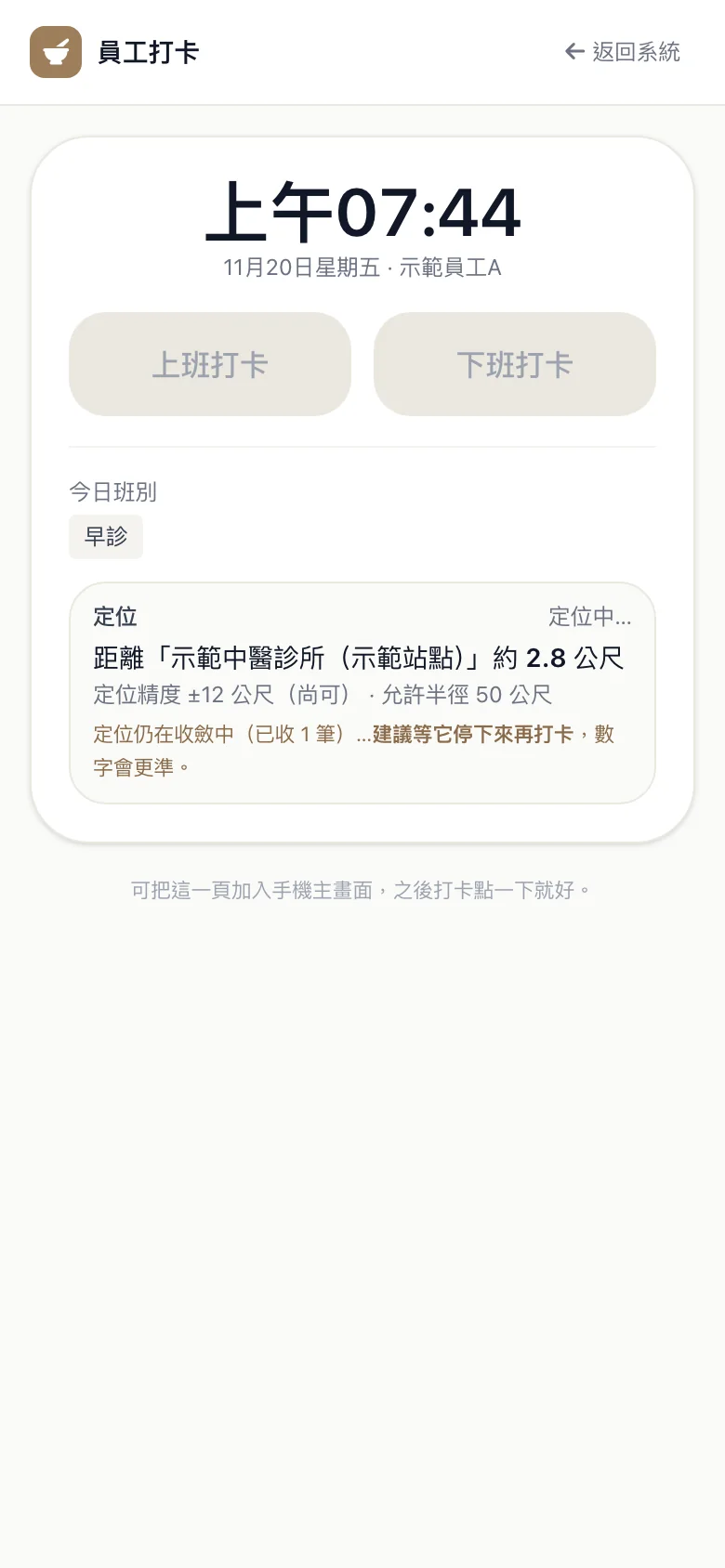
Staff clock in on their phones, with location error taken into account
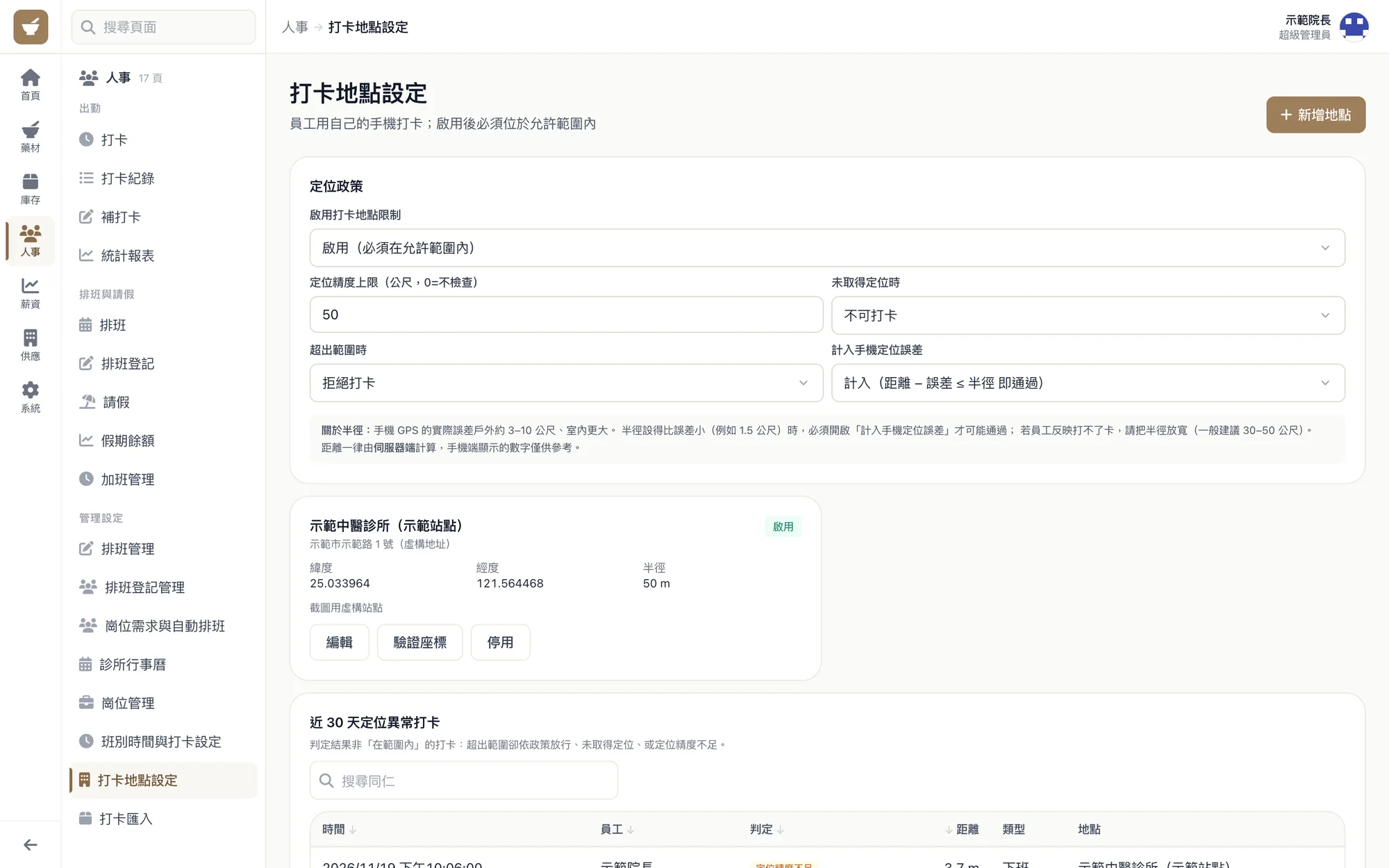
When staff clock in on their phones, the screen shows how far they are from the clinic and how accurate the location is. Indoor GPS often drifts, so the system subtracts the error the phone reports before it decides. Nobody gets locked out just because the location drifted a few dozen meters.
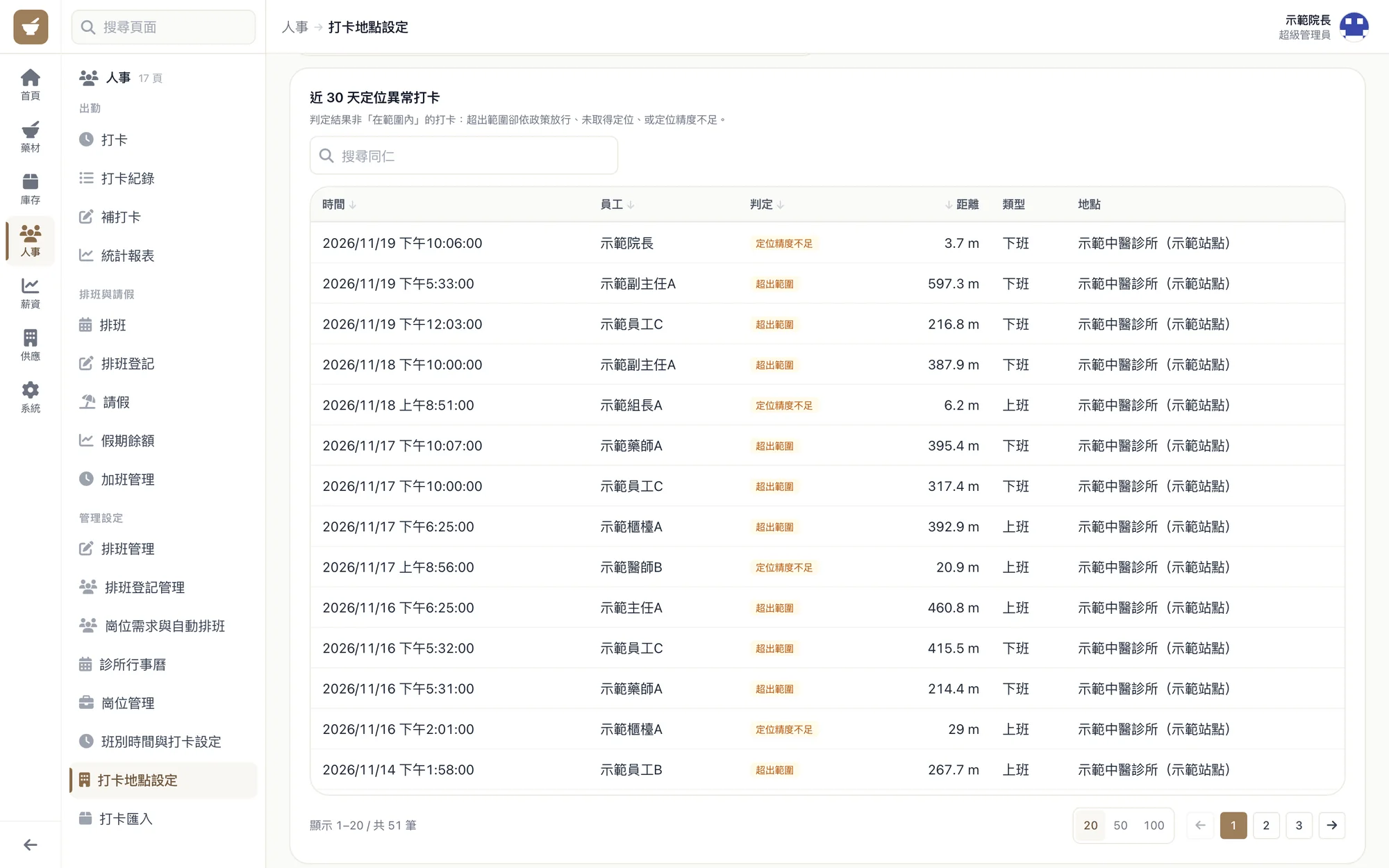
Each clock-in location can have its own allowed range. Clock-ins with location problems from the last 30 days are gathered into a list, so managers can confirm them one by one.
03 · Scheduling
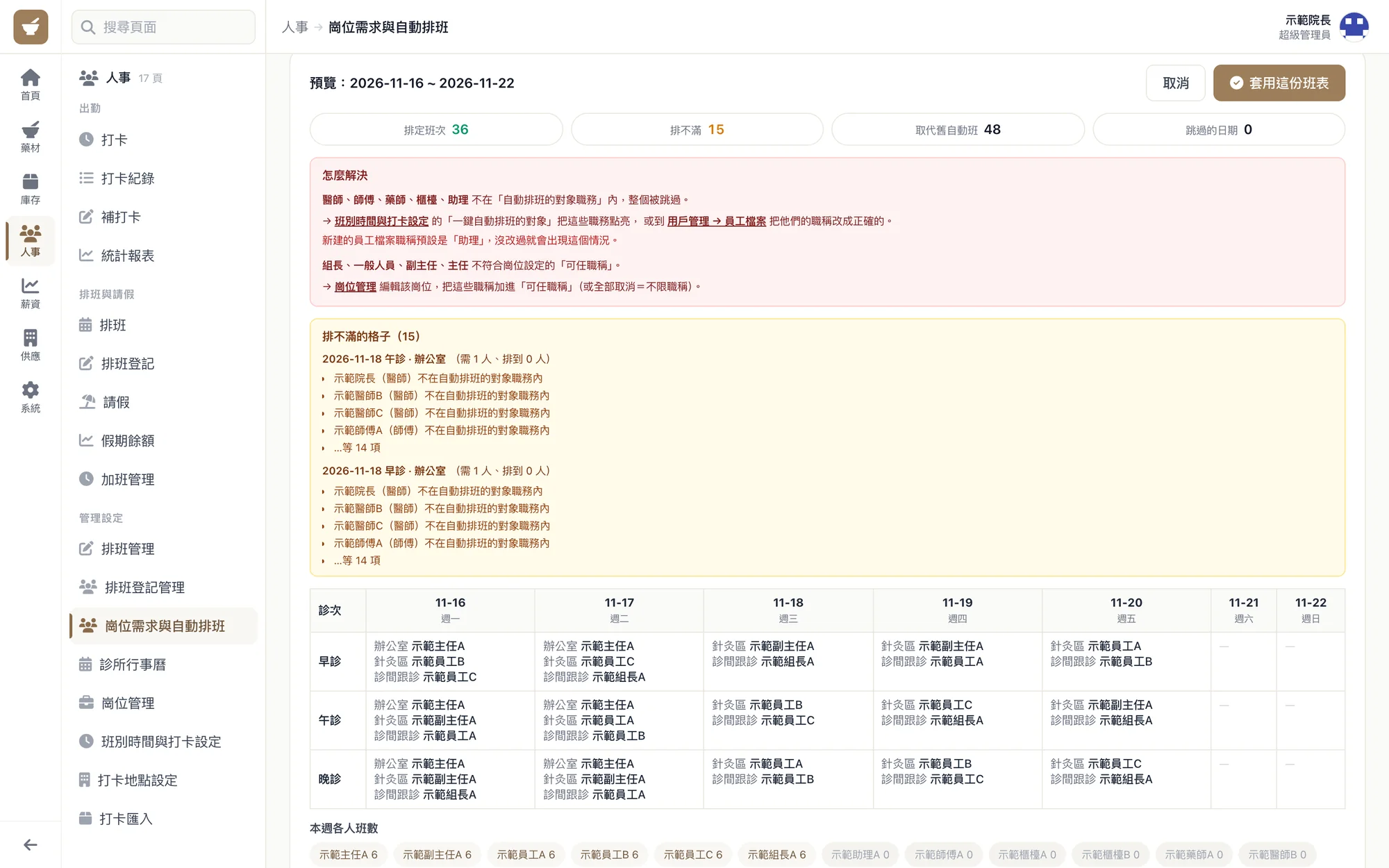
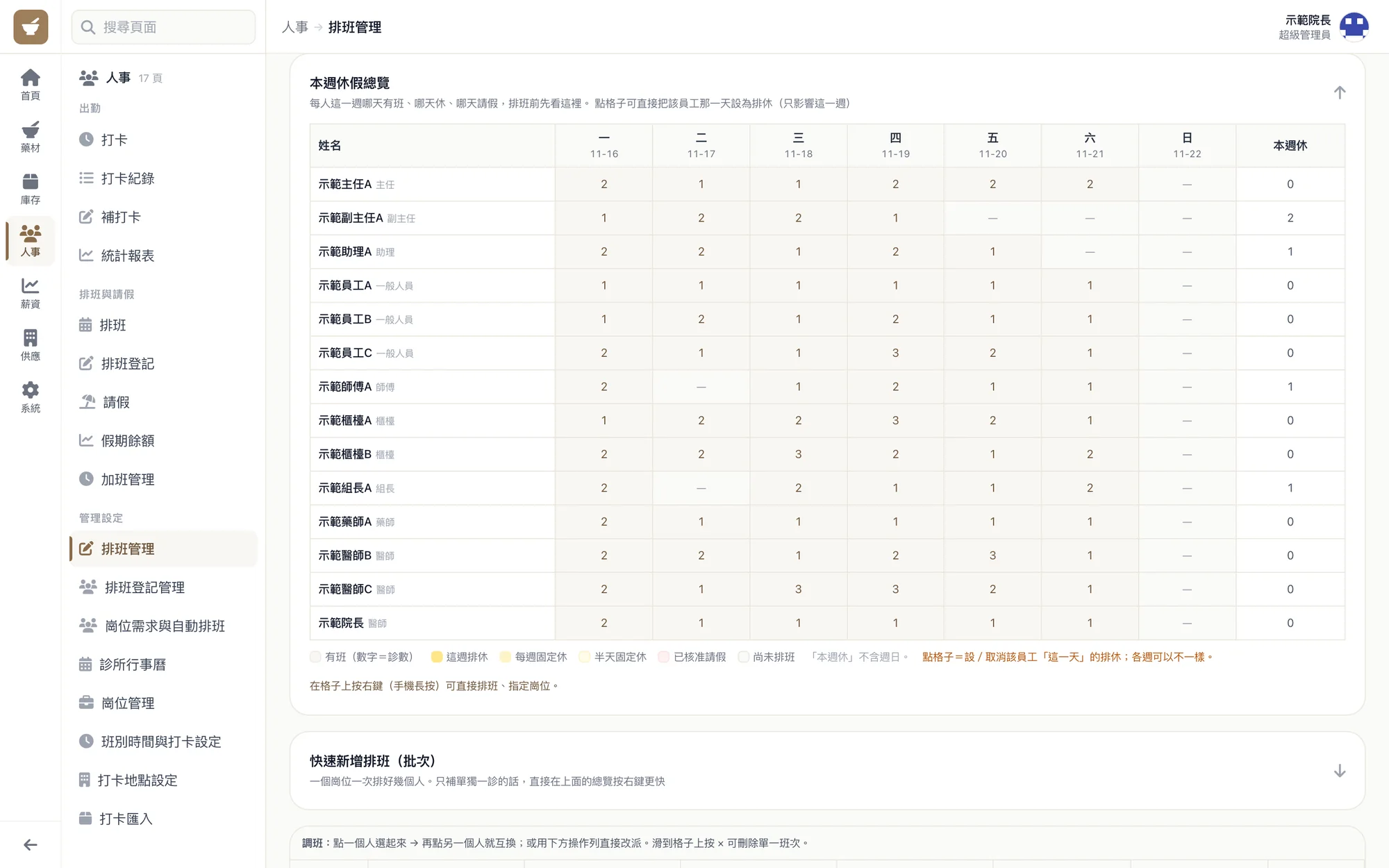
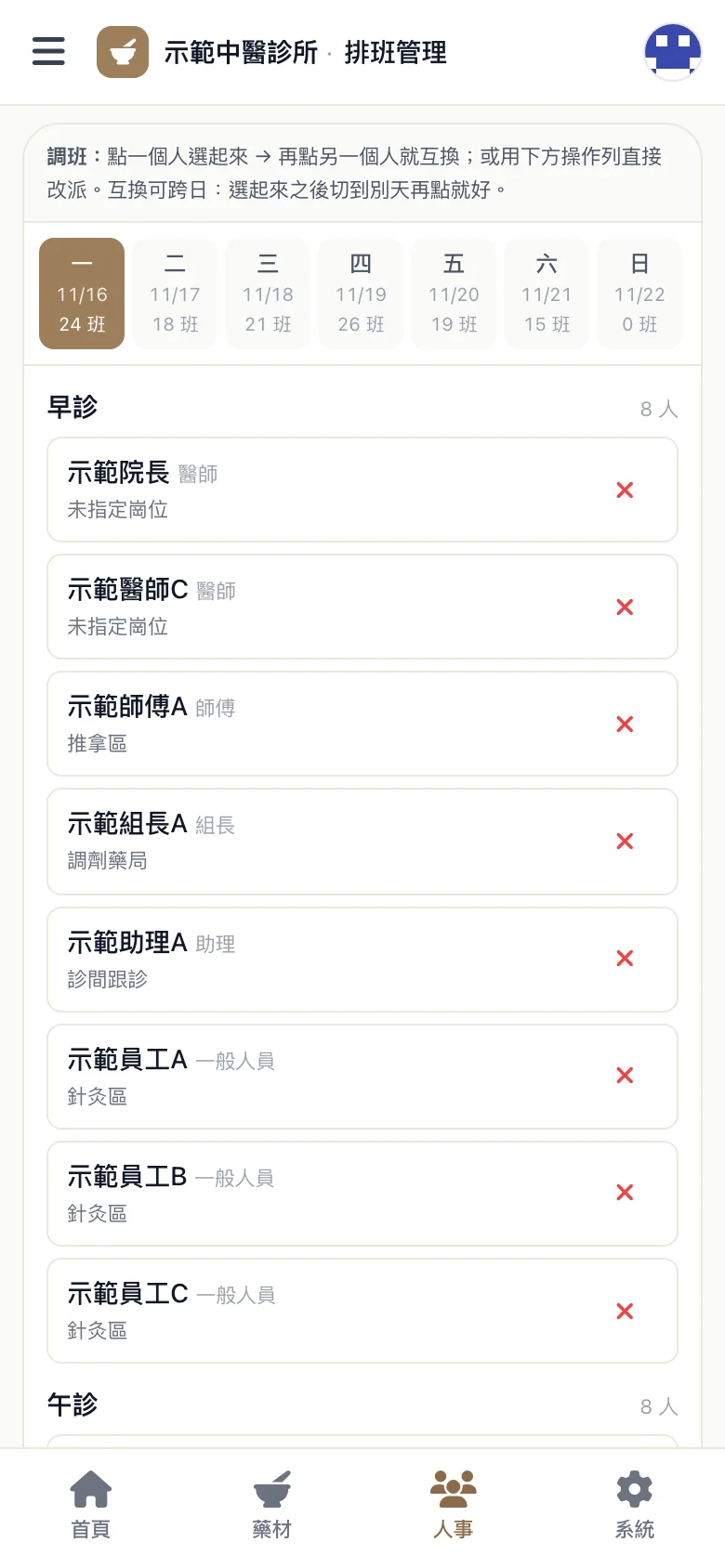
Schedule a whole week in one click, with reasons for any gaps
Based on how many people each time slot needs, the system builds a week's schedule automatically. For slots it can't fill, it lists who couldn't be scheduled and why.
When a manager changes shifts by hand and the change breaks the one-rest-day-in-seven rule, the 40-hour week, or the 11-hour gap between shifts, the system shows a warning first and lets the manager decide. Shifts on a mandatory rest day are blocked outright.
04 · Payroll
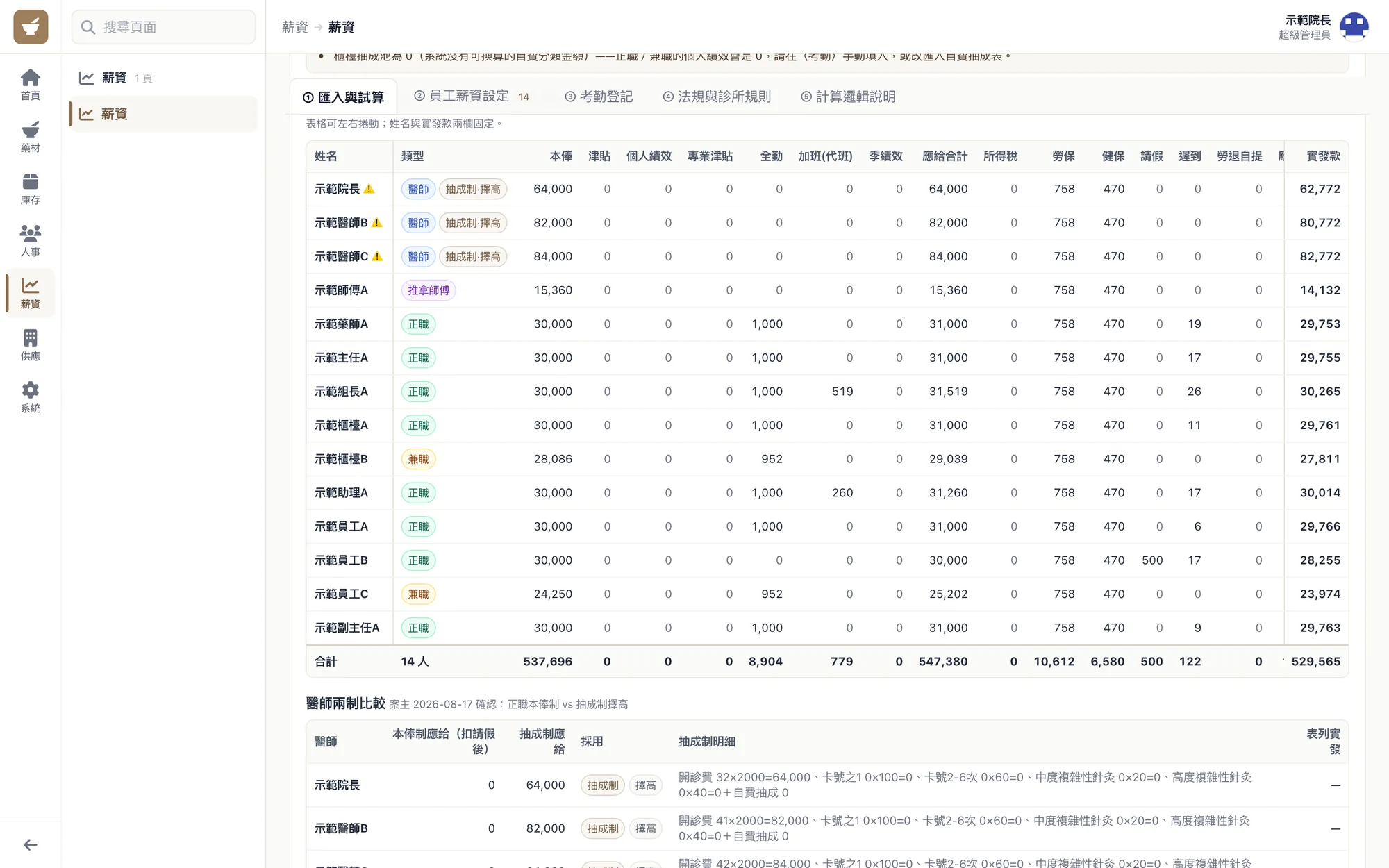
Clock-ins, leave, and overtime go straight into payroll
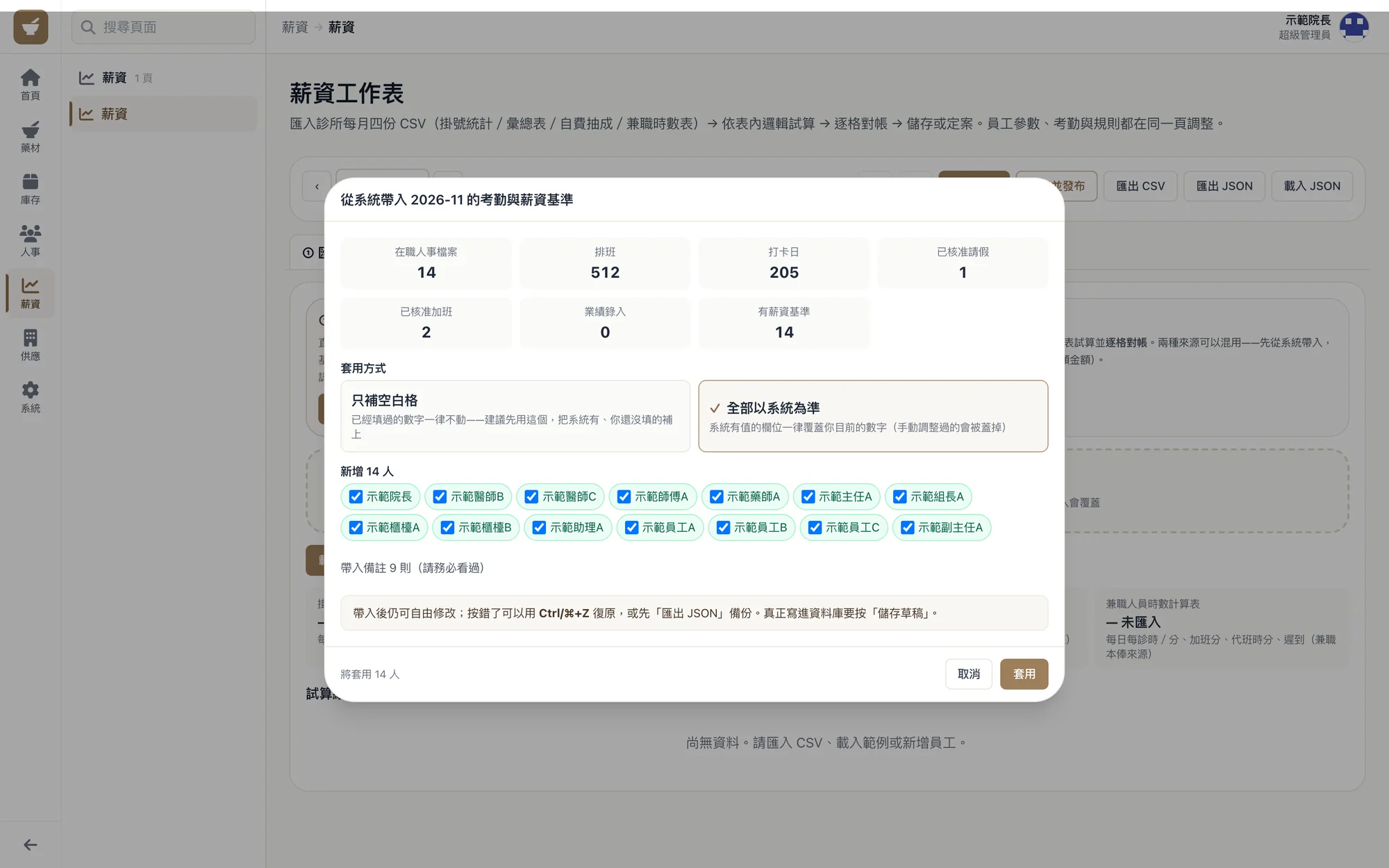
Each month's payroll is done on one worksheet. First, pull in the schedules, clock-ins, leave, and overtime from the system. You can fill in only the blank fields or use the system records as the reference. After a trial calculation, check each entry, then save it as a draft or finalize and publish it.
Doctors, full-time staff, part-time staff, and massage therapists each have their own pay rules, and the employer's 6% pension contribution is calculated as well.
05 · Herbs
Put QR labels on the herbs and scan to log stock in and out
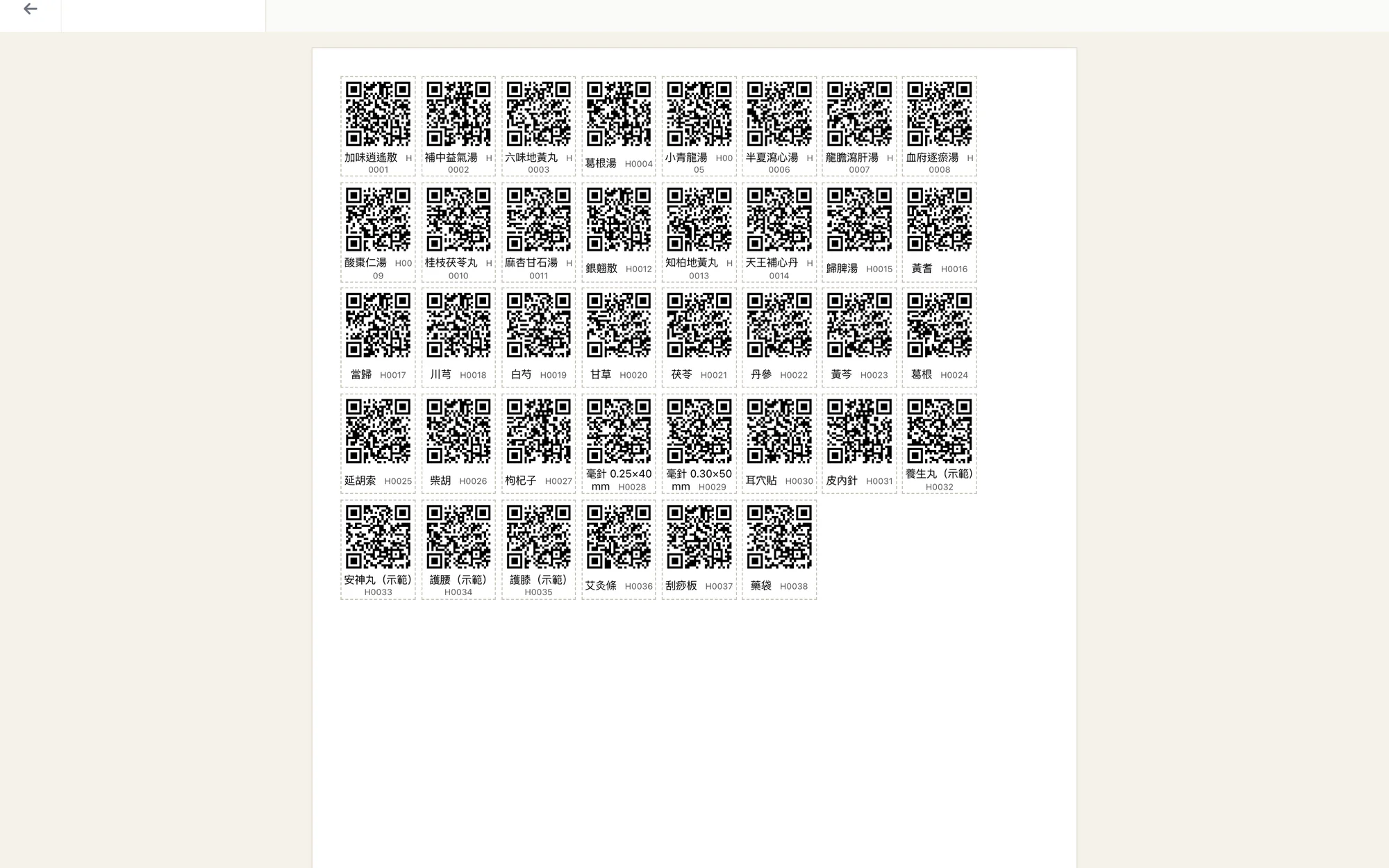
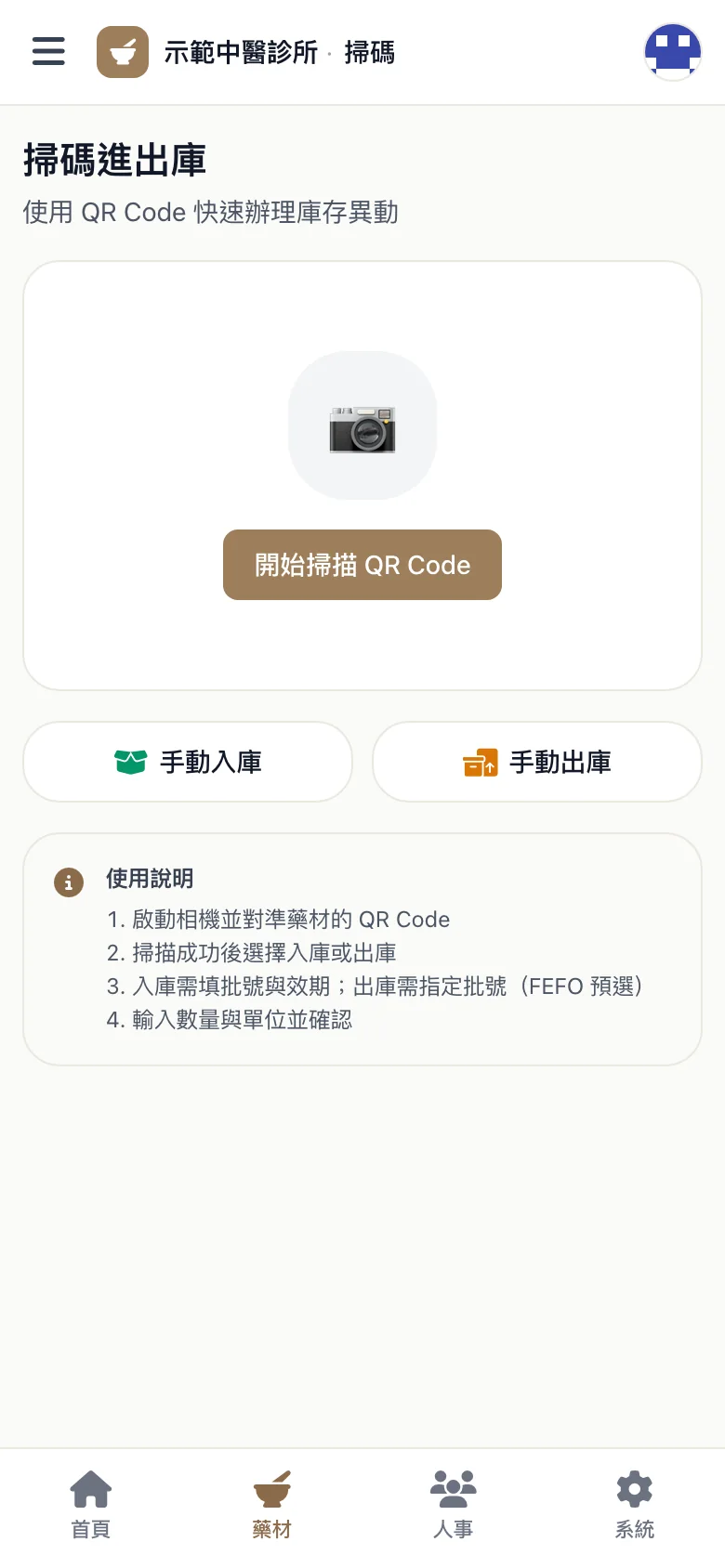
Each herb has its own code, and labels can be printed in batches on A4 QR sheets. Staff scan with a phone when stock comes in or goes out. Incoming stock gets a batch number and expiry date, and outgoing stock starts with the batch that expires first.
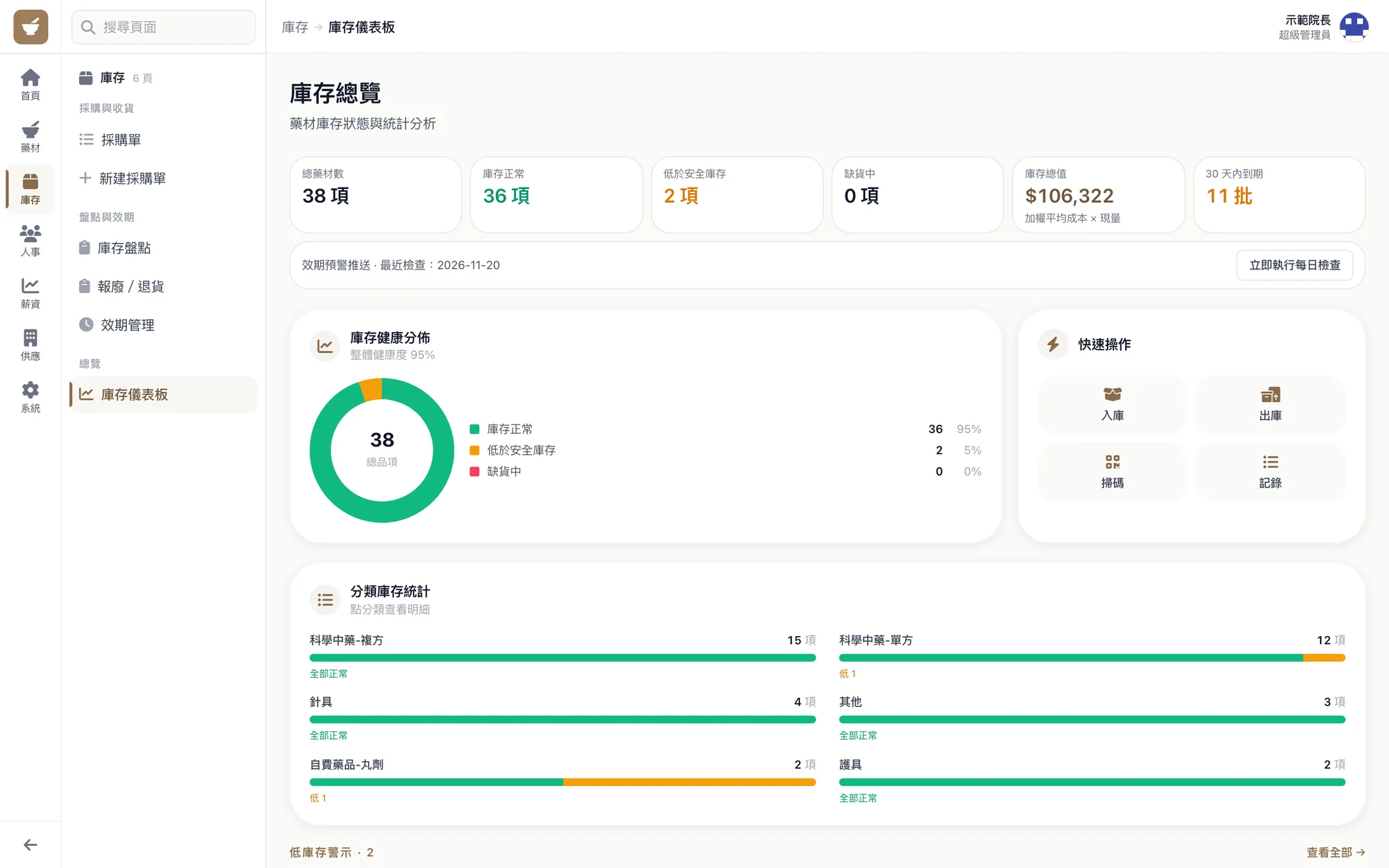
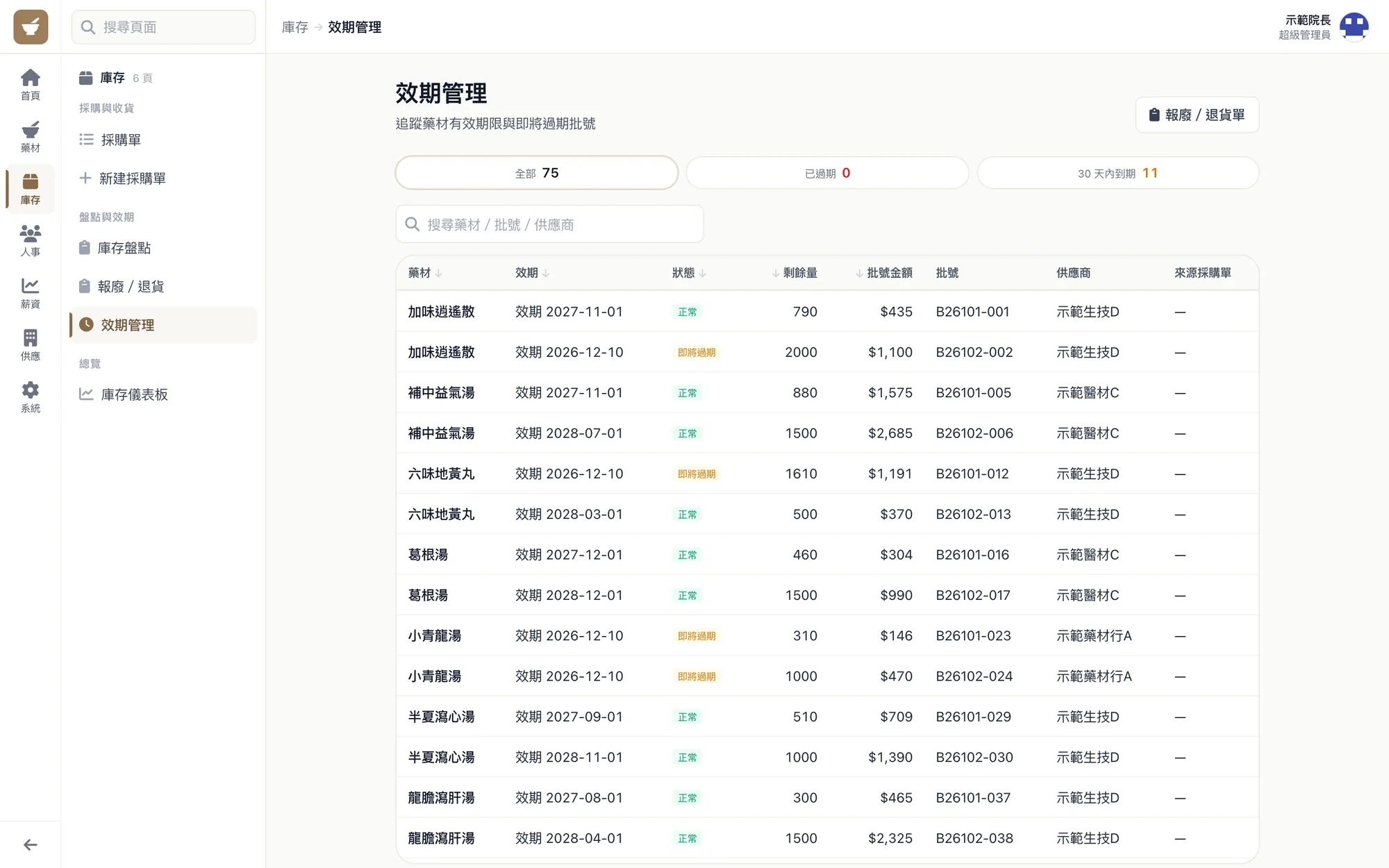
The inventory overview shows which herbs are below the safety level, and expiry management lists the batches that are close to expiring.